
Reach us! 

(904) 903-4475

Microsoft_Office_Teams_(2018–present).svg
Microsoft Teams
Word_2019_logo-1
Microsoft Word
Microsoft_Office_Outlook_(2018–present).svg
Microsoft Outlook

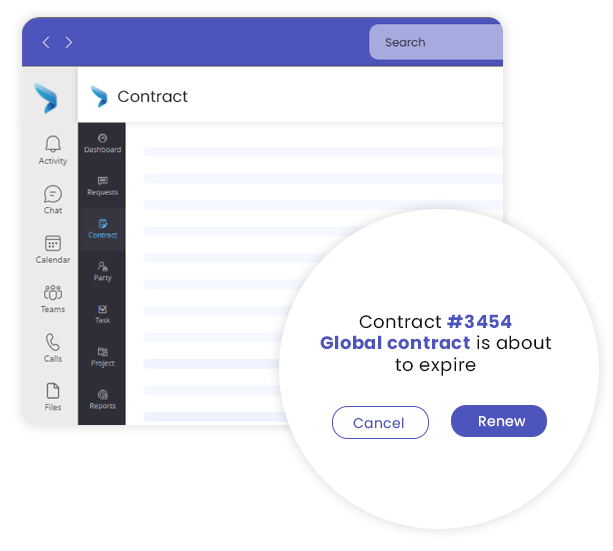
Microsoft Teams provides a collaborative platform for businesses to connect with internal and external parties throughout the contract lifecycle. Contract owners can communicate, conduct meetings, and share real-time updates with stakeholders through chat, video conferencing, and file sharing.

Companies can set up tasks and calendars to keep everyone in the loop regarding the contracting processes. Create channels for specific projects and contracts to route details to the right place.

teamsScreen

From drafting agreements to collaborating with external parties, Microsoft Word is one of the popular tools in the legal landscape. Multiple users can draft, edit, and collaborate on legal documents at once with its digital redlining capabilities.

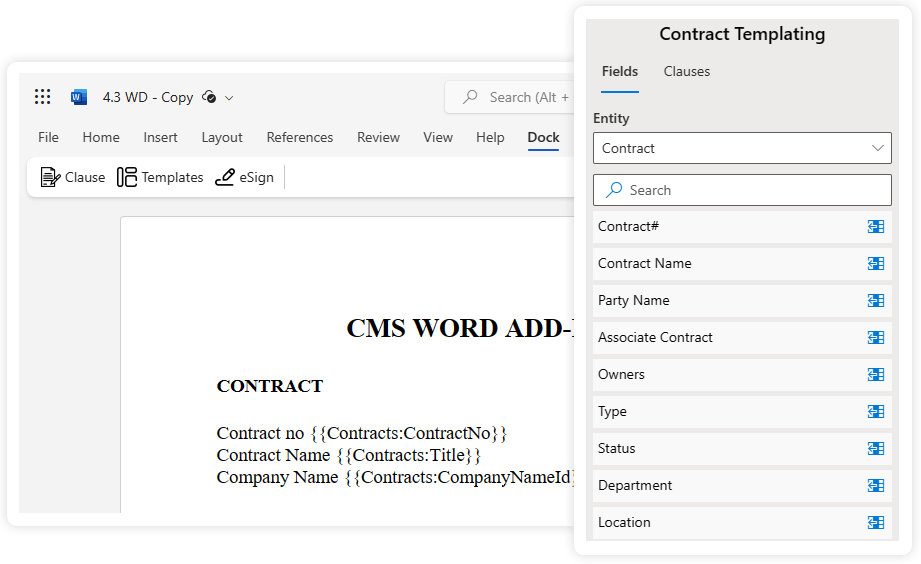
Dock 365’s Word add-in features allow users to customize contract templates, inherit metadata, and add terms from the clause library. Companies can easily facilitate review and execution with AI and electronic signature functions within a Word Document.

wordaddin

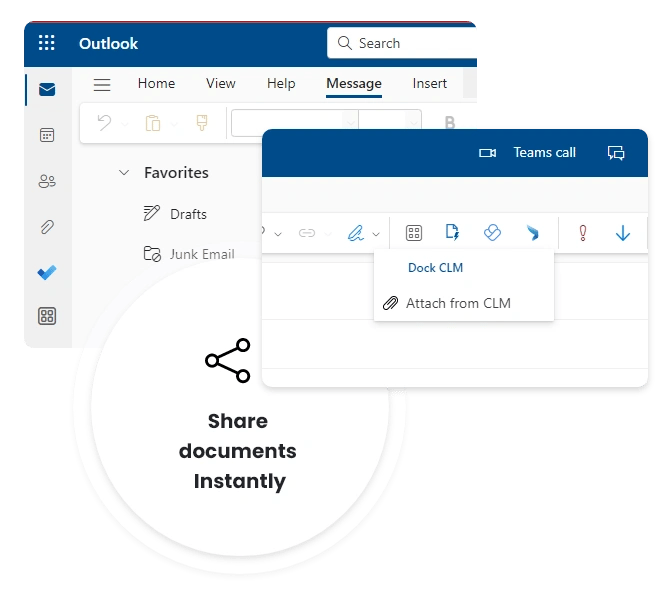
Dock 365’s seamless integration with Microsoft Outlook enables users to convert emails into contracts and manage the entire process from one single location. They can upload email attachments straight to the CMS platform; it can be a revision to an existing Dock 365 document.

Companies can easily search, retrieve, and access the contract repository from Outlook and share it with internal and external collaborators. Businesses can use electronic signature integration, keep track of version history, and share documents online, among many other things.

outlook

Connect Contracts with Construction Workflows

Support bid-to-contract, subcontractor onboarding, vendor approvals, change orders, renewals, and compliance reviews with one connected contract process.

  • salesforceIcon
    Salesforce
  • sertifyicon
    Sertifi
  • docusignIcon
    Docusign
  • Microsoft_Azure_Logo.svg(1)
    Azure
  • business-central-logo-3
    Business Central
  • adobeIcon
    Adobe
  • dynamic365-1
    Dynamics 365
  • Microsoft_Office_SharePoint_(2019–present).svg
    Sharepoint
  • oracle-netsuite-logo

Everything Built Into One Platform

01
Centralized Contract Repository
Store all your supplier, customer, and partner contracts in one secure and easily accessible location.
02
Streamlined Contract Creation
Create custom contract templates and clauses tailored to your needs, ensuring consistency in every deal.
03
Fast-track Processes
You can optimize the entire contract lifecycle with automated workflows for review, approval, and execution.
04
Effortless Tracking and Reminders
Stay on top of contract milestones and renewal dates with automated tracking and reminders.
05
Speed-up Signing
Execute contracts in no time with legally binding electronic solutions like Adobe Sign, DocuSign, and Sertifi.
06
Robust Reporting and Analytics
Gain valuable insights into your contract portfolio with custom reports and dashboards to make informed decisions.
07
Integration with Business Systems
Easily integrates with your existing systems, such as Microsoft Dynamics 365 CRM, Salesforce CRM, Microsoft Business Central, and Oracle NetSuite.
08
Real-time Collaboration
Enables multiple users to collaborate on contracts simultaneously, streamlining the contract process and ensuring efficient completion.
09
Obligation tracking
Advanced AI capabilities to automatically extract relevant clauses from contracts. They can assign alerts and approvers for these obligations.

Contract Automation For Faster Results

Our contract management platform handles every step of the contract lifecycle, from initial requests to signing to renewals. You can accelerate the entire process without errors or constant supervision.
1
Create
Draft and negotiate contracts for a wide variety of purposes with little effort using ready-to-use templates, an extensive clause library, and digital redlining capabilities within a single platform.
2
Approve
Internal and external collaborators can review and approve contracts with ease using automated workflows to route legal documents to appropriate parties in time.
3
Execute
Electronic signature solutions offer a painless, secure, and legally enforceable means for businesses to carry out contract execution in no time.
4
Manage
Make the most of your contractual relationships by using timely reminders and reports with insights into contract performance, risks, renewals, and obligations.

Experience AI Assistance in Contract Management

Use AI to quickly identify important clauses, surface contract risks, and reduce time spent on manual review. For construction teams, that means faster analysis of subcontractor agreements, supplier terms, and project-related contracts.

clause (1)
Clause Extraction
AI automates the analysis, identification, and extraction of essential provisions from legal agreements, including payment conditions, termination clauses, and obligations.
clause (1)
Contract Review
Our AI-powered tools can quickly review contracts and compare clauses for inconsistencies, flag potential risks, and highlight areas that may require further scrutiny.
summary (1)
Contract Summary
AI provides a brief outline of contracts to highlight the essential clauses, relevant milestones, and deadlines to provide legal teams respite from manually going through complex and lengthy contracts.

Success Stories By Leaders Like You

Discover how Dock 365 transforms contract management for the best teams around the globe. We guarantee unmatched security and efficiency in every legal operation. Whether you're in healthcare, IT, start-ups, or small businesses, irrespective of your scale and industry, we can tailor our services to your exact needs.

King's Hawaiian

Ray Fager

ray fager pic
VP, Sales Operations

What I've really been pleasantly surprised with is your level of customer service. You have really great expertise on solving any issue.

AVA Studios

Matt Waters

matt waters-3
COO

A number of times in the past I've had to make changes to my programming environment and the Dock folks have always been quick to respond

Benchmark Training

Ben Hippeli

Ben hippeli-1-1
Founder

Working with the Dock team was so easy. The team was super flexible, checking points to make sure things are going exactly the way we wanted

Security Reinforced
SOC 2 Certified

Your data security is paramount, and thus, we are fully committed to maintaining the highest standards of privacy and security. Our SOC 2 Type II certification, the first of many milestones, demonstrates our commitment to maintaining the highest standards of security.
pentest

Penetration Tested

Dock 365 conducts annual penetration testing and vulnerability assessments that are essential for a proactive security strategy. Our penetration testing follows a structured approach to identify security vulnerabilities and deviations from best practices. Experience peace of mind with our robust data security and compliance measures.

Learn More About SOC 2


security

Frequently Asked Questions

 How does Dock 365 help manage subcontractor agreements?  

Dock 365 helps you centralize subcontractor agreements in one place, so teams can draft, review, approve, and track them without relying on email chains. It also helps reduce missed deadlines by keeping key terms, renewals, and obligations visible. 

Can we track vendor contracts, renewals, and compliance documents?

Yes, Dock 365 lets you track vendor contracts, renewal dates, and related compliance documents in a structured system. This helps your team stay ahead of expirations, reduce manual follow-up, and maintain better control over contract records.

Can approvals be routed across project, legal, and procurement teams?
Yes, you can route approvals through the right stakeholders based on your internal process. This makes it easier to manage construction contracts without slowing down review cycles or losing visibility.  
Does Dock 365 work inside Microsoft 365 and SharePoint?

Yes, Dock 365 is built to work within Microsoft 365 and SharePoint, so teams can manage contracts in a familiar environment. This helps users collaborate more easily while keeping contract data organized and accessible.

Can we standardize construction contract templates across teams?
 Yes, you can create and use standardized templates to keep construction contracts consistent across projects and teams. This helps reduce errors, speed up contract creation, and improve compliance with company-approved language.