A lot of businesses keep drafts and final agreements in the same folders. It might seem like a simple way to keep things organized, especially if you are busy. But here's what you should ask:
Can one place really handle both working on drafts and storing final contracts safely?
Most of the time, it’s not a good idea.
If you mix drafts with final versions, you risk exposing things when they are being approved. Many problems come from simple mistakes inside the company, not big cyberattacks.
You don’t have to get rid of SharePoint or start over. Instead, you can set up your process better.
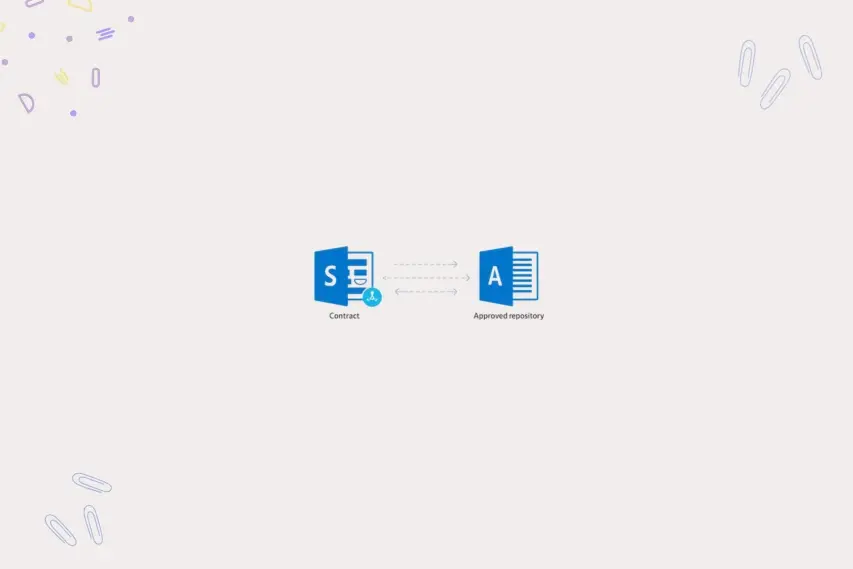
Using a ‘Two-Library' approach makes it clear where the drafts are and where the final agreements are. Think of it as a wall that keeps your contract process safe. One digital repository is where the legal team works together, and the other is a safe place where only approved agreements are stored.
This small change makes a big difference in keeping your documents safe, making audits easier, and controlling how things are done.
Contracts usually don’t go straight from being a draft to being approved. They go back and forth with changes and reviews.
If this happens in one place, it can get confusing. Staff might open old versions, thinking they are the final ones.
Even worse, some users might still be able to change approved documents. Even a small change after approval can mess up the official record. If you keep drafts and final versions separate, you avoid these problems right away.
It adds a checkpoint before documents go into the official contract vault.
The first repository is the Master Library. It's like a kitchen where the legal team prepares contracts. Drafts, changes, and discussions all happen here.
Usually, outside users don’t need to see this space. The legal team can work together easily because they can keep making changes. The version history keeps track of everything that changes during talks.
Many businesses use complicated folders to organize contracts. Folders might seem easy, but they can cause problems with searching and following the rules later on.
Content types are a smarter way to organize things in SharePoint. Instead of folders, documents get labels like “Legal Contract” or “MSA.” These labels make it easier to tag things across the whole library.
It also makes search results more accurate, and filtering becomes simpler. For example, legal teams can quickly find all Master Service Agreements. They can also find agreements for certain sellers or departments.
Content types turn your document storage into a searchable contract database.
The most critical point is when the approval process starts. At this time, the system must ensure that no one can make changes at the last minute.
When the process starts, the contract becomes read-only automatically. The person who sent it loses the ability to make changes while leadership checks it. This lock-down stops unauthorized changes during the approval stage.
It also keeps the version being reviewed safe. Imagine the general counsel reviewing a contract for final approval. Without restrictions, the original person could still change the document without anyone knowing.
The read-only feature removes that risk. Everyone reviewing the contract sees the same version without hidden changes.
Contract approvals often follow a set order in companies. Documents rarely go straight from the creator to the top team. Approvals in order create a controlled review process across different roles.
Yes, and this is helpful for busy executives. Approvers can check and approve contracts right from Microsoft Teams for alerts.
They can also approve documents through email alerts in Outlook. This easy approval process keeps leadership involved without making things complicated.
A special process can keep approval details permanently. Approver names, times, and comments are saved right in the document details.
This info becomes part of the contract’s permanent record. It stays available even if regular process logs disappear later. During disagreements or reviews, this audit trail is helpful.
Legal teams can prove who approved the agreement and when. This level of responsibility makes contract management stronger.
Legal talks rarely go perfectly the first time. Contracts often need changes after internal feedback or talks. A rejection shouldn’t stop the approval process completely.
When an approver rejects a document, the system unlocks it automatically. The contract goes back to the original creator with detailed review comments. The person updates the document based on those instructions.
Once changes are done, the process status goes back to “New.”
The document then starts the approval sequence again from the beginning. This ensures every change goes through the entire review chain. No updated contract misses earlier legal checks.
After final approval, the document goes to the Published Library. This library is the company’s official contract vault.
The process automatically turns the final document into a PDF. That PDF version then goes right into the vault library.
This ensures only final agreements are in the contract archive.
Sales, HR, and operations teams often need quick access to contracts. But they don’t need to see drafts or legal comments. The Published Library shows a clean, final document library.
Users only see approved PDFs without the history of drafts. This keeps legal discussions and negotiation tactics private. It also stops confusion between draft and final versions.
Using two libraries changes how legal teams handle contracts. Instead of hunting for documents, they control the whole process strategically. Drafting happens safely in a controlled workspace.
Approval processes protect document safety during leadership review. Final agreements go automatically into a secure contract vault. The entire system is clear and easy to defend.
Many businesses try to build these processes by themselves in SharePoint. It's doable, but keeping things consistent across departments is not easy.
Dock 365 makes this easier. It’s a contract lifecycle management platform built on Microsoft 365. Dock 365 makes approval processes, document tagging, and secure contract storage automatic.
Legal teams get organized processes without a complex setup. Approvals follow set paths automatically across departments. Contracts go smoothly from drafting to publishing in controlled libraries. The system also keeps audit trails and approval history automatically.
Many businesses think they have contract management under control. But they only have document storage with limited protection. Using two libraries turns storage into a management structure.
Draft contracts can still be changed in a safe legal workspace. Final agreements go automatically into a protected contract vault. This makes compliance, version control, and audit readiness stronger.
Legal teams go from simply managing documents to leading with proactive governance. If you already use Microsoft 365, you have what you need.
The next thing to do is set up the process correctly. Schedule a demo of Dock 365 today. Learn how structured contract automation turns SharePoint into a secure legal contract management system.
Like our content? Subscribe to our newsletter on LinkedIn for more insights and updates.
Schedule a live demo of Dock 365's Contract Management Software instantly.


© 2026 Dock 365 Inc. All Rights Reserved.