Webinar June 09, 2026 | 11:00AM EST | 4:00 PM BST | Hack the Productivity Drag - Eliminate contract bottlenecks slowing your teams - Register Now
How to Turn SharePoint into a Contract Management Platform
Jul 23, 2026
1 min read
Contracts scattered across email and shared drives are a renewal date away from a problem. Here's exactly how to build a working contract tracker in SharePoint, step by step, with screenshots for every stage.
Yes, it is possible to create a functional contract tracker with just the native capabilities of SharePoint. Just make a list, make an intake form, a Rules-based notification for expiration dates, an approval workflow, and secure the list and items with proper permissions for sensitive contracts. The approach works very well for low volumes. Over a few thousand contracts or when you need more advanced features like dynamic permissions, obligations tracking, or integration with e-signatures, you will have to move beyond native SharePoint capabilities.
All organizations start their contract tracking from the same place: a common folder in the network, a spreadsheet managed by a single person, and PDF documents in someone's email inbox. The system is fine until there is a missed expiration date or your legal department discovers a vendor contract that has been automatically renewed. In case your organization uses Microsoft 365, you already have all required tools to change this situation. Here is how you do it.
Step 1: Create Your Site and List
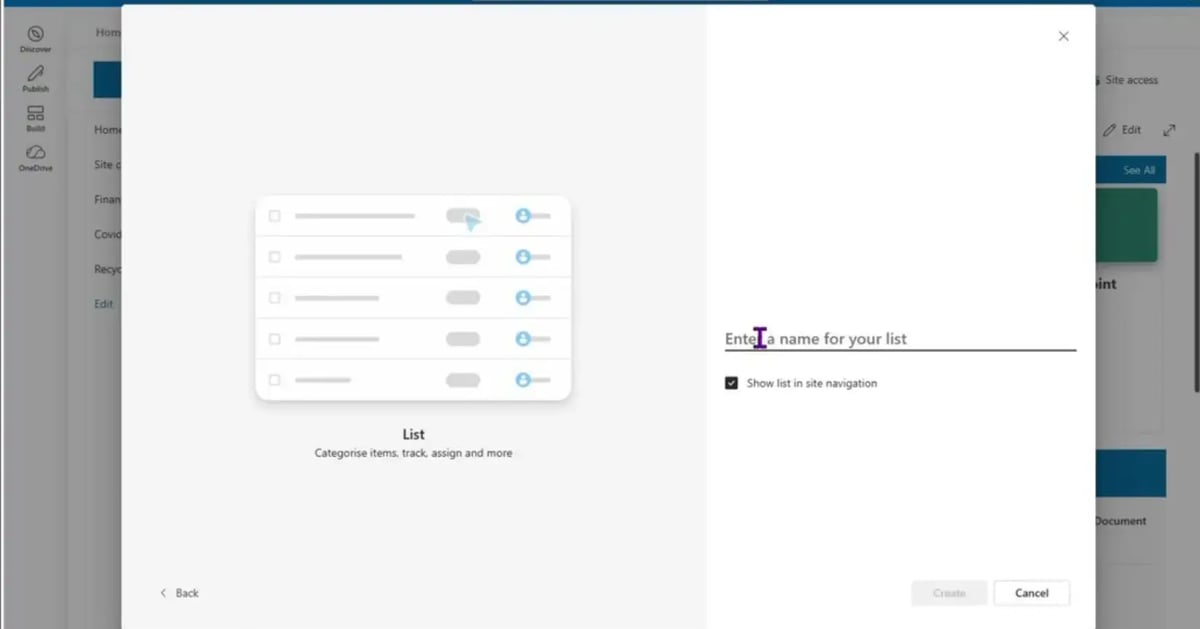
Take any existing site to which your team has access, be it the legal site, accounting site, or wherever it is that you are storing the contracts. Click "New," select "List," "Blank list," give it a name, e.g., "Contracts," and enable site navigation.
Choose List for structured contract data. Name it clearly and enable site navigation. Your list is live and ready for items.
Step 2: Build the Intake Form
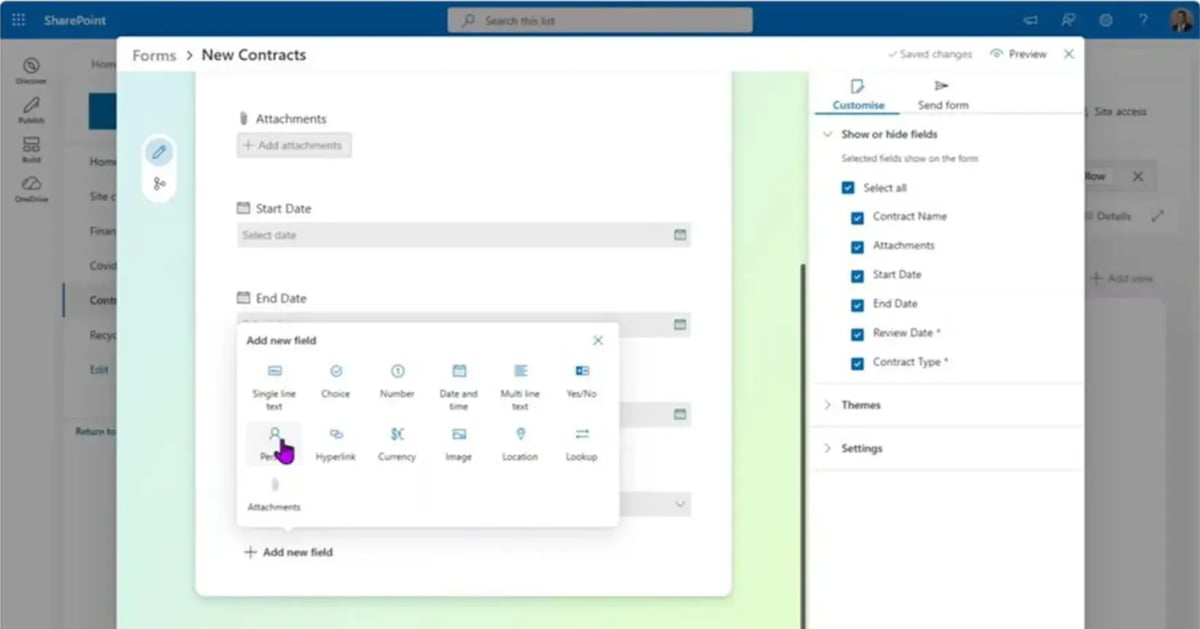
Change the default Title column title to something more meaningful like "Contract Name," enable attachments, and create metadata fields such as Start Date, End Date, required Review Date, Contract Type (choice field, options: NDA, SOW, MSA, BAA, Work Order), Contract Manager (person field), and Notes field.
Step 3: Share It and Collect Submissions
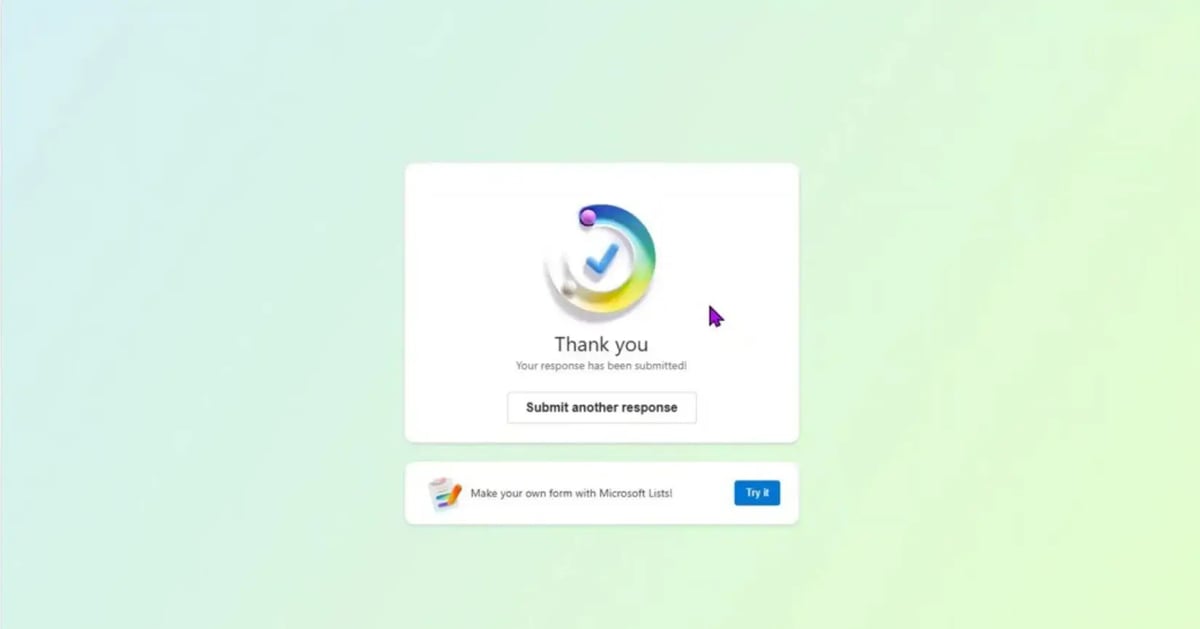
Email the form link to your team so that everyone can submit contracts to this form instead of sending emails back and forth. New submissions appear in the list at once, including attachments.
Step 4: Set Up Expiration Notifications
From Rules, configure the "When a date approaches" action on the Review Date field, make it 14 days before the due date, and use the Contract Manager field value as the basis for sending the email.
Step 5: Add Approval Workflows
In the Workflows section of the list you can configure an action for when a new item is created, an approval process, a Teams message, or an email. Decide whether you want the task assigned to a team, whether it requires a single approval or all of them, and whether you can include dynamic content such as the item title and the link. For any more complex workflow, the route lies in Power Automate, although make sure to allow yourself some time to master it.
Step 6: Lock Down Permissions
The nature of contract data makes it more sensitive than the standard list data; hence, you should remove the inheritance of permissions from the site and remove the default groups in order to apply permissions to individual users or Active Directory groups. The contribution permissions allow users to create a new item, and, at the same time, they will have access to other items in the list as well; it cannot be avoided.
Where This Approach Hits a Wall
The above solution is real, available, and free in the license of the Microsoft 365 you already own. It comes with its limitations:
Dynamic permissions (automatic restriction of access by department/status) require the use of Power Automate, which is not trivial.
There is no obligation tracking mechanism – it requires building and maintenance of separate lists.
Audit history is present but not easy to retrieve and report.
Reports across contract types and obligations require manual filtering and/or exporting.
Integration with DocuSign, Adobe Sign, Salesforce, or Dynamics requires separate integration tools.
Scaling to 5,000 items becomes problematic due to indexing and searching difficulties.
Development of a custom full-fledged solution that does all of the above usually requires dedicated IT team effort and a year of development, followed by periodic maintenance due to Microsoft changes to the underlying platform.
Skip the Development Effort, Keep the Familiar Tools
Dock 365 is a contract management platform built natively on SharePoint and offers dynamic permissions, obligation tracking, e-signature integrations, and reporting, right where this guide ends – in the Microsoft 365 environment.
Can you manage contracts in SharePoint without buying separate software?
Yes. The built-in SharePoint list with customized form, Rules-based notifications, Approval workflow, and permission configuration will suffice for all basic features of contracts management: receipt, evaluation, storage, and notification about their expiry dates with the help of built-in functionality of Microsoft 365.
How many contracts can a SharePoint list handle before it slows down?
SharePoint lists begin to experience indexing and searching problems at approximately 5,000 records. Everything below this point is good; anything above will require filtered views, which in turn will have their limits too.
Do I need Power Automate to build this?
No, for the basics, native Rules and list workflow would be enough for notifications based on dates and an approval workflow. Power Automate will come in handy only when it comes to changing permissions based on the metadata of contracts.
Can SharePoint restrict a contract to specific people automatically?
Not dynamically without external help. The unique permissions can be assigned manually to each list item using Manage Access and Advanced settings. However, automatic limitation of access by some criteria (e.g., departments and contract type) is possible using Power Automate.
When does it make sense to move from SharePoint to a dedicated CLM?
When obligation management, automated audit reporting, electronic signatures, or self-service permissions become necessary, a specialized CLM like Dock 365 will take care of this, keeping your documents in SharePoint.
Book a Live demo
Schedule a live demo of Dock 365's Contract Management Software instantly.
Disclaimer: This content reflects Dock 365's expertise in contract management and is intended to help businesses understand contract fundamentals. For specific legal advice, consult a qualified attorney.
Written byJithin Prem, Account Growth Marketing Lead, Dock 365
Jithin Prem leads account growth marketing at Dock 365, focused on how legal, procurement, and finance teams discover and adopt contract lifecycle management software. With over a decade of digital marketing experience across B2B SaaS including senior roles at Excelledia Ventures and earlier work at WebCastle Media and 76 DE Technologies. He writes about contract automation, Microsoft 365–native workflows, and the operational mechanics of moving legal teams off email and shared drives.
Reviewed by Krishnapriya KV, Project Manager, Dock 365
Krishna Priya leads a 10-person product team at Dock 365 responsible for building new features across the Microsoft 365–native contract lifecycle management (CLM) platform. She works directly with engineering, design, and customer-facing teams to translate feedback from legal, procurement, and operations users into shipped functionality, giving her hands-on familiarity with how real contract workflows break, scale, and get fixed.





.webp?width=1200&length=1200&name=Step%202_%20Build%20the%20Intake%20Form%20(2).webp)
.webp?width=1200&length=1200&name=Step%202_%20Build%20the%20Intake%20Form%20(4).webp)
.webp?width=1200&length=1200&name=Step%202_%20Build%20the%20Intake%20Form%20(6).webp)
.webp?width=1200&length=1200&name=Step%203_%20Share%20It%20and%20Collect%20Submissions%20(2).webp)
.webp?width=1200&length=1200&name=Step%203_%20Share%20It%20and%20Collect%20Submissions%20(3).webp)
.webp?width=1200&length=1200&name=Step%203_%20Share%20It%20and%20Collect%20Submissions%20(4).webp)
.webp?width=1200&length=1200&name=Step%20(1).webp)
.webp?width=1200&length=1200&name=Step%20(2).webp)
.webp?width=1200&length=1200&name=Step%20(3).webp)
.webp?width=1200&length=1200&name=Step%20(4).webp)
.webp?width=1200&length=1200&name=Step%20(5).webp)
.webp?width=1200&length=1200&name=Step%20(6).webp)
.webp?width=1200&length=1200&name=Step%20(7).webp)
.webp?width=1200&length=1200&name=Step%20(14).webp)
.webp?width=1200&length=1200&name=Step%20(15).webp)
.webp?width=1200&length=1200&name=Step%20(17).webp)
.webp?width=1200&length=1200&name=Step%20(18).webp)
.webp?width=1200&length=1200&name=Step%20(19).webp)