Do you find yourself creating presentations when you’re not trained in design elements? You’ve heard of “death by bullets” and you’re trying to find the balance between a list and using one single large image in a creative way. Here are three keys to unlocking creativity with Microsoft PowerPoint from old tricks to learning new ones by using ink analysis for innovative design styles, cropping images to shapes, and morph stagnant designs with motion.
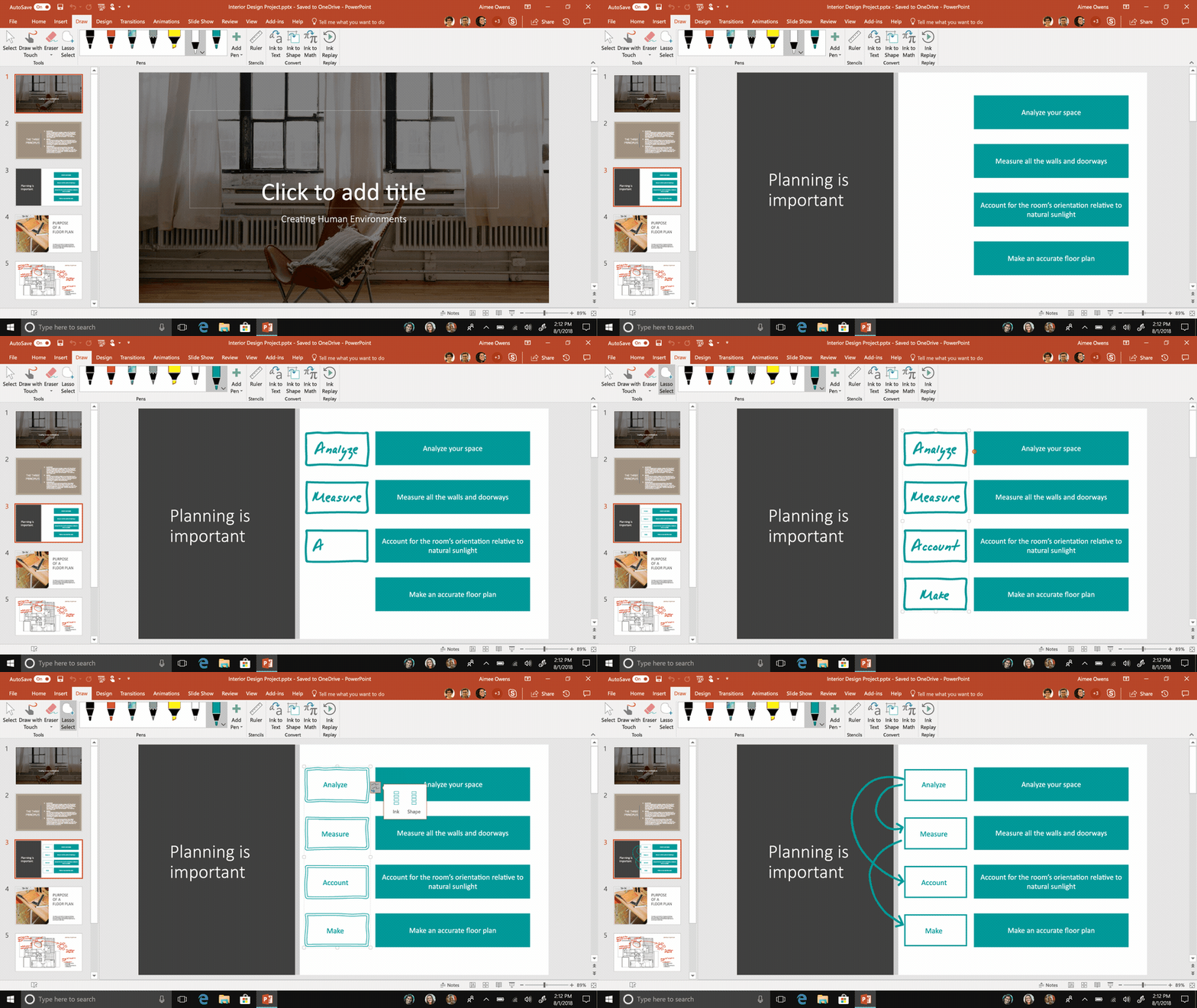
Easily convert hand-drawn words and shapes into text and objects in PowerPoint.
1. Ink analysis in Microsoft PowerPoint—We enhanced shape and text recognition in PowerPoint to give users more freedom to create content in a natural way. Now Microsoft 365 subscribers can convert any handwritten words on their slides into text and draw new shapes like hearts and clouds. You can also sketch out an entire slide and then convert all your drawings at the same time, instead of addressing each shape individually, making it easier to convert ideas to professional looking slides in a matter of moments.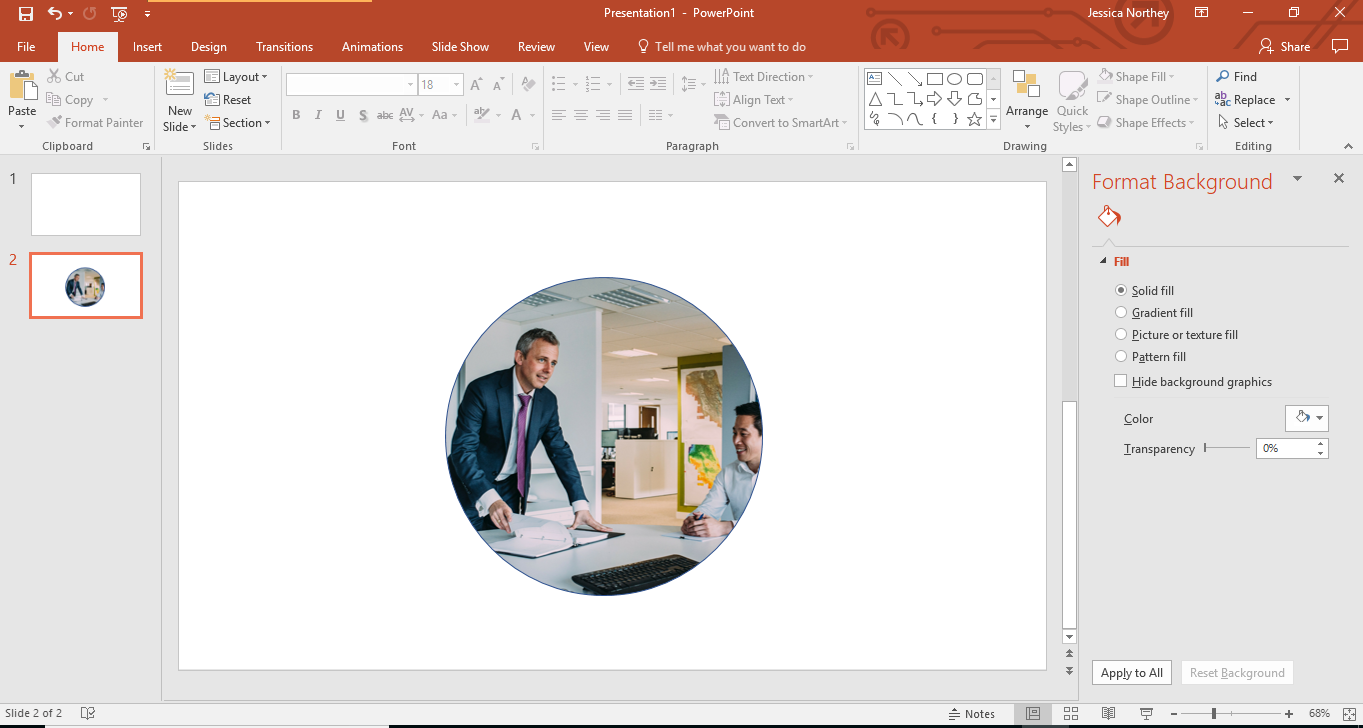
2. Crop an image to fit a shape—a creative way to spice up a presentation is to use shapes. It’s a wonderful way to make a PowerPoint presentation more interestingly visual, giving you clear areas that draw the eye and make information easy to understand. Format the background of the shape to insert the image and then widen as necessary to make it look natural versus a stretched image.
3. PowerPoint Designer and Morph—The days of dull presentation designs are over. Two new features that enable anyone to create designer grade slides and cinematic like motion within their presentation. The Morph transition allows you to animate smooth movement from one slide to the next. You can apply the Morph transition to slides to create the appearance of movement in a wide range of things—text, shapes, pictures, SmartArt, WordArt, and charts.
It might take a little extra time to learn the new PowerPoint upgrades but well worth your time. Impress your audience in a live setting to saving your presentation out as a video file to send to potential clients. Discover the new upgrades and learn some simple tricks to go outside of the box of the premade templates that come with PowerPoint. Your imagination can take flight.