
Here at Dock, we analyze employee site usage reports gain insights on various data points. For example, we aim to learn how many employees visited certain sites, which documents were access most frequently, and which behavior patterns guide their use of our online resources. Anyone using SharePoint can easily retrieve this data, and in this blog, we'll discuss two easy ways to do so.
The Importance of SharePoint Site Usage Reports
SharePoint offers leading capabilities that support users in collaborating on various data points. SharePoint Sites are essentially by everyone within an organization to collaborate on and share data. Understanding SharePoint Site Usage data allows you to enhance the SharePoint Site user experience so you can make data-driven changes to the site layout, site navigation, and manner in which the way documents are distributed.
The two easiest ways to access Site Usage details in SharePoint Online are through SharePoint Site Usage details page and through the Site Activity Web Part.
Now let's take a look at how to use both options.
Option #1: SharePoint Site Usage Details Page
Owning a SharePoint Site is remarkably easy if you have a thorough understanding of its basic features and settings. You can routinely improve your site by leveraging the abundance of settings.
Complete the following steps to obtain SharePoint Site Usage data from your SharePoint Site.
- Go to the SharePoint Site that you would like to review usage data from.
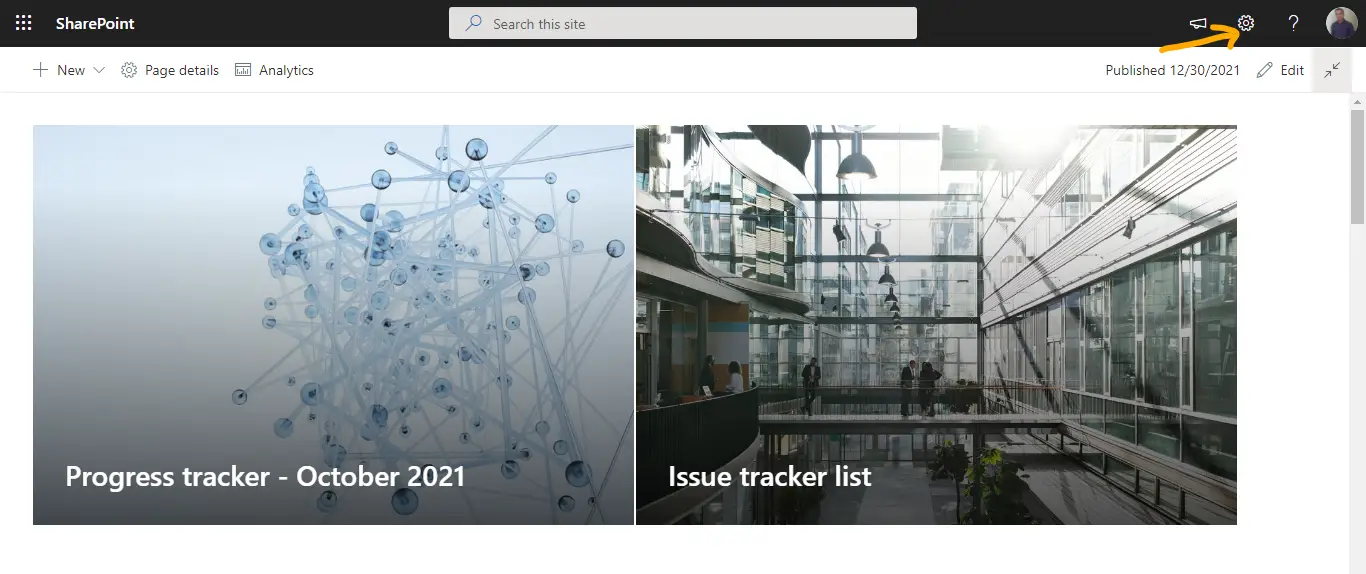
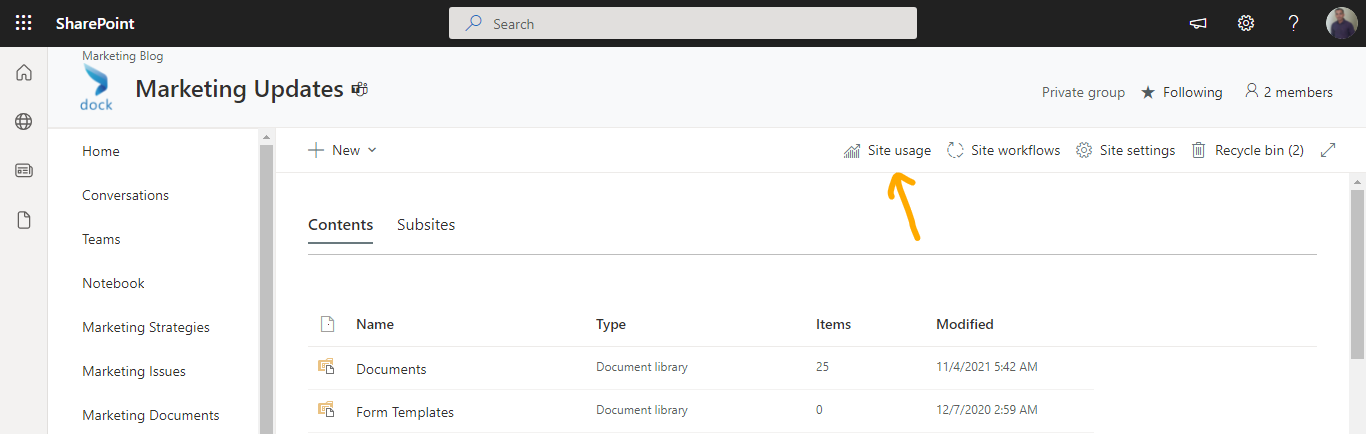
- Click Settings at the top right corner of the page and select Site usage.
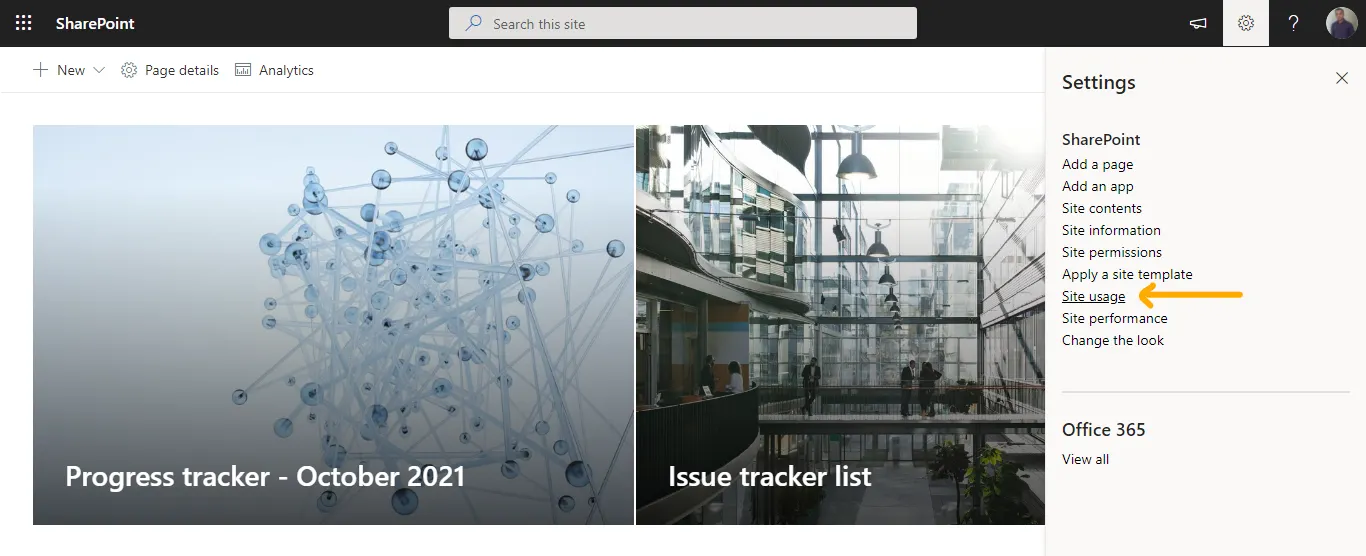
- You will be taken to the Site Usage analytics page.
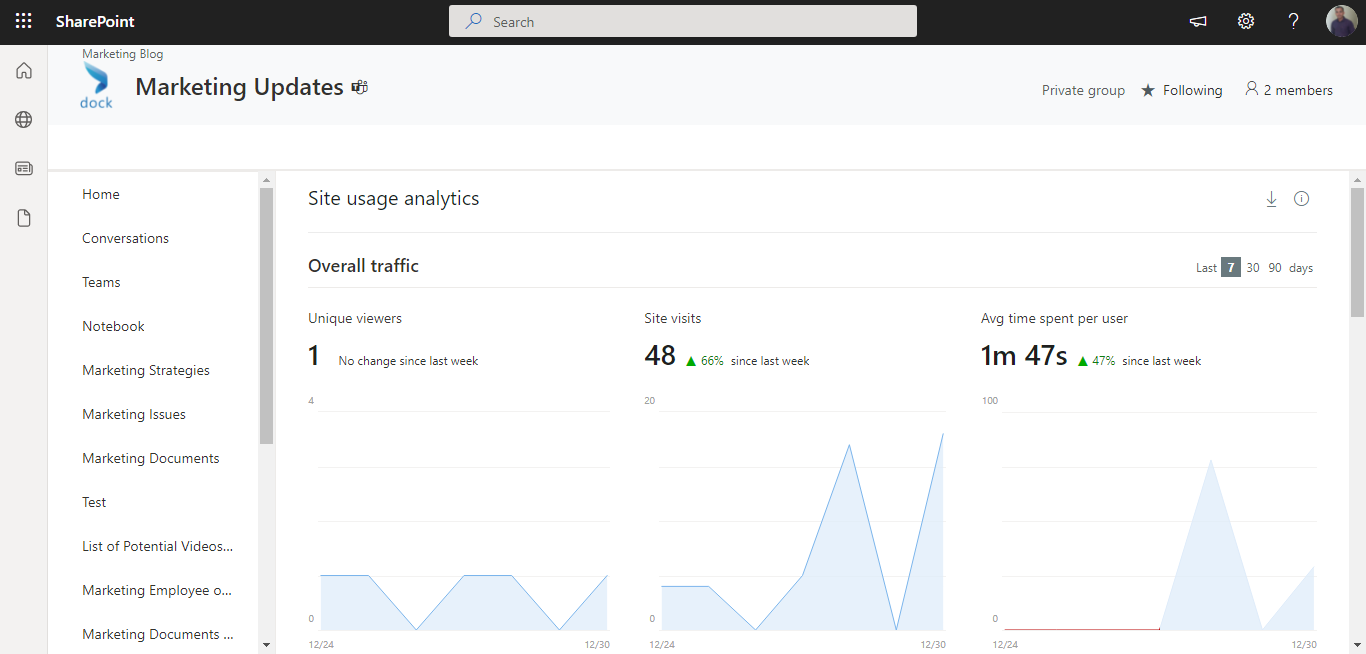
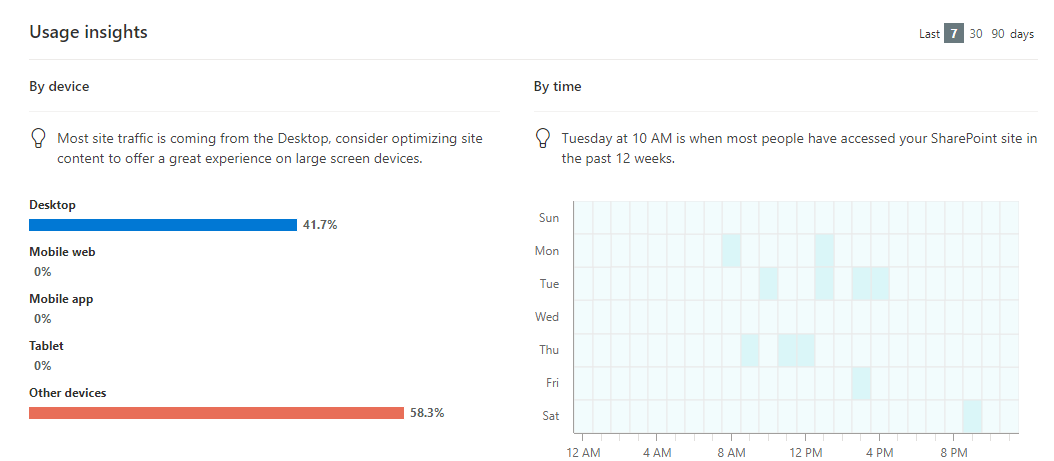
On the Site Usage analytics page, you can review the following details:
- Overall traffic
- Popular content
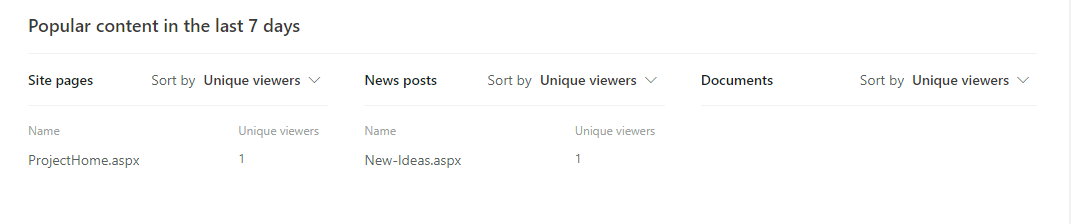
- Usage insights by device and time
You can also navigate to Site usage by clicking the Settings icon and by selecting the Site Contents option. From the Site Contents page, click on Site usage.
Option #2: Site Activity Web part
The Site Usage page provides users detailed SharePoint site analytics. To track all recent user activities on a given page, the Site activity page is certainly the ideal choice.
Complete the following steps to add the Site Activity Web part to your SharePoint site.
- Go to the SharePoint site that you would like to add the Site Activity Web part.
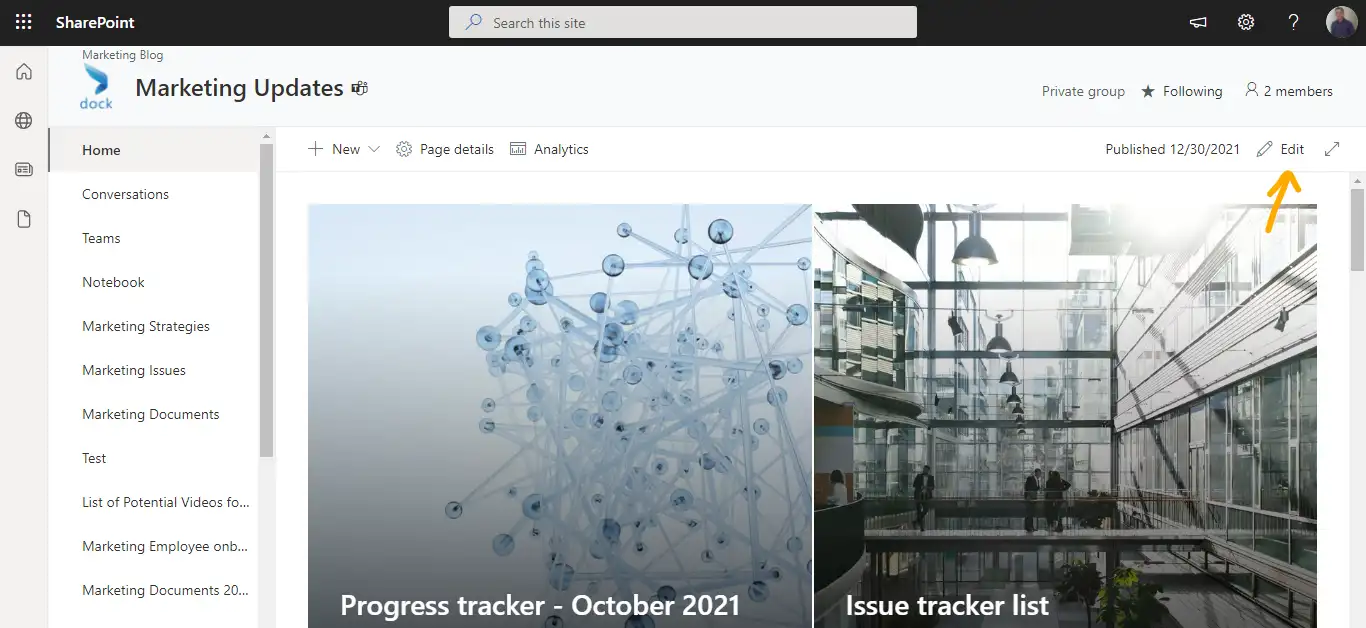
- Click Edit on the right corner of the page.
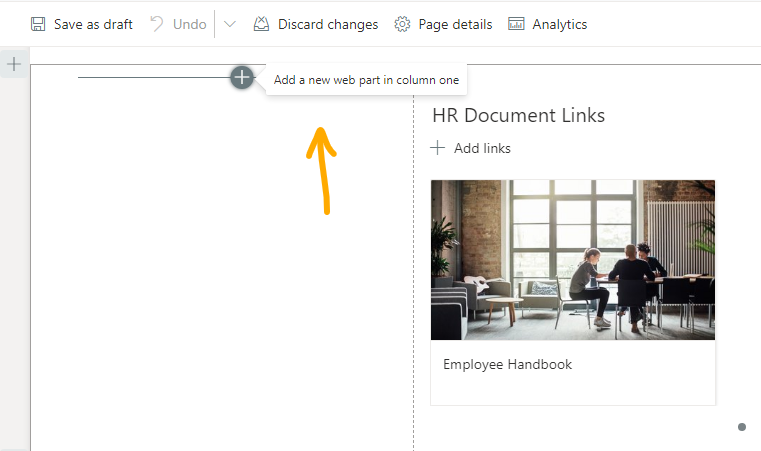
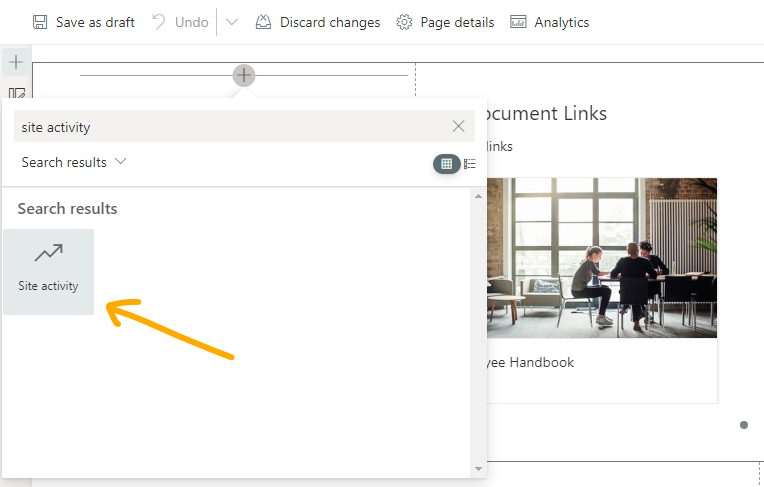
- Find a suitable section on the page and click the + icon at the top of the desired section.
- In the search window that opens, search for "Site activity" and choose the web part.
- Click the pen icon next to the web part and choose how many items you want to display on the Web part at a time.
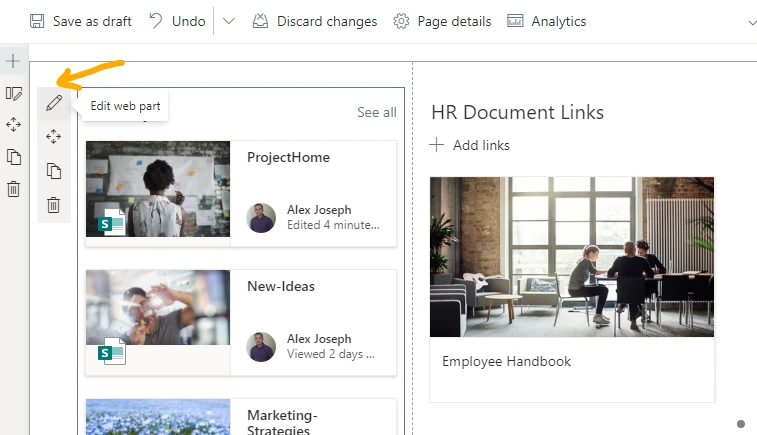
- We chose two in this example to consider the availability of space.
- To take your page live, click Republish.
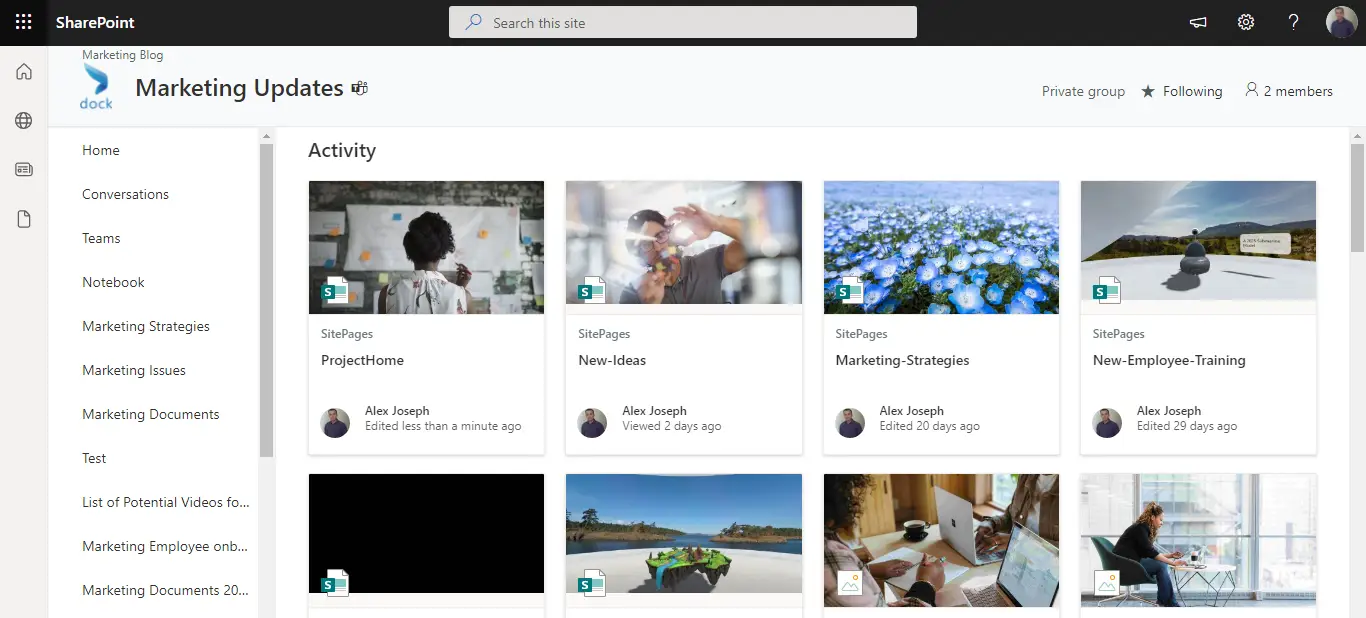
- This is how the page looks after adding the Web part.

- Click the "See all" option to review all activities on the website.
Consider these options to see how you can utilize this information to improve your site’s user experience.