

Modern experience in SharePoint is created to be flexible, mobile and compelling. When compared with the classic SharePoint sites, the modern sites are featuring better functionality along with a beautifully designed new interface. If you are already having a lot of SharePoint Classic sites, it will be a good idea to transform them to Modern Office 365 group-connected site. The following steps will let you accomplish this goal with ease.
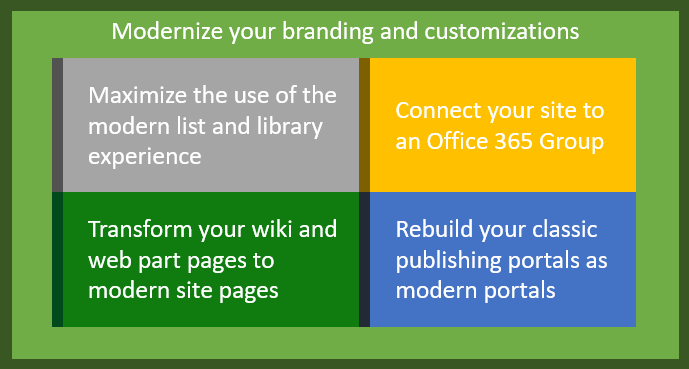
There is no specific mandatory order to carry-out the modernization processes. But still, the following approach is recommended.
Prepare the site for the modern user interface
The first thing that you notice in the modern site is its cool interface. Certain pages like Site usage page, list and library pages, and recycle pages might be already appearing in the modern user interface. However, home page and other site pages will be still shown in the classic site appearance. Identify key stakeholders and educate them. Analyze and modernize appropriate site collections and communicate the change to the end users.
Connect the site with an Office 365 group
The main difference between a classic site and modern site is that modern sites are connected to an office 365 group whereas classic sites are not. Therefore, connecting the site to an Office 365 Group is an important part of the modernizing. With this, the site will also gain the ability to access other Office 365 services such as planner, Teams and Outlook.
Switch to a Modern Site Theme
Another advantage in connecting a site with an Office 365 Group is that it provides a new modern site home page. You can either keep using the new home page if it’s enough or create a new one. When creating a new home page, you can also switch to a modern site theme. Tenant-controlled site theming is recommended to ensure that the modernized site is future-proof too.
Transform the pages from classic to modern
The last step in the modernization process is transforming the site pages. It is essential to process this step because even after completing all the above steps, the site pages maybe still in classic UI. Page transformation is a bit complex and thus it is recommended to do this step only for those site pages that are frequently accessed.
One reason why most organizations turn away from switching to an intranet portal solution is the long waiting period before deployment. Therefore, we created Dock 365 Intranet Portal which takes only 4 to 6 weeks to deploy. And you can also get it customized for your organization. Want to know more?
About Dock 365 Intranet Portal
Dock is a Pre-Built intranet portal for your organization. It is powered by Microsoft SharePoint & Office 365. Dock also comes with project management, contract management, and many other business productivity features. Dock creates sustained, connections and conversations across the organization, promoting better employee experience and organizational performance.
Click below to schedule a Free Demo.


.webp)


