
Microsoft SharePoint makes it easy to share, create, consume, and access content. Considering SharePoint's core features, it's evident that the solution is built for efficiency. The ease provided by SharePoint allows for increased workplace productivity. With the News post feature, you can instantly share the latest news and updates with your internal teams and your entire organization. In this blog, we will teach you how to create a News post button in SharePoint.
A News post button allows anyone to create News posts. This is made possible by a SharePoint Web part. Now let's learn how!
Tutorial: Add a News Post Button to a SharePoint Page
- First, go to the internal blog site or news update site that you have created for sharing internal news with your team
- In this example, we have a SharePoint page called "Dock Marketing News," and we will add a news post button for this page
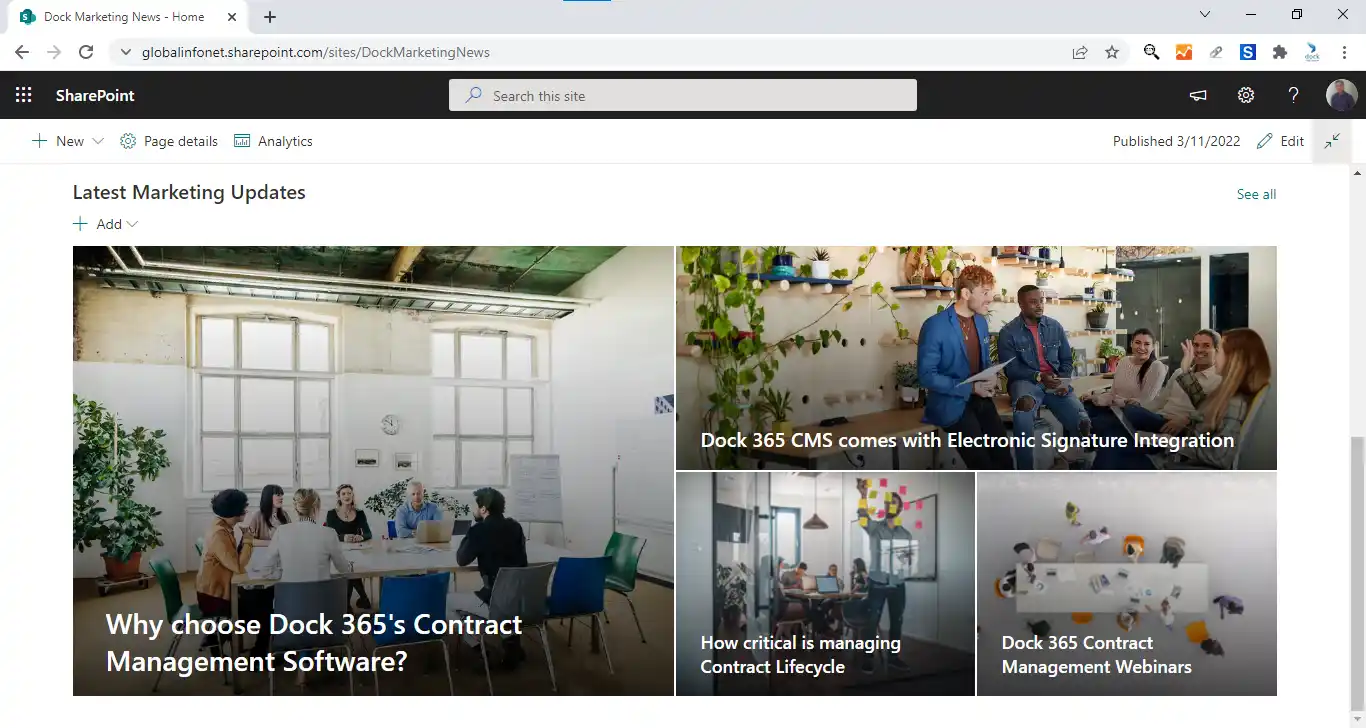
- Take the site to edit mode by clicking on the Edit button in the top right corner of the page
- Click the + icon next to any existing web part and choose the Button web part from the dialogue box
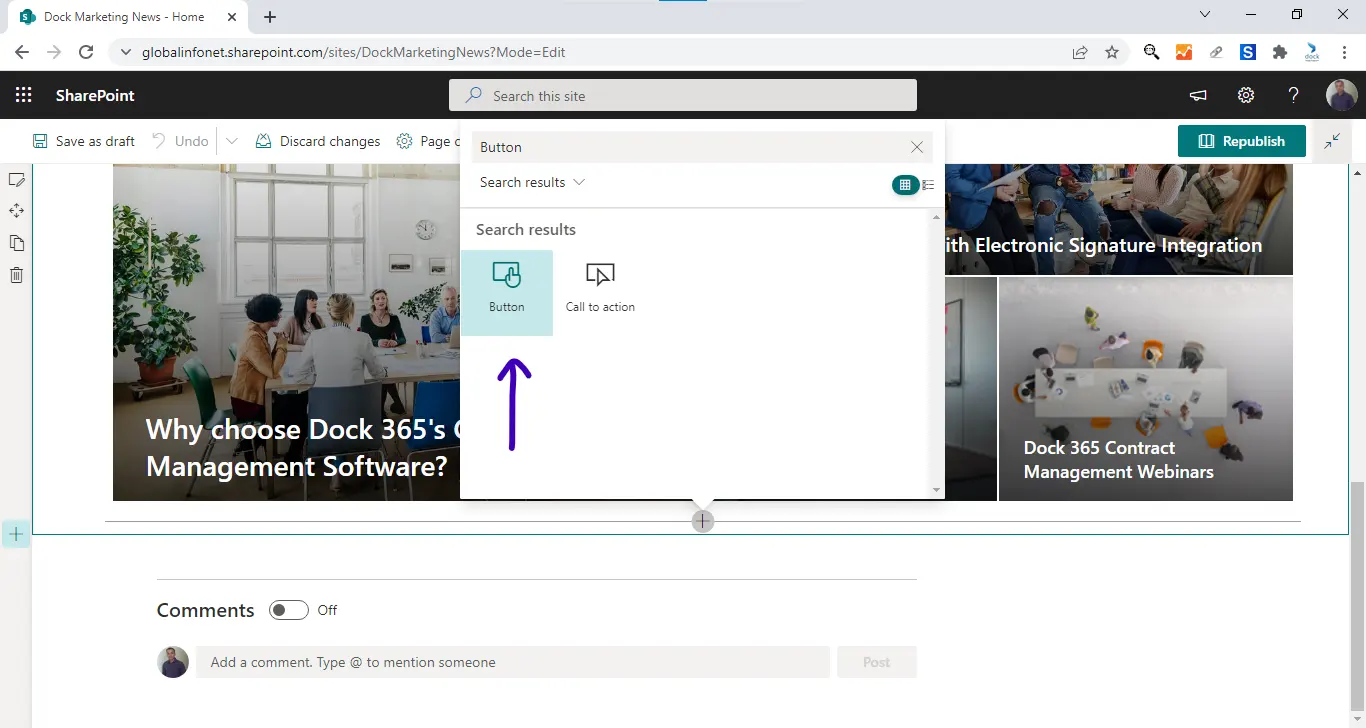
- The Button web part is now added to the page
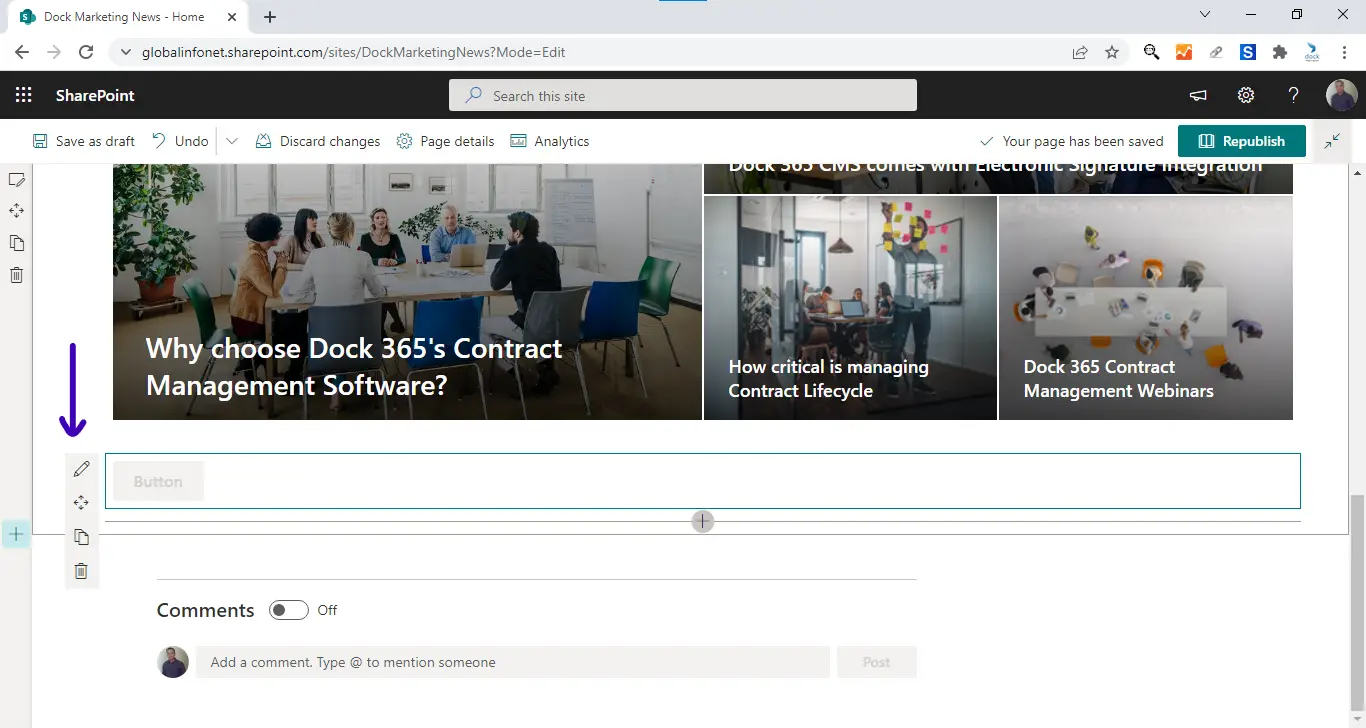
- Click the pen icon next to the web part to continue your configuration
- Notate the following URL format:
- https://yourtenantname.sharepoint.com/sites/sitename/_layouts/15/CreatePageFromTemplate.aspx
- Replace the bolded words with your tenant and site data

- In the button web part settings panel, enter the label for the button and the custom URL
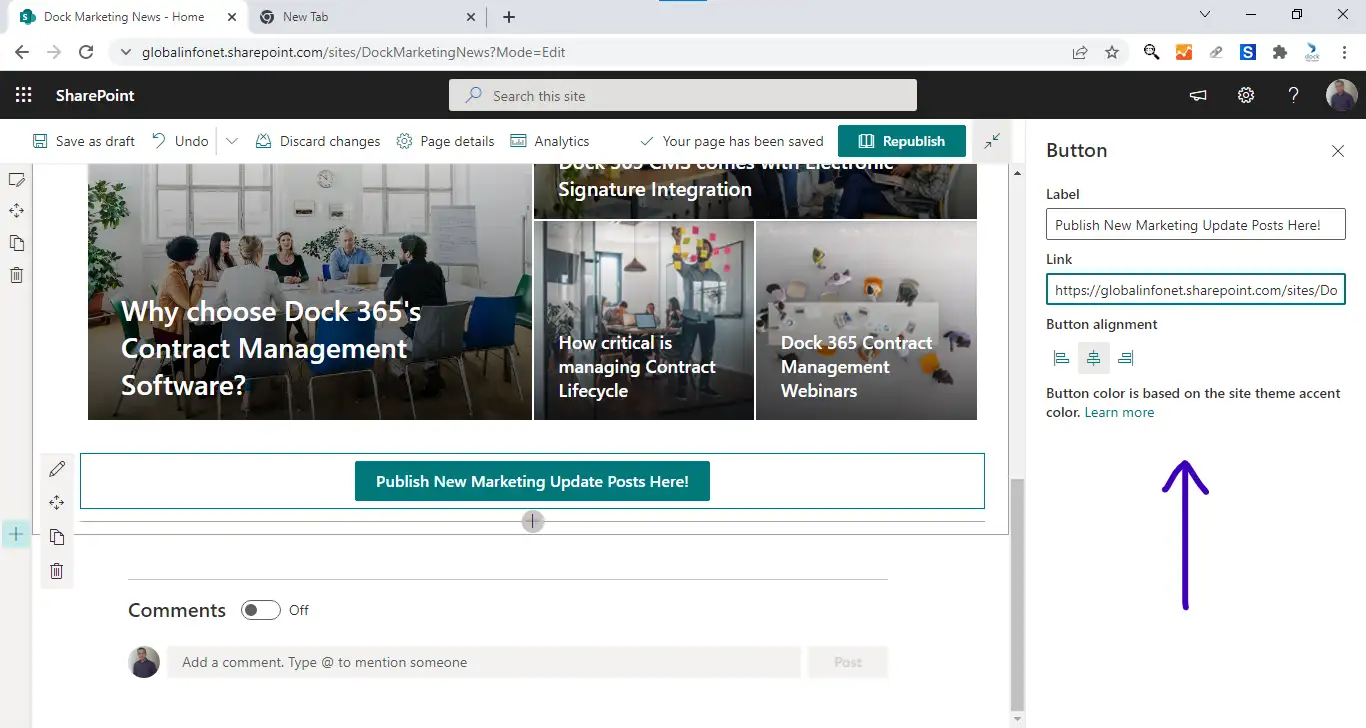
- Click Republish when complete
- Now, the button is available on the live SharePoint site
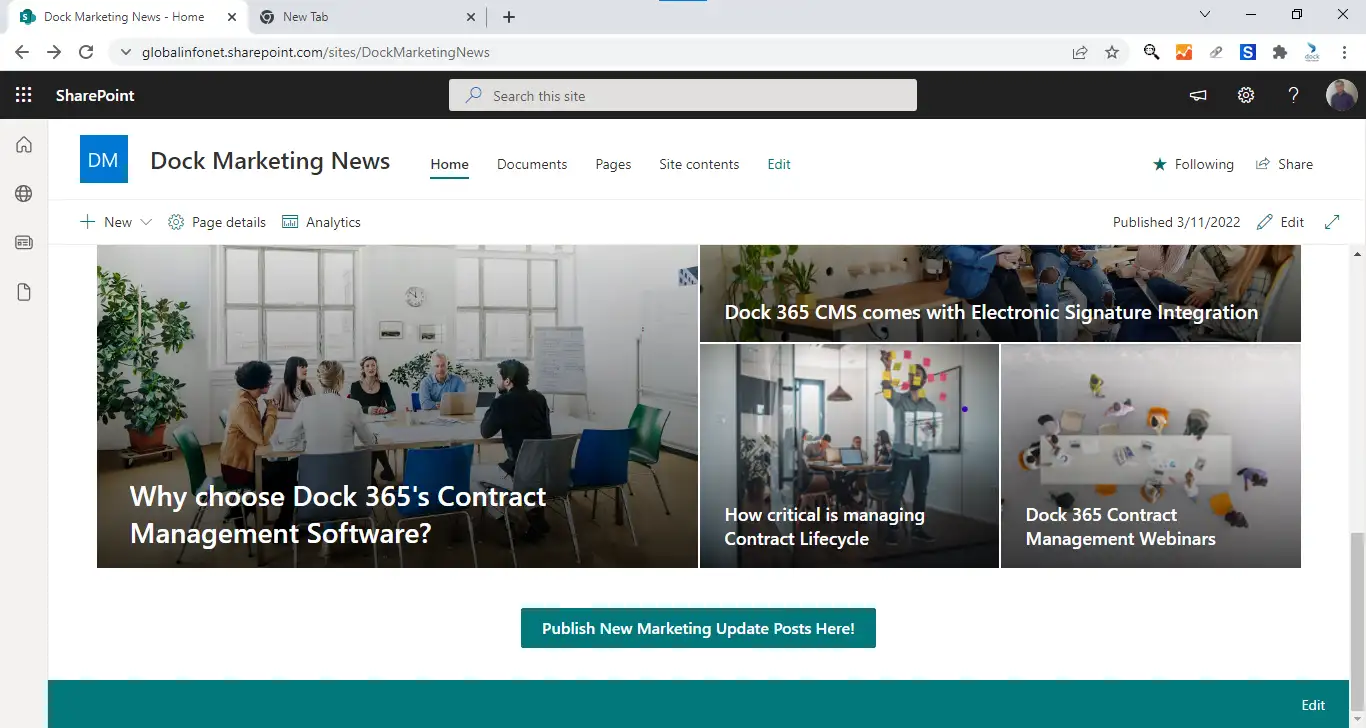
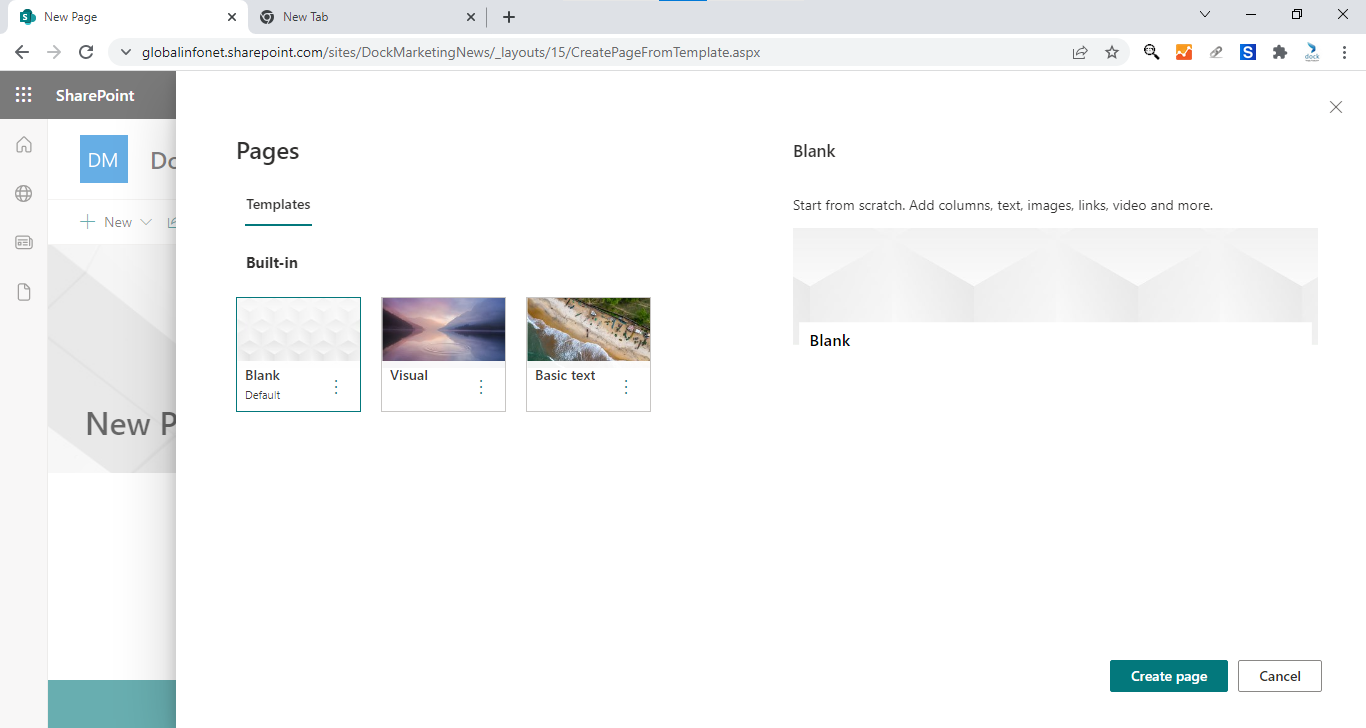
- Clicking the button takes the user to the page creation window
How This Feature Helps Users
The News post button helps users easily add new News post pages to share information with the team. While you can certainly create a News post using the menu or with a News web part, they aren't the most straightforward ways to do so.
If your SharePoint pages are read-only, then that option might now show as well. In that case, the News post button becomes more relevant.
Why the Button web part?
The Button web part quickly redirects the user to the provided link. This allows you to create buttons for many processes including registration pages, discussion pages, and data resources. This web part additionally leads users to other informative pages when necessary.
Give this Button web part a try, let us know about your experience in the comments below.