

If you're looking for a pre-built solution for your business, we can help. Our custom features are focused on Projects, Training, IT, HR and Sales portals. We have been receiving numerous requests from Customers requesting for an IT Ticketing solution. The truth is, we didn’t bother about a custom feature until this year due to third party solutions like Zendesk and Intervals (where we just give out a link to the Tiles/Directory).
Well, so here we are with the latest IT Ticketing Portal from Dock. If you want to see a quick demo of the solution, click here to book demo.
Primarily, SharePoint is widely known for its document management features. But, we have always leveraged this technology to build some great solutions that boosts collaboration and communication among employees. Please note that the proposed IT solution is a perfect choice for organizations that are between 50-300 employees or if you intend to use a basic ticketing tool, it’s good to go.
For example, you have a small team of five members responding to customer queries. How often do you step over each other’s shoes or are you planning to share the same email address to see what others have done for the customer for a specific query? No more hassles as you can easily achieve this by using the latest IT ticketing system within SharePoint intranet portal.
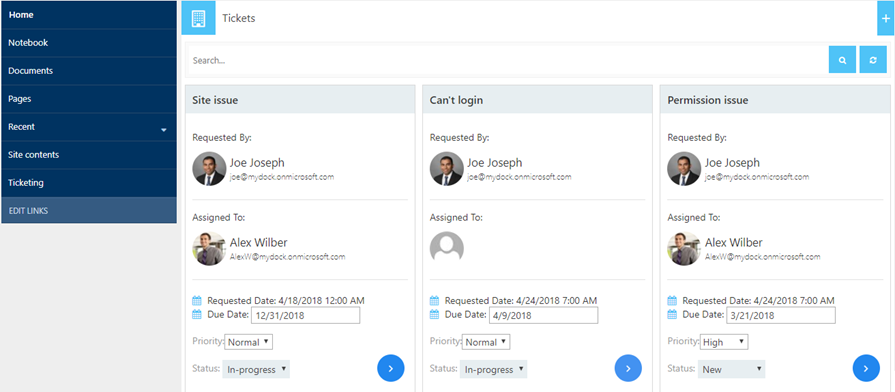
IT Ticket Dashboard
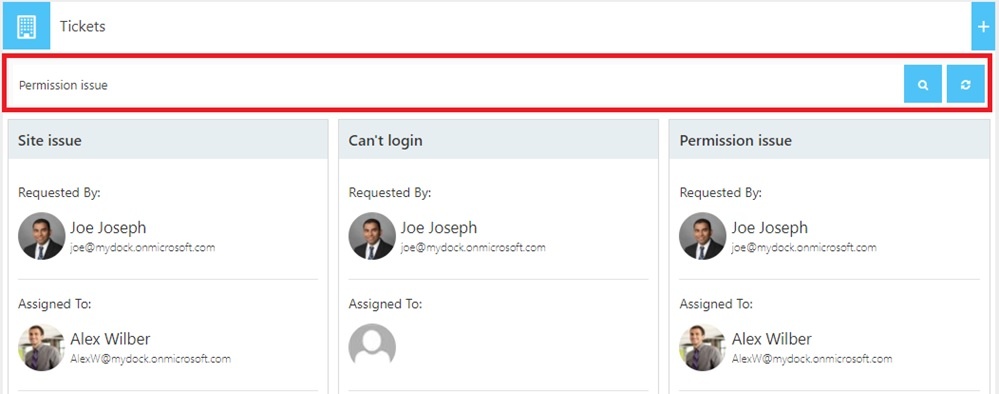
A dashboard with task name, assigned person, requested date, due date, priority levels and status can be seen within the task. The UI helps users to find out the ticket details easily. If you have hundreds of tickets, users can search for it easily from the search bar as shown in the image below:
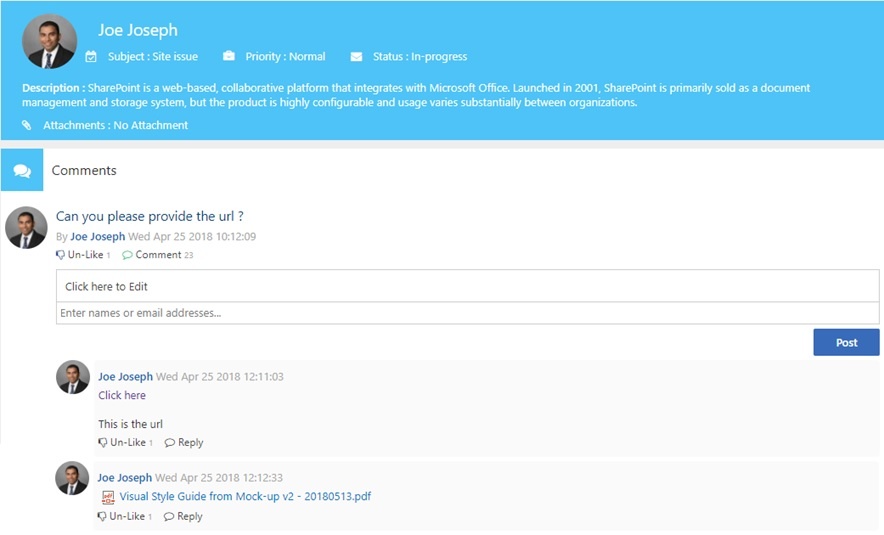
The IT Representative can start the conversation with the user right from the screen for troubleshooting and finding the root cause of the issue. The interface looks modern and it’s more like you are on a Facebook post. See image below:
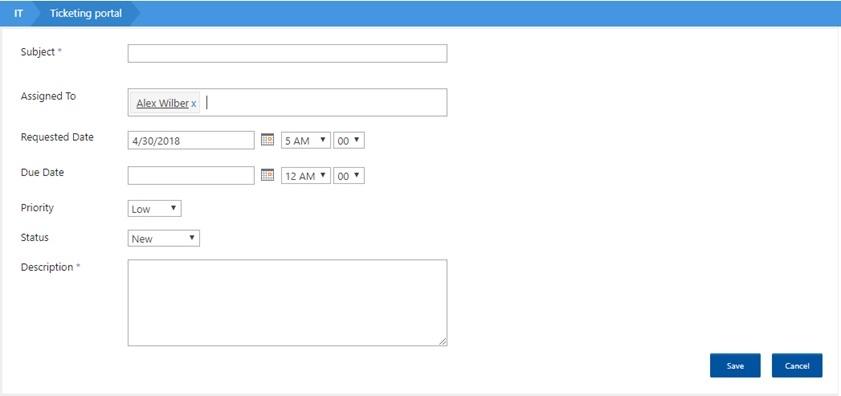
Submitting a New Ticket
This one’s easy. It's a standard SharePoint form. The users send out an email with troubleshooting issues.
The IT Coordinator/Administrator submits the ticket with the subject, designated IT support person (assigned to), requested date, due date, priority, status and a brief description about the issue. Attachments can also be added to the tickets.
Changing Due Dates and Statuses of Tasks:
Once the task is saved, the assigned IT user can modify the due date, priority and status of the tasks right from the dashboard.
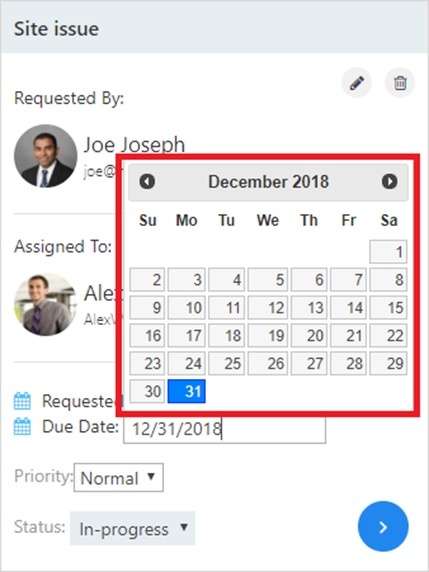
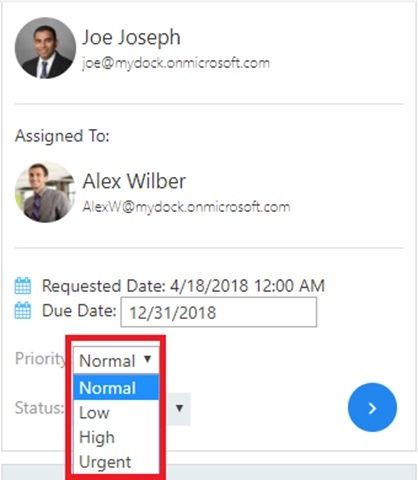
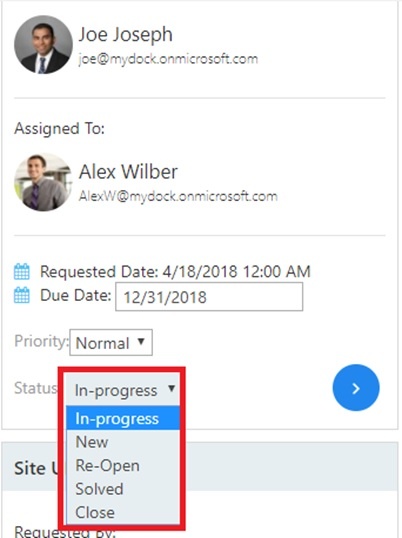
It’s a simple IT Ticketing solution built on top of SharePoint. As mentioned earlier, we recommended for smaller organizations to effectively manage IT ticket requests.


.webp)

