Technology advancements coupled with the AI boom have empowered tech giants like Microsoft to create a world of endless possibilities. Leveraging on this notion, Microsoft has launched AI-enabled features in its word processing tool. Get ready for the new features that are bound to make your life easier.
According to Microsoft, “Today, we’re starting to roll out new capabilities to Word that help users create and fill in these placeholders without leaving the flow of their work. For example, type TODO: finish this section or <<insert closing here>> and Word recognizes and tracks them as to-dos. When you come back to the document, you’ll see a list of your remaining to-dos, and you can click each one to navigate back to the right spot.”
Despite the easy availability of countless text editor apps, for ages, Microsoft Word has been the final say when it comes to drafting professional-quality documents.The platform's utility has touched new heights with the new AI capabilities.
If writing is an indispensable part of your life you would surely know how detrimental distractions and interruptions can to the entire writing process. Another aspect to consider is that while writing at some point you will need some information that you don't have or you need help from a colleague or friend. In such a situation, any user will most likely leave a placeholder in the document and come back to it later to stay in the flow.
The new capabilities in Word will enable you to create and fill in these placeholders without hampering their workflow. All you need to do is type TODO: finish this section or <<insert closing here>> and Word recognizes and tracks them as to-dos. Once you come back to the document, you will see of the remaining to-dos. A user can click on each one to navigate back to the right spot.
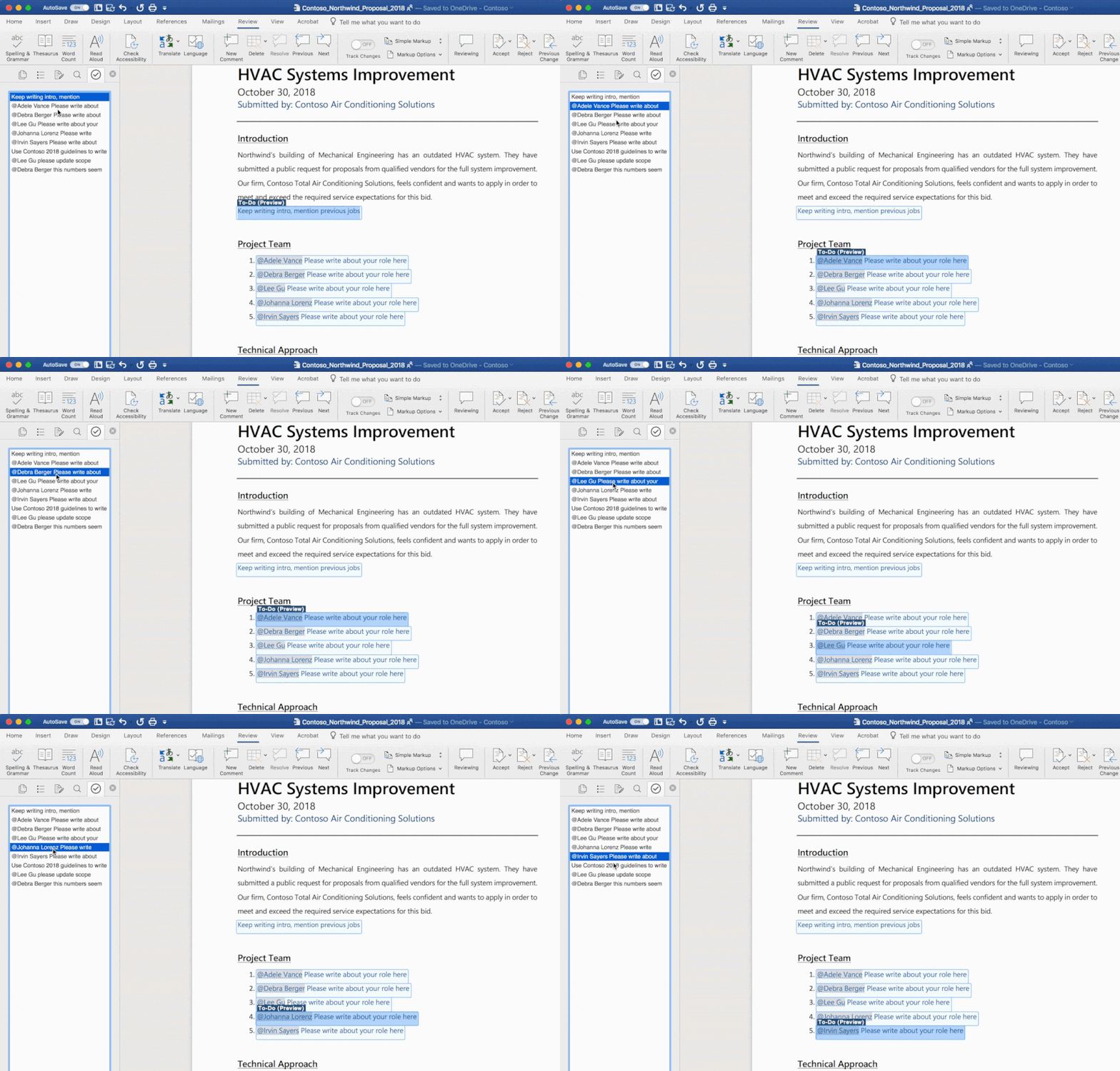
Further, you can take help from a friend or colleague just @mention them within a placeholder. Thereafter, Word will send them a notification comprising a “deep link” to the relevant place in the document. Once they reply to the notification with their contributions, the same will be directly inserted into the document.
Dock is a pre-built intranet portal for your organization. Powered by Microsoft SharePoint & Office 365, it is a clean corporate intranet software, which is perfect for enterprise level solutions. Get ready for Dock.
Schedule a no-obligation Demo!