
Having an Employee Intranet Portal is to make sure that the information reaches your desired audience. Now, you will be able to tag SharePoint Pages with metadata properties so you can target different audience like locations, departments, job roles etc. This means you have dynamic content for your SharePoint Intranet Portal which is more effective than the standard intranet portal offerings.
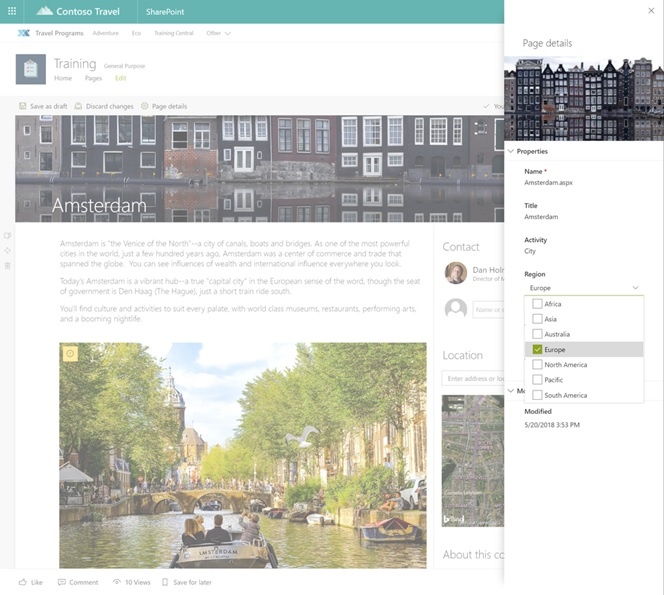
The details pane showcases the properties and where you can select the region for dynamic content.
Plan your SharePoint Intranet Portal with the metadata feature. The Modern Intranet plays a great role with dynamic display of content and its ability for curated content to the target audience.
Customized metadata for your SharePoint Pages
As mentioned earlier, you can easily tag pages with metadata to make sure that your content/information reached the desired audience. Just select the Page details edit pane, create custom columns within your Pages library and follow that to target, organize and filter pages. You can also make use the web parts such as News and Highlighted Content.
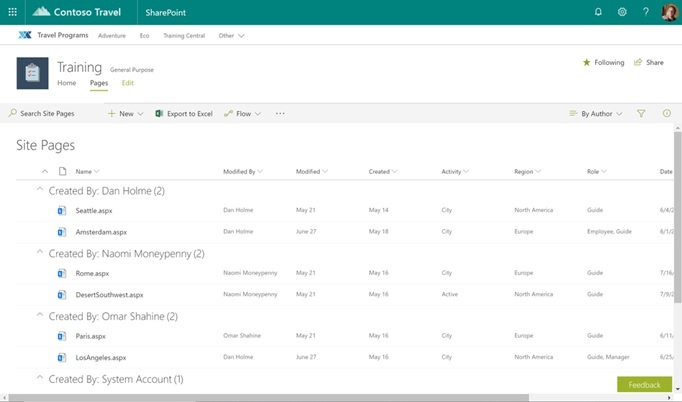
Adding custom columns to the Pages library for every SharePoint site.
To add a custom property for the page, add a column for the required property in Pages library. The column stores metadata/property and its made available in the Pages details edit page for each page in that site. When in edit mode, select Page details for opening the edit pane. If you are the author, you will be able to edit/add values of any metadata areas, which exist in the respective pages library.
How to use News & Highlighted Content web parts for organizing, filtering and targeting your SharePoint Pages?
Please follow the properties that are set for individual pages for grouping and organizing content efficiently. When you are editing news web parts or highlighted content, make sure you change source to “The page library on this site”. You can see the Page Properties as a filter selection. Change the parameters and checkout the web parts and pages displaying the content dynamically as you wanted.
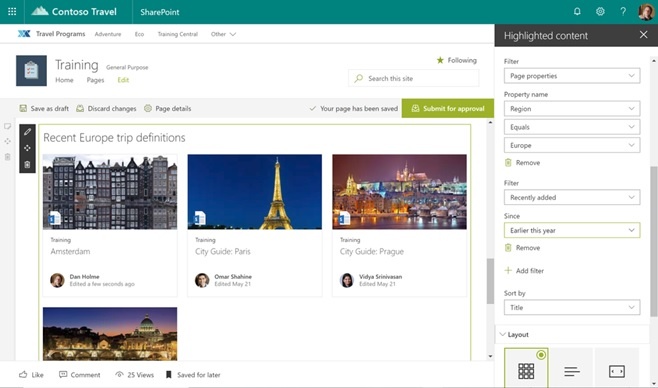
Rely on filter features on page properties so as to refine and show SharePoint Pages as per your desire.
Displaying Page Metadata
You can showcase some of the metadata onto the page by following Page Properties web part for ensuring greater context for your users. Simply add the Page Properties web part to your SharePoint Page and add the page properties that you wanted to showcase. Select different information for displaying across the various pages.
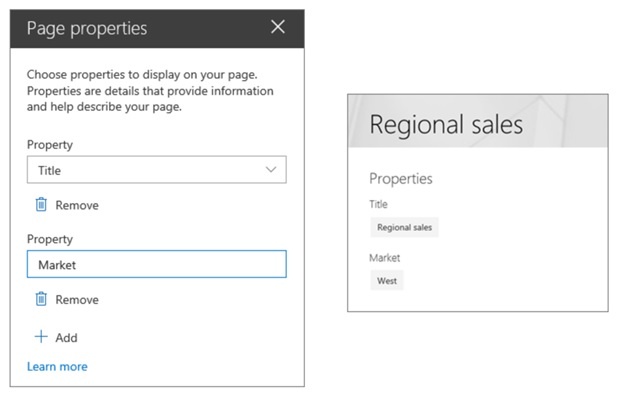
Select the custom page properties that you require to show the users through Page Properties web part.
Add Structure to Intranet Portal Today
Now you know how to better organize pages and display content based on page metadata. As mentioned in the beginning, you will be able to configure areas such as job role, region, department, page type and status that makes it possible for the desired audience to see/not see. You set up the criteria and the users will see it based on that configuration.
When can we get started with the new page metadata options in SharePoint?
This feature should be out by end of this week to the targeted release customers and completed in 3 weeks’ time. The worldwide rollout is expected to be by end of July 2018.