
Microsoft frequently updates and adds additional features to SharePoint and related technology. Recent Microsoft updates demonstrate how they prioritize teamwork and the employee experience. We will discuss the top 5 new features rolled out to SharePoint in April 2022.
These features are intended to enhance employee engagement and strengthen related technology within the Microsoft 365 environment.
Microsoft Lists for Android
Microsoft 365 is an advanced toolkit for enhancing teamwork and engagement. It comes with features and services to support users in working across platforms. Along with desktop applications and web versions, mobile applications also support an increase in accessibility.
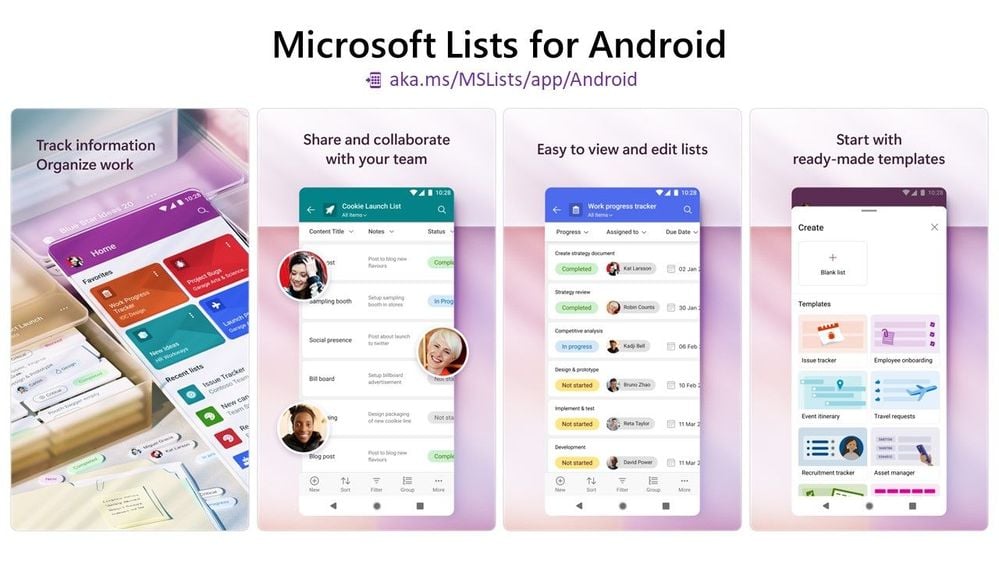
Microsoft Lists for Android is the latest upgrade to that list. Earlier, Microsoft introduced Lists for iOS. It was developed for iPhone and iPad, and now there is an application made available for Android devices. You can download this new app from Google Play Store. This enables users to access lists from Android devices anytime, anyplace.
Threaded conversations on Microsoft Stream videos
The ability to make conversations based on a document or a part of a file is impressive. Lists, Word, and PowerPoint include this feature. Have you ever thought about having the same feature for videos?
Videos are also considered a very popular document format nowadays. By adding the ability to start threaded conversations on Microsoft Stream videos, you enable new ways open to collaborate. This feature is made available both in SharePoint and OneDrive.
This feature offers the ability to use videos like any other document or file in the SharePoint and OneDrive environment. You get to experience all standard abilities like sharing, collaborating, managing, governing, etc.
Create Option from SharePoint App Bar
We recommend given our recent blog on the SharePoint App Bar a read. The create option in the app bar is mentioned in this blog, however, it wasn’t rolled out at that time. Using this feature, you can create Lists, Sites, and files straight away from the SharePoint App Bar.
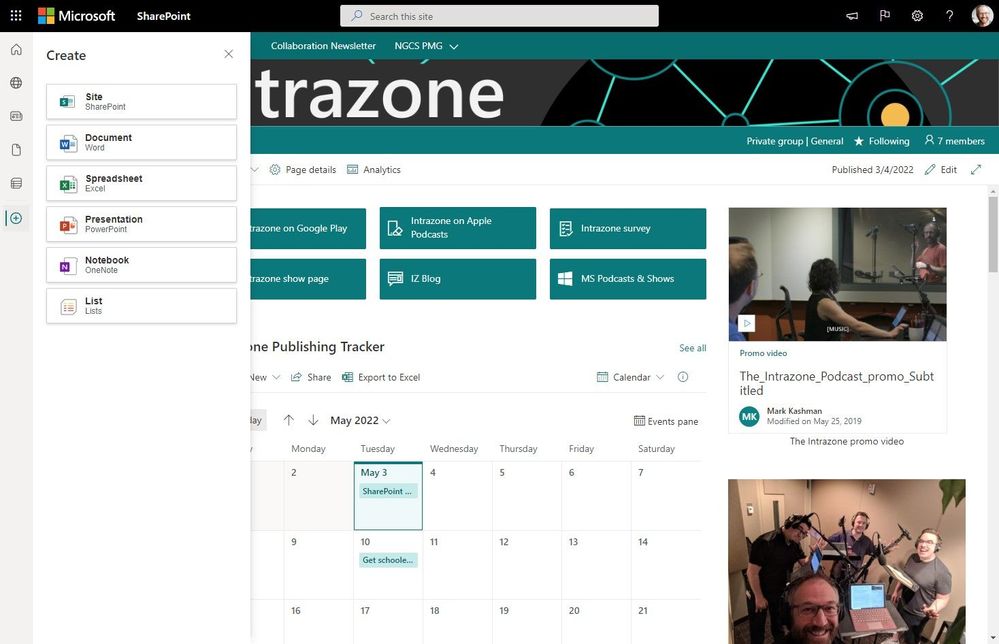
To use this option, go to your SharePoint App Bar and click the plus sign. You will now get the option to create new SharePoint sites, lists, and Office files. As you choose each option, the related create experience is initiated. The create feature cannot be customized. However, if the self-service site creation option is already disabled, then the site creation option will not be shown in your SharePoint app bar.
Create low-code, simple apps from Lists within Teams
Microsoft introduced a new integration for Lists. Using this integration, you can create mobile-friendly, low-code apps from Lists within the Teams platform. Once you publish the new app, the list can be maintained as a source of data. The newly created app can be added as a tab in any channel. You can also share this with the rest of your team.
You might know about this feature in your SharePoint experience for some time now. However, it is now possible to add new PowerApps through the list you have added already as a tab in the Teams channel. You can now do this from your List without leaving Teams.
Unscheduled Pane in Microsoft List Calendar View
As part of allowing users to correct incomplete or inappropriately created event items, Microsoft Lists now comes with an unscheduled pane on the right side within the list Calendar view. The event items that are incomplete without a start date or end date are listed here. The users can select the items here and make necessary corrections at a convenient time.
These are the top 5 features rolled out to SharePoint and related technology in April 2022. The availability of these features depends on the Microsoft 365 official roadmap. Get ready to take advantage of these new features in your Microsoft 365 environment.

.webp)