
Right from document libraries to team sites, SharePoint users are in for a modern experience since last few years. But SharePoint Online Admin Center is something that hasn’t really changed over the years.The major drawback is the lack of modern SharePoint Site Collections powered by Office 365 Groups. As the sites do not appear in the site collections list, you have to make use of PowerShell to manage these.
Officially announced at Microsoft Ignite, the all-new and modern SharePoint Admin Center is here. Rejoice! Not just clean user interface but it comes with loads of improvements.
View Reports
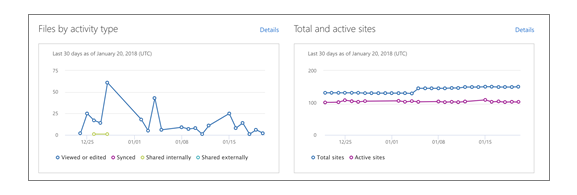
With this feature, you can easily see at a glance on the homepage the number of total and active sites each day for the past 30 days and also the number of files that have specific types of activity each day for the past 30 days.
Message Center
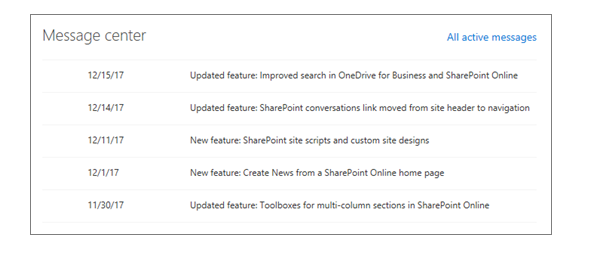
The Message center section in the home page provides the users a space to read and know all the official announcements about new and changed SharePoint features.It gives an overview of a change and how it may affect the users. This feature plays a crucial role in helping users manage upcoming changes.
Service Health
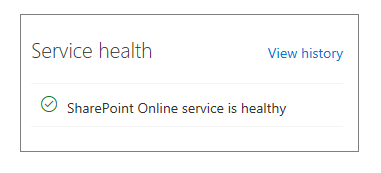
Using the service health section a user can understand whether the SharePoint Online service is healthy, or if it is experiencing an active advisory or incident.
Managing Sites
Now easily view all the SharePoint sites in your organization including new communication sites and sites that belong to Office 365 with the Active sites page of the new SharePoint admin center (preview).In addition, users can even create, search, sort and filter new sites.
To know more about SharePoint Admin Center or Office 365, get in touch with our team of experts.
Are you in search of an intranet solution for your organization? Meet Dock 365, a clean intranet portal powered by SharePoint and Office 365. With communication and collaboration at its core, Dock ensures seamless collaboration no matter whether your employees are separated by a few cubicles or a few thousand miles. Our mission is simple, as a trusted Microsoft SharePoint technology solution provider, we help customers realize their business goals, desired outcomes and make their workflows a whole lot easier.
Schedule a Free Demo now!