
A column represents an attribute, or piece of metadata, that the user wants to manage for the items in the list or content type to which they added the column. Users can add columns to list, library and sites and even reference them in content types.
Exploring Column Properties
The following properties can be specified for a column
- Name
- Data type
- Detailed optional settings
- Column group to which this column belongs
Creating List and Library columns
Easy to create list and library columns are among the most common and popular type of column created.
- Navigate to the desired list or library
- Click Add Column
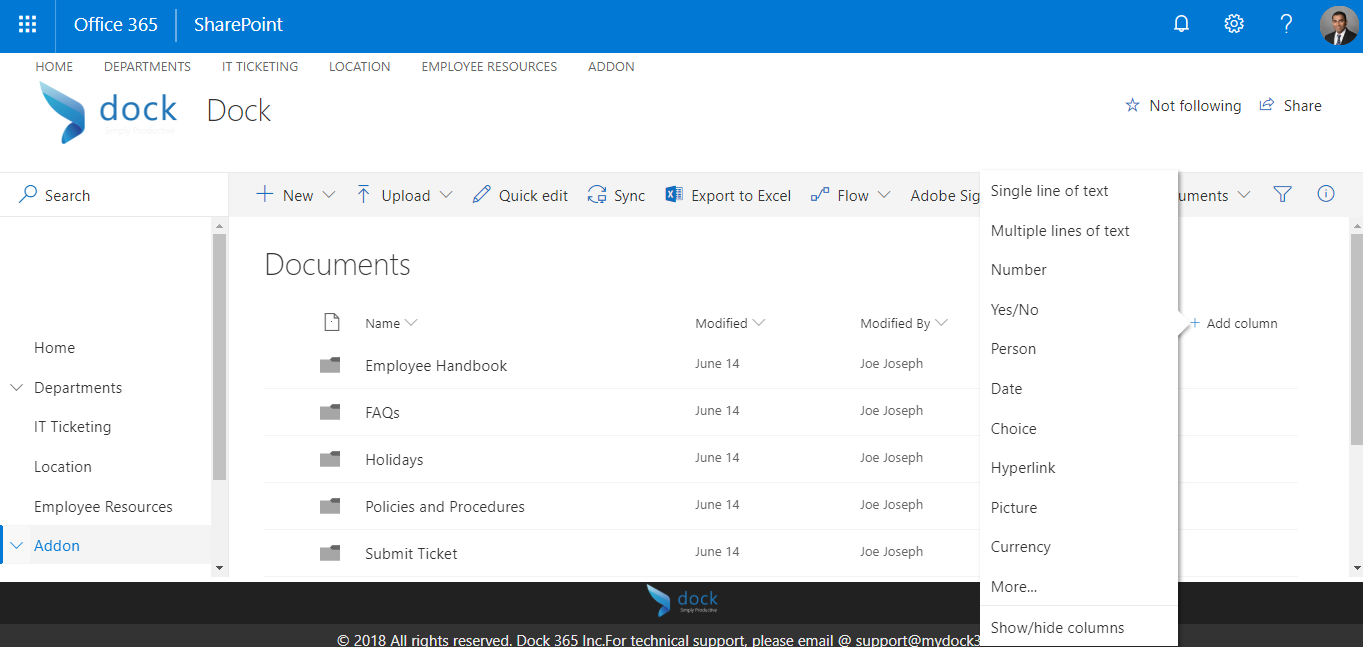
- Users can choose from a wide gamut of column types as depicted in the screenshot above.
Advantage
One of the biggest advantages of these columns is that they are super quick and easy to create.All you need to do is click "Add Column".
Disadvantages
Despite being extremely easy to create, the columns only satisfy the immediate need of a user without promoting re-usability.
Site Columns
A site column is a reusable column definition, or template, that you can assign to multiple lists across multiple SharePoint sites.One of the most basic elements that can be added to a SharePoint project, site columns not only ensure consistency of metadata across sites and lists but also reduces re-work. Further, a site column you created in SharePoint is available in its subsites.
How to create Site Column?
- To create Site Columns
- Go to Site Settings > find Site Columns under the Web Designer Galleries section
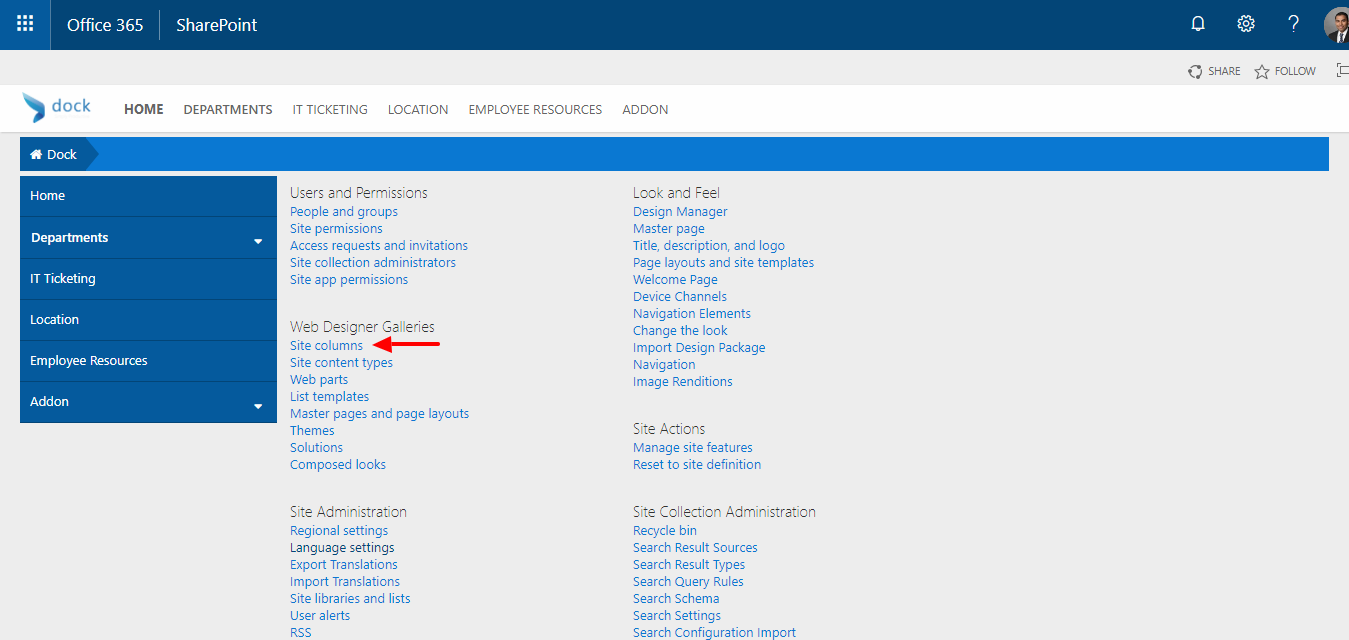
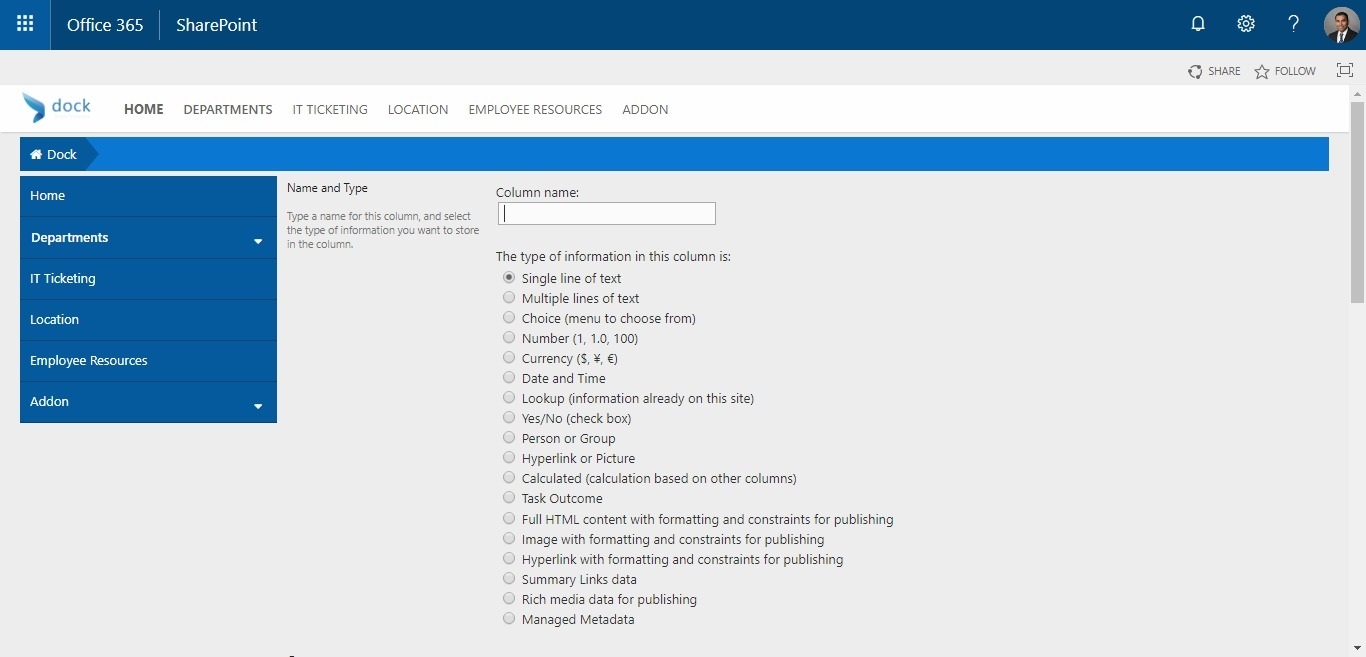
While creating a site column, you will have various options to choose from as seen in the screenshot below
Advantages
Site Columns can be reused by multiple lists and libraries within a site and its subsites.
Disadvantages
Unlike list/library columns,you need administrative rights to create site columns. Further, every time a site column is created, the administrator needs to think about columns and associated architecture.