
The Content Type Hub is an awesome method to keep all your Content Types in sync across your SharePoint instance. This includes the names, columns and the GUIDs, which makes search substantially more effective inside your Intranet Portal. Since Microsoft is moving to utilizing site collections for Modern Sites, a Content Type Hub is relatively important to get the most out Office 365 and SharePoint instances. As the Content Type Hub will play an essential part in the future of SharePoint we would like to specify the things to remember while utilizing the Content Type Hub.
- Make sure to Publishing & Re-Publish your Content Types after rolling out improvements
The most widely recognized misstep we come across is users forgetting to publish their Content Types and wind up asking why their updates are not shown in other sites. So, at whatever point you make an update, take that additional move to publish all your changes.
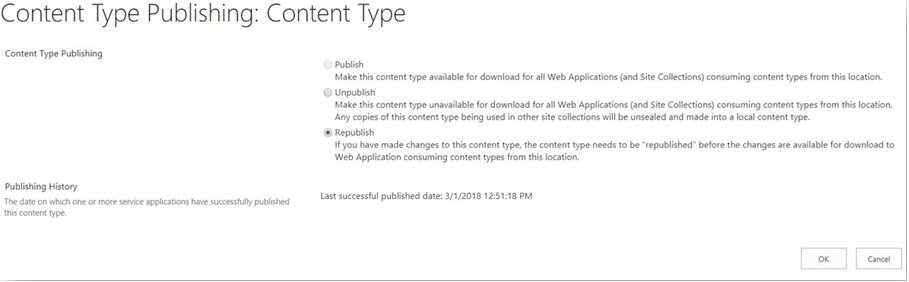
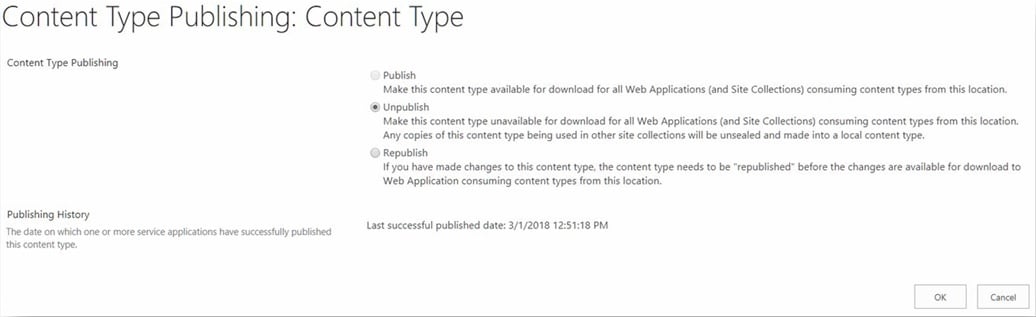
- Unpublishing a Content Type won't expel the content type from a Site Collection
Shockingly, there is no undo button after a Content Type has been published. If you genuinely need to expel a Content Type, you should go from Site Collection to Site Collection to remove it. Unpublishing will simply keep it from being downloaded by the Web Apps/Site Collections later. One of the key missteps we commonly see is a Content Type will be published and later a client concludes that the wrong parent was picked. Users will then unpublished and remove this Content Type and make another one of a similar name, which obviously will cause an issue when the Content Type is published. When anticipating on utilizing the Content Type Hub, make sure to plan your Information Architecture properly to stay away from such clashes.
- Try not to make a Site Content Type with a name as of now being used by the Content Type Hub (and the other way around)
At times, you need to utilize a Site Content Type or possibly one that already exists because of some legacy data. Make sure to keep the names unique else there will be an issue publishing the Content Type.
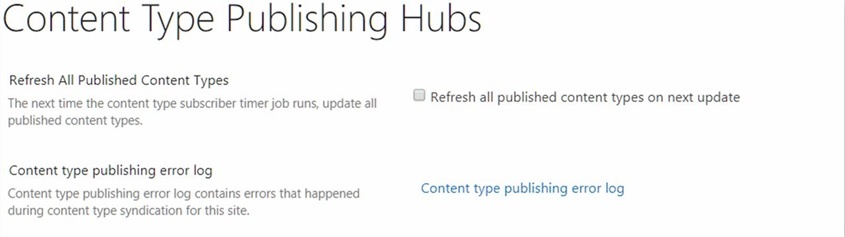
- Content type publishing error log
We feel that while this might be self-explanatory, many users forget about the error log while troubleshooting any Content Type Hub issues. Simply Navigate to the Site Settings, select Content Type Publishing under Site Collection Administration heading.
- If you are keeping multiple instances, for example, Development, QA, and Production; ensure to have them all in sync
This should be possible by means of content database backup and restore a shared service app. In either way, please ensure that the Content Type Hub URL is set properly.