
This might sound funny, but let me admit the fact that we receive support tickets from customers on how to rename files in SharePoint. I’m not joking and we have received at least 15 requests in the last 5 years.
We rename files quite often and the main reason is, it provides us a lot of additional information about the file (metadata – term store management). There are 3 ways to rename your files in SharePoint. Let’s check it out:
#1: Renaming the file using right-click option
The easiest way to rename a document is by right-clicking on it.
Select your desired File and select the “3 Dots” button. Choose the Rename option.
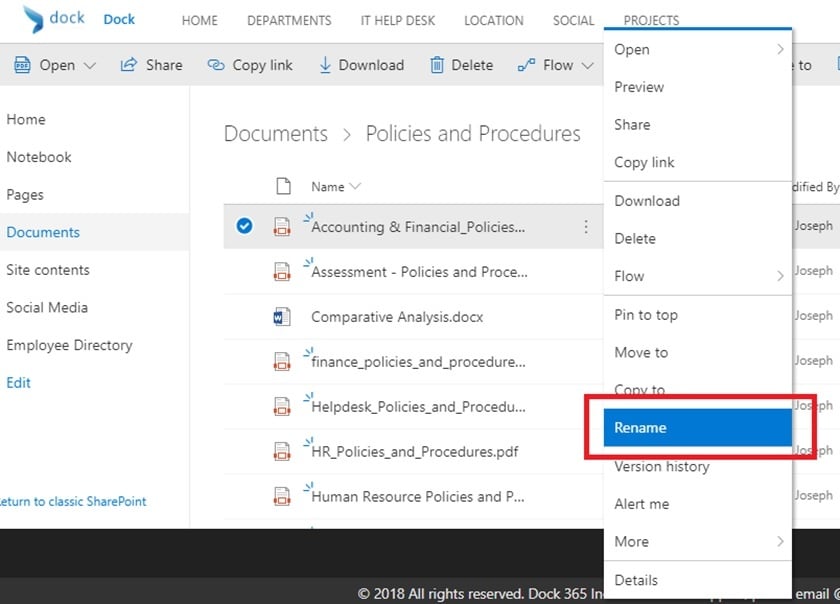
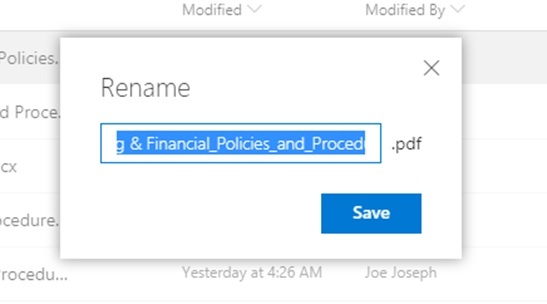
2. A pop-up appears on the screen. Type the new file name and click Save.
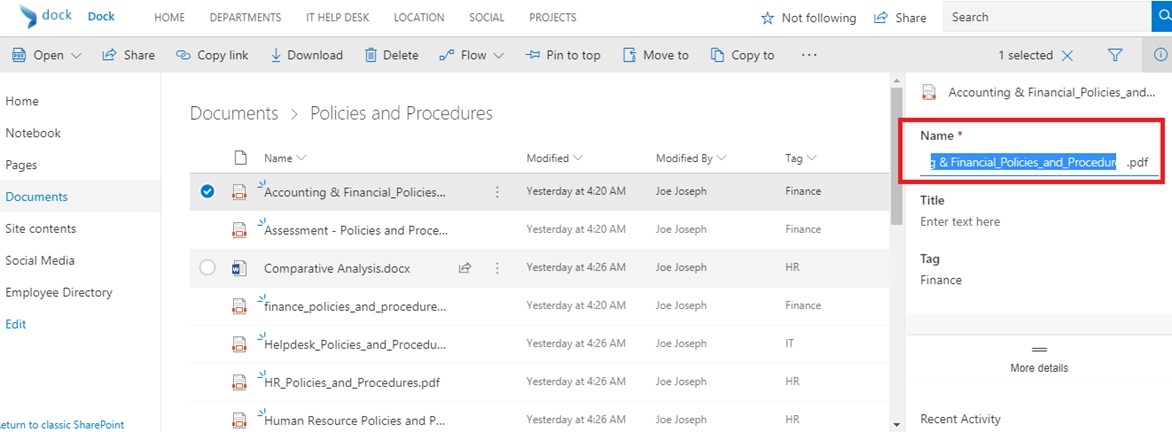
#2: Renaming via Information button (i)
This is another option available for Modern View only. Select the file and then choose the Information Panel icon on the right-hand side. Scroll towards the desired field to rename. Once done, click save.
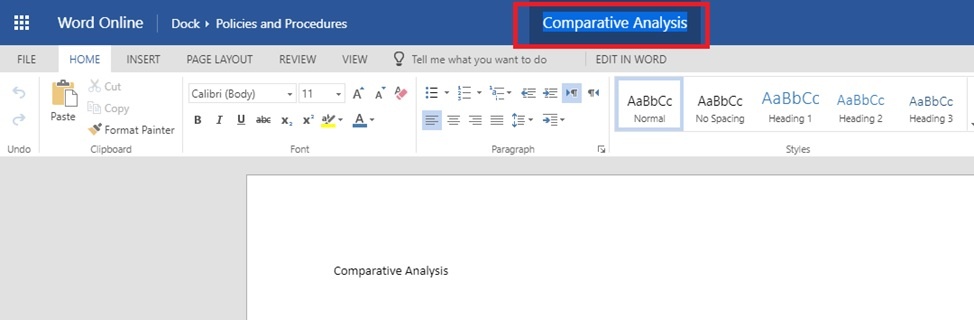
#3: Renaming via Word Online, Excel Online, PowerPoint Online etc.
The last option in this series, you can rename the file names within the Office Online Applications such as Excel, Word or PowerPoint. These files need to be opened in the browser to do so. Also, this is not applicable for any other file types such as PDF, JPG, project files etc. As shown in the image below, all you need to do is open the file in the browser, click on the title and rename the file. That’s it!
Well, that’s it from my side. A quick and easy tutorial to help you better manage files in SharePoint! We have a great product called Dock Modern Lite that was launched a week ago. It’s straight forward and you can get started in less than 12 hours!