While working in SharePoint, Content Types is something you would have heard often. In fact, everything in SharePoint revolves around Content Types. For that matter, you have been unknowingly using it ever since you started using SharePoint.
When it comes to building an effective SharePoint site, content types are crucial. Let's get started by understanding Content Types.
What are Content Types
A content type is a reusable collection of site columns that can be used to serve a specific purpose. For e.g, you could group the site columns as, Date. Time and Name clubbed together into "Product Details". Thereafter, every time you need to use these in a document library, simply assign the Product Details Content Type to it.
It enables users to organize, manage, and handle content in a consistent manner across their sites.
What are the basic type of Content Types?
There are basically two types:
Site content types are defined at the site level and managed in the Site Content Type Gallery for a site. These are available for use in any subsites of the site for which they have been defined.
List content types are added to a list or library.In fact, they can be considered as the children of the site content types from which they have been created..
Content Types follow a Hierarchy
It is just not possible to create a Content Type anywhere to be used with anything. It follows a hierarchy that allows one content type to inherit its characteristics from another content type. Thus, allowing a category of document to share attributes across an organization while enabling teams to customize the same attributes for particular sites or lists.
How to Create New SharePoint Content Types?
To create Content Type,
- Go to Site Settings⇒Site Content Types
- Click on Create
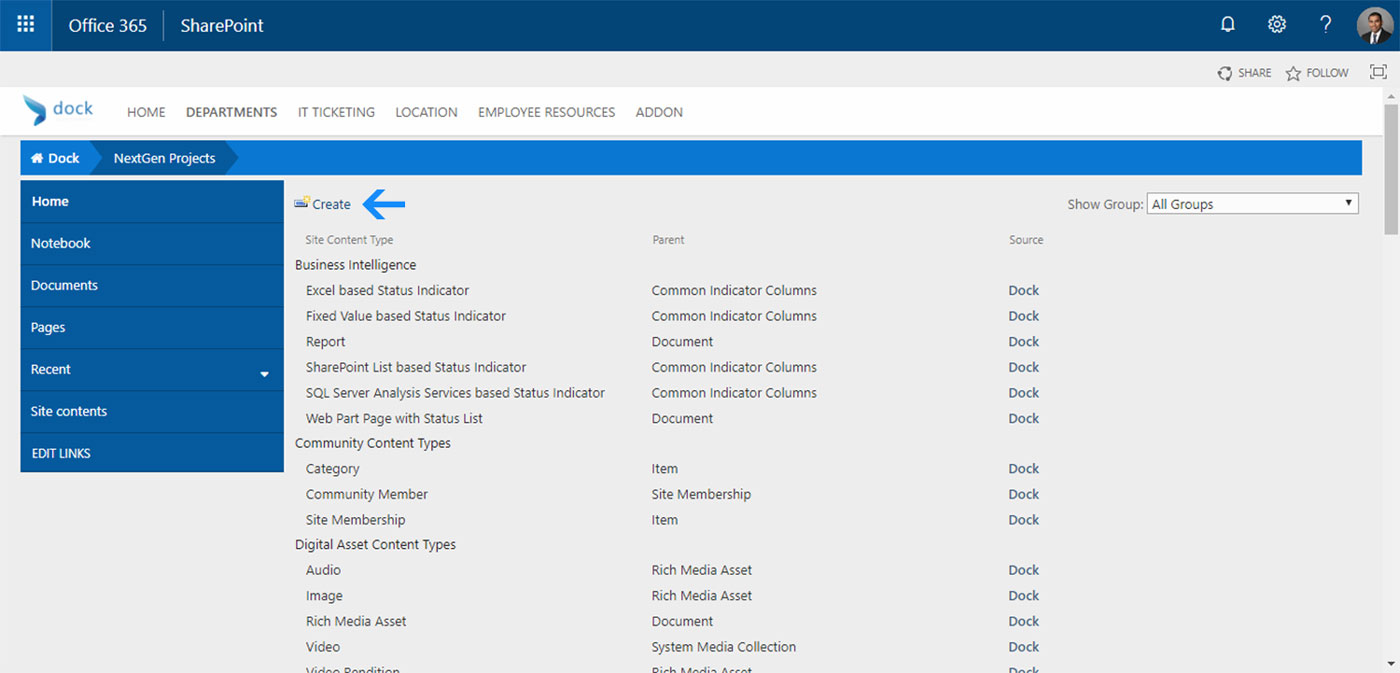
- A screen as shown below will appear
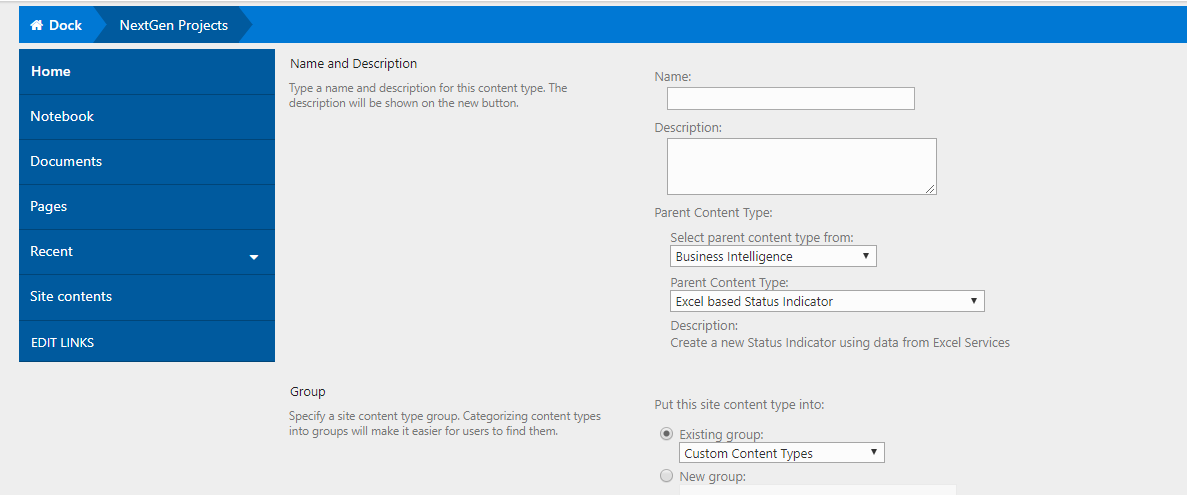
- Give your Content Type a Name
- Link the Content Type to a Parent Content Type
- In the last section, choose within which Group you want to put your Content Type
- Ta-da! You have created your new Content Type
Why are content types useful?
- Whenever you need a specific set of columns in your list or library, all you need to do is simply add the designated content type rather than creating or adding one column at a time.
- Another added advantage is that you can add multiple content types inside the same list or library
- Easily organize reusable content and configurations within SharePoint using Content Type
- Using Content Types, you can centralize all of these configurations in one place
PS.Content Types are very powerful and have a huge impact on SharePoint Architecture and should be constructed after serious considerations and analyzing their impact on SharePoint features or site.
Are you in search of a SharePoint Intranet Portal. Experience Dock- a clean and easy-to-use intranet solution that can help you achieve better employee engagement,productivity and ultimately higher revenue.
Schedule a no-obligation Demo Now