Contract administration can pose a challenge to any legal department, and one particularly common frustration involves contract signatures. At the beginning of a contract’s life cycle, the document may be neatly managed through SharePoint, complete with history tracking, version tracking, and document management.
But as the contract approaches the signing stage, it tends to be exported out of the organizational infrastructure.
This is known as the “signature black hole,” wherein the document is temporarily placed outside Microsoft’s environment as it is being processed for signature. It is no longer easily tracked, nor versioned, nor governed.
Once it has been received back into the organization in its signed PDF form, it can prove difficult to re-integrate the document into the workflow process.
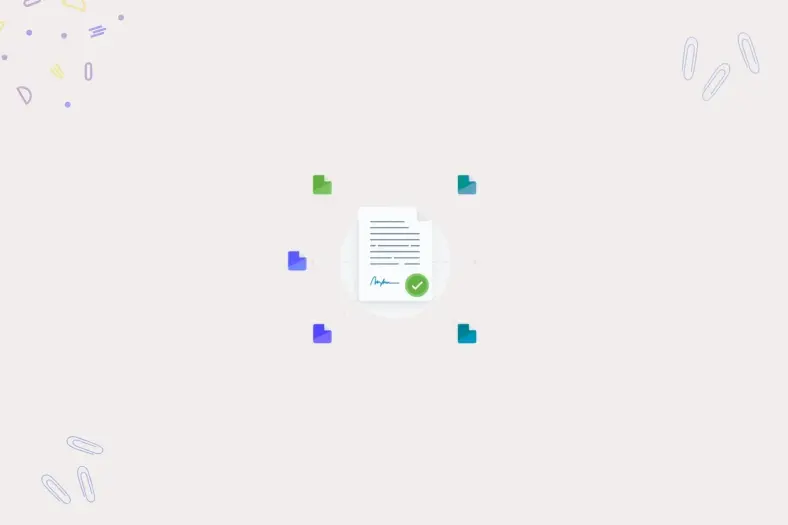
However, the answer is not using electronic signatures but ensuring that all contract-related processes remain in one trusted ecosystem. SharePoint eSignature helps achieve this task by providing users with the ability to draft, review, and sign agreements without stepping outside the Microsoft 365 Trust Boundary.
As long as the whole signing process takes place in a unified environment, legal departments will have total control over their safety and compliance requirements.
Prior to implementation, there are several practical tasks that the legal team must consider.
SharePoint currently provides a simple version of electronic signatures known as SES, which stands for Simple Electronic Signature. This kind of agreement can be sufficient when used in ordinary cases like vendor confirmations, NDA's, internal agreements, and service agreements.
There are other cases where stronger types of electronic identification will be required. Legal administrators should check if the system meets regulatory requirements for the particular contracts within certain contexts, such as the ESIGN Act in the U.S., or eIDAS legislation in the EU. This measure helps to ensure the proper legal defense for the organization.
The way SharePoint eSignature is billed can be another aspect to consider. While many signing systems have a subscription plan based on monthly fees for each user, Microsoft uses the Pay-As-You-Go pricing scheme. The payment is made once the document goes out for signing.
This strategy can be quite advantageous for legal departments working with sporadic agreements. Instead of licensing all possible users, a company pays for what it uses.
Agreements frequently need signatures of outside parties, including customers, suppliers, or legal counsel. Therefore, the administrator should make sure that B2B guest access and secure sharing capabilities are enabled.
The above-described setting makes it possible to provide secure links to documents while keeping them within the Microsoft ecosystem. It means that the document will still be compliant with the policies of the organization even in the case of external stakeholder participation.
When all the necessary conditions are fulfilled, administrators have access to the SharePoint eSignature activation settings. The configuration of such capabilities offers an opportunity for businesses to have a lot of control over their usage.
A great benefit of the Microsoft solution is that the company can limit the scope of eSignature usage. The activation settings make it possible to enable the required functionality in some, but not all, sites.
The number of sites that can use the SharePoint eSignature tool at first can reach up to one hundred. Such a limited scope helps to avoid unnecessary signature requests by departments other than the legal one.
The above-described setting makes it possible to provide secure links to documents while keeping them within the Microsoft ecosystem. It means that the document will still be compliant with the policies of the organization even in the case of external stakeholder participation.
Some companies utilize complex processes that use additional platforms like DocuSign or Adobe Sign. However, SharePoint provides integration capabilities, allowing these systems to be seamlessly incorporated into the ecosystem while ensuring the centralization of all documents.
After the signing of the contract via an external platform, the signed document will automatically come back to SharePoint. In this way, SharePoint will maintain the record of all contracts' signings, keeping all information centralized and coherent.
Once the configuration process is completed, legal departments will be able to start implementing the signature workflow via SharePoint without any extra actions. The whole process becomes more streamlined, with minimal deviation from regular document handling procedures.
The most convenient feature about SharePoint's eSignature is that it can easily work with Microsoft Word. Therefore, legal professionals can send a request for signatures right from Word or from the preview pane on SharePoint.
This feature eliminates an activity that teams used to do in the past. There is no need to export the document to PDF format and then upload it to another platform for signing purposes.
The process of going from drafting a contract to signing it is done inside the same environment.
In some cases, contracts must be signed in a particular order. It means that one of the parties will start, and the next person who signs it may be an executive in the company. The SharePoint eSignature solution helps implement a process of signing in the required sequence.
The following signer gets the request only when the previous participant completes his part of the job.
Legal departments deal with many similar contracts. In most cases, they involve NDA forms, statements of work, and other standard contracts. Using content assembly templates enables legal teams to make this process faster and more efficient.
Administrators do not have to hand-create each and every agreement template from scratch; all they need is to create templates with predetermined clauses. Users will then fill in the required information, and the document creation is done automatically.
The process helps save time and ensures consistency in the document generation process.
Apart from requiring a signature, a good deal of paperwork needs to be kept in order to prove the legitimacy of the agreement. It is equally important to maintain an audit trail for legal purposes.
Each activity performed on a document is logged by Microsoft Purview Audit. For instance, it will show who viewed the document, signed it, rejected it, and/or downloaded it.
The process creates an audit trail of activities related to the signing of a particular document.
In addition to logging all the activities carried out by users in relation to document signing, the process also creates a metadata file that ensures the defensibility of the documents.
In cases where the validity of signatures is in question, the metadata offers clear proof of when and how the document was signed.
After the signing process is complete, the signed PDF file gets saved back to its original location. Moreover, the file could get a new name including the date of signing.
This approach makes sure that the signed document will be tied back to the original one, and the repository will remain the single source of information for the organization.
Typically, organizations seek to resolve problems related to contracts using new methods and applications. Although these options might have certain valuable features, they make workflows more complicated and cause fragmented document storage.
Sometimes, simplicity results in greater security and better governance. In the case where contracts stay within the Microsoft 365 environment, companies avoid the possibility of fragmentation and have full visibility throughout the contract’s lifecycle.
Companies that want more automation can use specific platforms that provide this functionality across the entire contract lifecycle.
Dock 365 is a contract lifecycle management tool created completely in the Microsoft 365 environment and SharePoint. This platform will help companies automate all processes related to requesting, approving, creating, and signing contracts while storing all documents in the Microsoft environment.
If you would like to optimize the process of managing contracts in Microsoft 365, schedule a demo with Dock 365.
Like our content? Subscribe to our newsletter on LinkedIn for more insights and updates.
Schedule a live demo of Dock 365's Contract Management Software instantly.


© 2026 Dock 365 Inc. All Rights Reserved.