In this digital age, when organizations are encouraging employee resourcefulness, Employee Resource Portals are becoming increasingly popular among businesses of all sizes.The resource portal enables employees to access the information they need to complete day-to-day tasks. In addition, it is a dynamic and interactive platform that is not just a repository but also empowers employees to manage their own tasks independently.
So, what are the top 10 things you need to add to your employee resource portal.
#1.Employee Directory
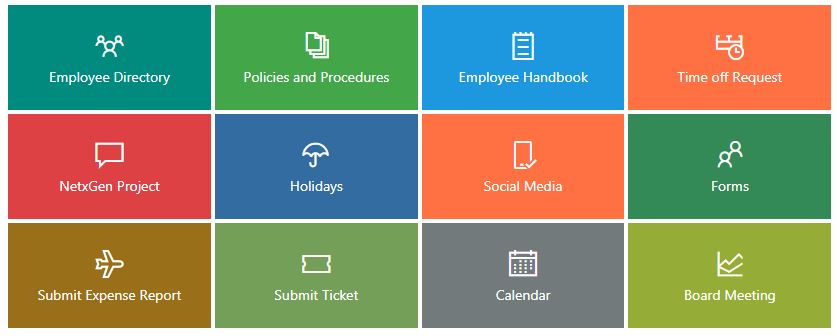
An employee directory is an excellent tool to help new as well existing employees understand the organization structure and department specific flow. Employees can easily find other co-workers using details like employee photo, phone number, email address, location etc.
#2.Employee Handbook
The first thing being thrust into the hands of an enthusiastic new hire is the employee handbook. But the anxiety of the early days in new job can make it hard for them to absorb all the new information in one go. Placing your employee handbook In the resource portal gives the new employee the liberty to easily go back to the details as and when required.
#3.Policy Management
Policies are an integral part of any organization and managing the related documents and forms is vital for the successful running of any business. Your employee resource portal should be able to store and organize these documents. Thus, avoiding unwanted confusions and ensuring that employees have access to the latest versions of the documents..
#4.Automated Requests & Approvals
The resource portal must make the entire process of requests and approvals completely automated.This enables the requester and approver to easily view the status of the request without sending scores of e-mails to and fro.
#5.My Benefits Information
Employees no longer need to contact the HR department to know about their Health Plan Summary,Dependents Coverage and Life Event Changes. Everything is just few clicks away.
#6.Learning Management System
Easily create training programs and add them to the resource portal. This enables the employees to undergo the training programs as per their convenience and schedule. Further, it also helps the HR team to track progress of employees with the training programs.
#7.Payroll and Compensations
Employees can get their Payroll details within minutes instead of days as they have access to Employee Pay Stub, Direct Compensation History details, Deposit Authorization,etc.
#8.Fun and social
Work is not just about the hard grind. Keep your employees motivated and engaged by posting about upcoming birthdays, work anniversary, celebrations, office outings and other local events your organization is supporting.
#9.Employee Personal Profile
Employees can add their personal information like job title, employee photo, phone number, email address, location and much more using this feature.
#10.My Absence and Time Management
No more hassles or confusions for the HR department as well employees when it comes to time management and leave management.Streamlining the process will not only solve numerous concerns but also save time and money.
You can also watch the video to know more about the Employee Resource Portal.
About Dock 365 Intranet Portal
Dock is a Pre-Built intranet portal for your organization. It is powered by Microsoft SharePoint & Office 365. Dock also comes with a dedicated Employee Resource Portal with countless amazing features.It also offers project management, contract management, and many other business productivity features.Dock creates sustained, connections and conversations across the organization, promoting better employee experience and organizational performance.
Click below to schedule a Free Demo.