Start your project off right by using SharePoint’s project portal capabilities for a seamless project management experience. As a project management professional, it’s critical to decrease inefficient communication with stakeholders or poor information management practices. Are you struggling with an unclear project collaboration standard that ultimately compromises your project’s success? This is where Dock 365 can help SharePoint site users to develop a smart plan for positive results.
Dock uses the standard SharePoint intranet portal and transforms it into a customized SharePoint like you’ve never seen before. We’re powered by Microsoft SharePoint and Office 365 standard platform and then elevating it to an employee portal that’s unique to your business branding and workflow needs. We’ll be discussing ways this combination excels your current ability to manage your project by using these powerful intranet portal tools.
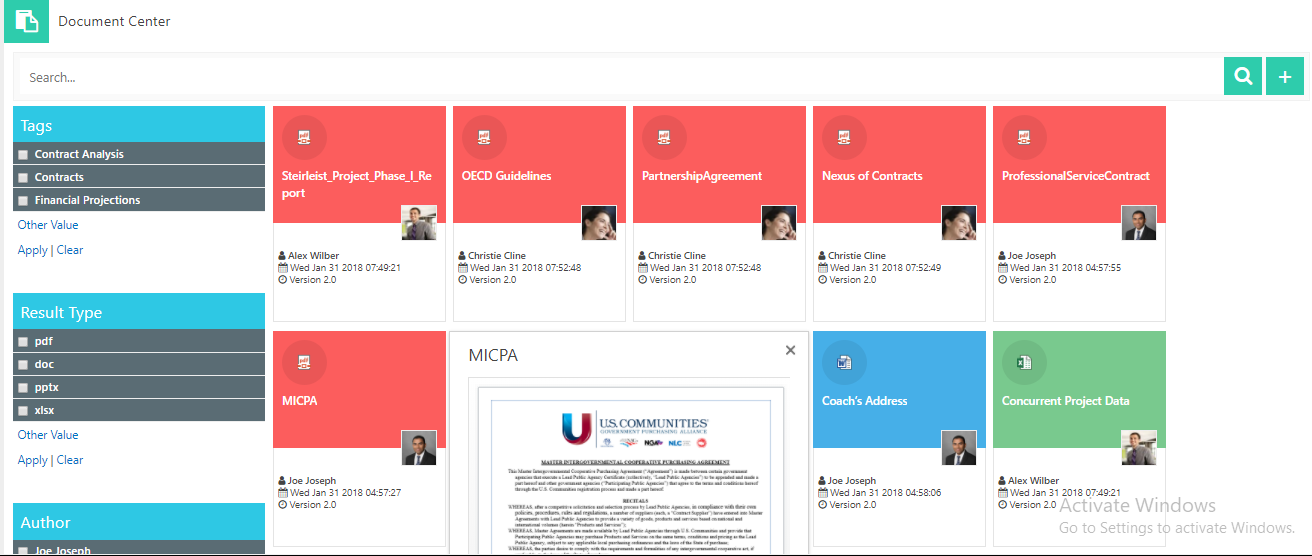
- Advanced reminder alerts. Once you centralized your project information and communication in your SharePoint site, we advise you to setup automated project processes, like changing the control process by utilizing built in SharePoint workflows. You can authorize alerts to automatically send out reminders to project stakeholders. This way, your team members can also view their upcoming tasks and be able to check them off as they go.
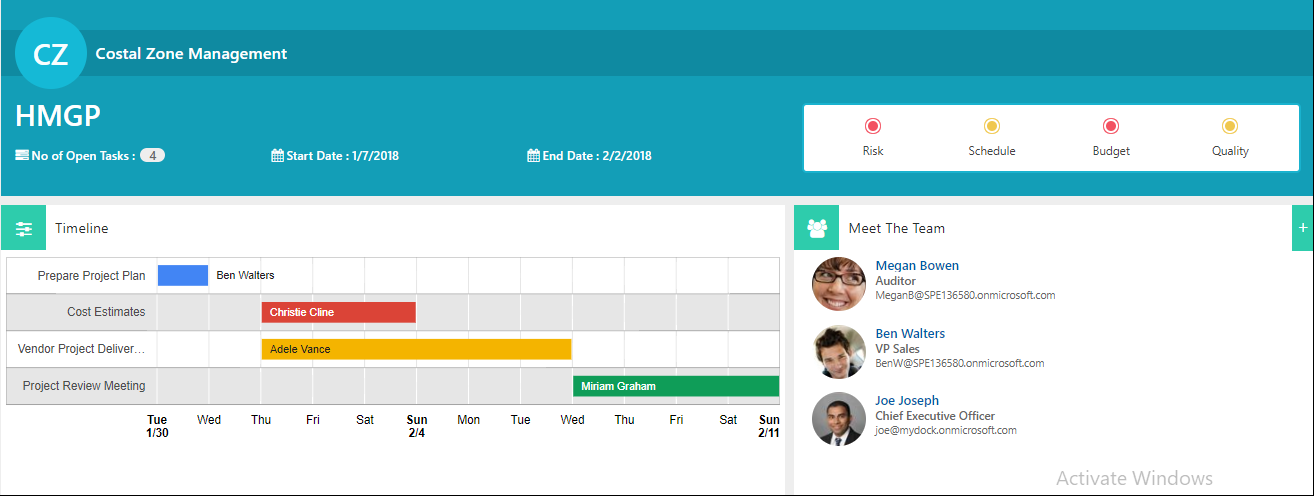
- Portfolio dashboard. Utilize the straightforward dashboard that shows you how the project is doing with a summary of work, goals, project status, and so on. The links on the left-hand side make up the Quick Launch of your different processes. The Quick Launch can be personalized so the grouping and categorization mimics the project management processes that you use in your business. All the processes that your project will need can be built right in.
- Data aggregation across multiple project sites. Project Management Central is a turnkey project management solution that can standardize project sites, permissions and navigation consistency throughout projects in the enterprise. Setup ‘Task Lists’ in SharePoint in combination to plan tasks, activities and milestones with dates, assignees and build a breakdown structure for any project you’re working on with multiple employees. You can also include additional lists tailored to specific project processes to manage risks, issues, change requests, goals, and so on.
- Resource management. With the ‘Project Statement’ tool, you can include an overview of the project, description, and key dates. All your team members and stakeholders on your project can have the ability to refer to it so that they can understand the purpose of the project or to get a summary of the high-level project information. In addition, control documents through the library to store deliverables by authoring, version control, and approval workflows. Keep your documents stored with your company intranet ensures that every team member is working on the same up-to-date document.
- Project reporting. You can setup additional views for work completed, in-progress, overdue, etc. Communicate project status to senior executives and other stakeholders. The reports can include KPIs with red and green indicator buttons to quickly show the project status visually. Add columns with your own commentary on what has been achieved, major accomplishments, issues, and planned next steps. Group web parts or project processes into phases such as: initiate, plan, track and close. SharePoint will guide you and your team to express how the project should be managed.
Build the project site with as much or as little processes as needed. Your SharePoint site will always bring together all the items you might need in one central, collaborative location to assist in your project needs. If you're looking for a simple solution for migrating your documents to SharePoint Online, visit our new software, MyGrator.