Every HR professional will relate to this!
A new hire’s first day of work, they come onboard with a cocktail of excitement and nervousness. A thousand questions ringing in their head “Will I like the job”? “How will be the people around?”
“Will I be able to perform”? Adding to the chaos, they meet loads of new people which boils down to remembering countless names. Joe, Heather, Alex, Jessica, David, Brandon, Eva….
And wondering who are these people, anyway? Which department do they belong to? They are left stranded for days with these questions, if your organization doesn’t have an employee intranet or worse at least an employee directory!!
Empower and engage your employees with Dock 365, a clean and intuitive SharePoint Intranet Portal. Watch motivation and performance levels soar high, when your employees have online access to all the essential information in the employee portal. Know more about Employee Onboarding using Dock SharePoint.
Exploring New Exciting Updates in Dock SharePoint Employee Directory
The updated Dock employee directory makes use of Microsoft Graph API to add and synchronize employee details, which is much faster than adding employee details using SharePoint Admin center as it takes anywhere between 4 hours to 1 day to transfer contacts.
New Employee Directory View
The new directory offers three different views as shown in the screenshot below:
- Detailed view
- Text Only view
- Photo only view
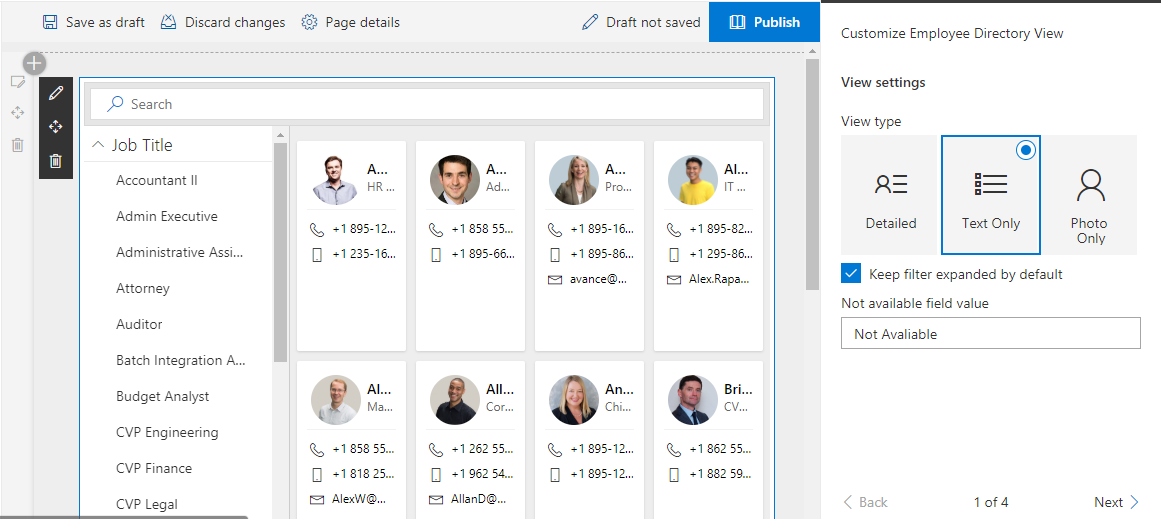
Text-only view of the employee directory
PS.In case an employee doesn’t have an e-mail ID or any other field, you can always set it to Not Available (see right pane).
Sign Up for a free demo, to see other views !
Easy Employee Categorization
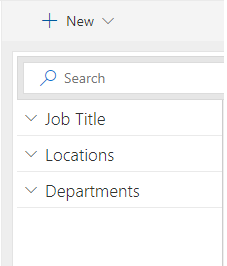
As shown in the left pane, you can sort and categorize employees based on three different criteria namely Job Title, Locations and Departments. This feature makes your employee directory more organized and also makes it easier to find employees on a day-to-day basis.
Customizable Employee Directory view
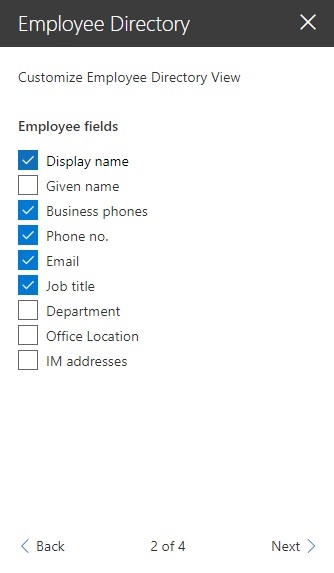
In each view, you can choose the different fields like Display name, Job Title, Location, Email, etc. that you would like to be displayed in the directory.
Further, you can choose the number of employees you want to show in the directory. The button is available towards the end of the page

PS.You can include and exclude employees based on different fields like Employee ID, location, e-mail address of a particular domain (e.g. Gmail or Microsoft)
That’s all for today! Schedule a free demo now to know more Dock 365 and its employee portal.
Transform your business with Dock! Simply Productive!