From Clippy the assistant to machine learning advancements, Microsoft has left no stone unturned when it comes to adding intelligent features to its Office suite. The all-new AI-powered features across Microsoft 365 will undoubtedly help users create their best work. Increased efficiency, broader audience reach, streamlined workflows-empower users to do more!
Microsoft PowerPoint is here with live captions & subtitles
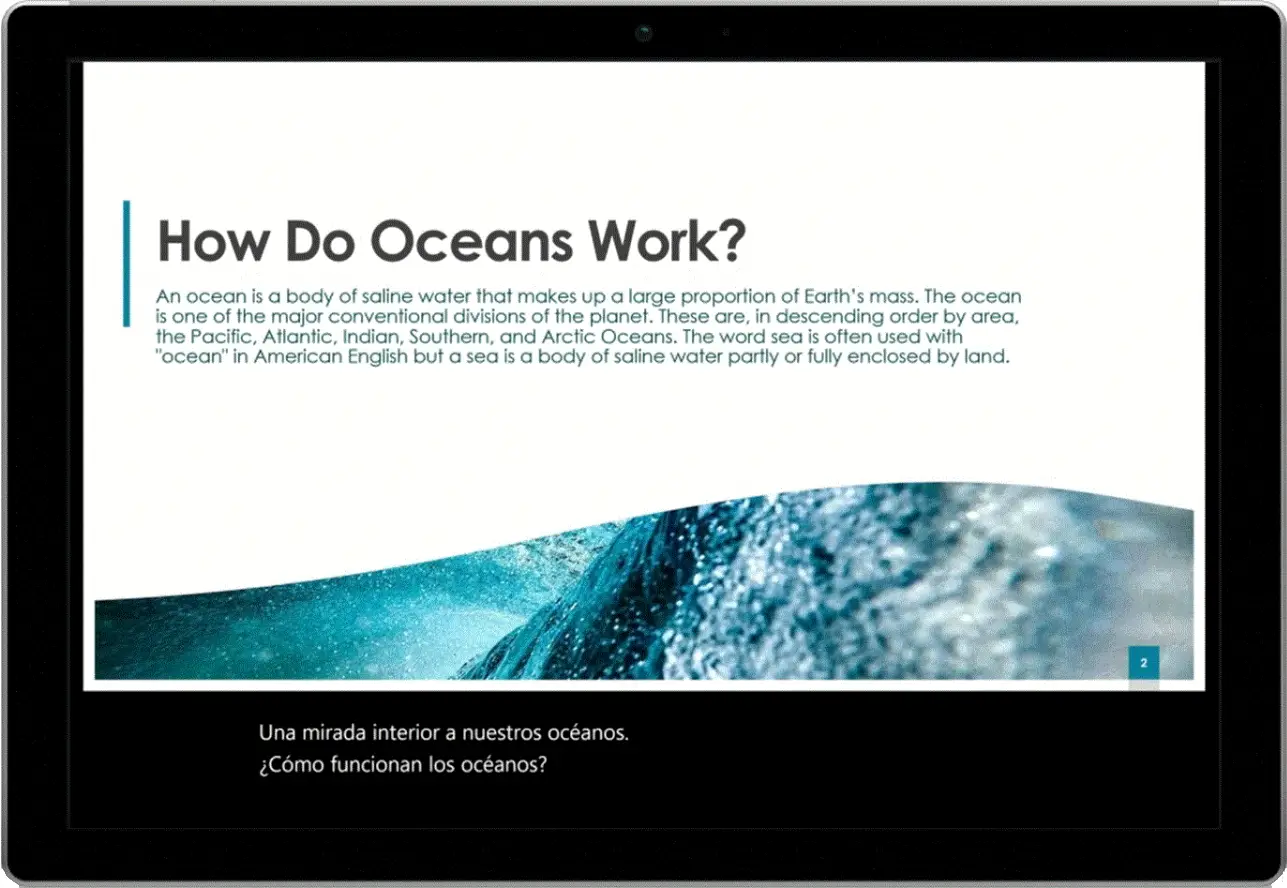
Powered by Microsoft AI, you can now reach and engage with audiences irrespective of lingual barriers and hearing access needs. The new feature brings live captions and subtitles to presentations that appear automatically in real-time. The feature supports 12 spoken languages and displays on-screen captions or subtitles in one of 60+ languages. Office 365 subscribers worldwide will be able to enjoy this feature from January 2019 for PowerPoint on Windows 10, PowerPoint for Mac, and PowerPoint Online.
Tricky acronym definitions to appear automatically in Microsoft Word
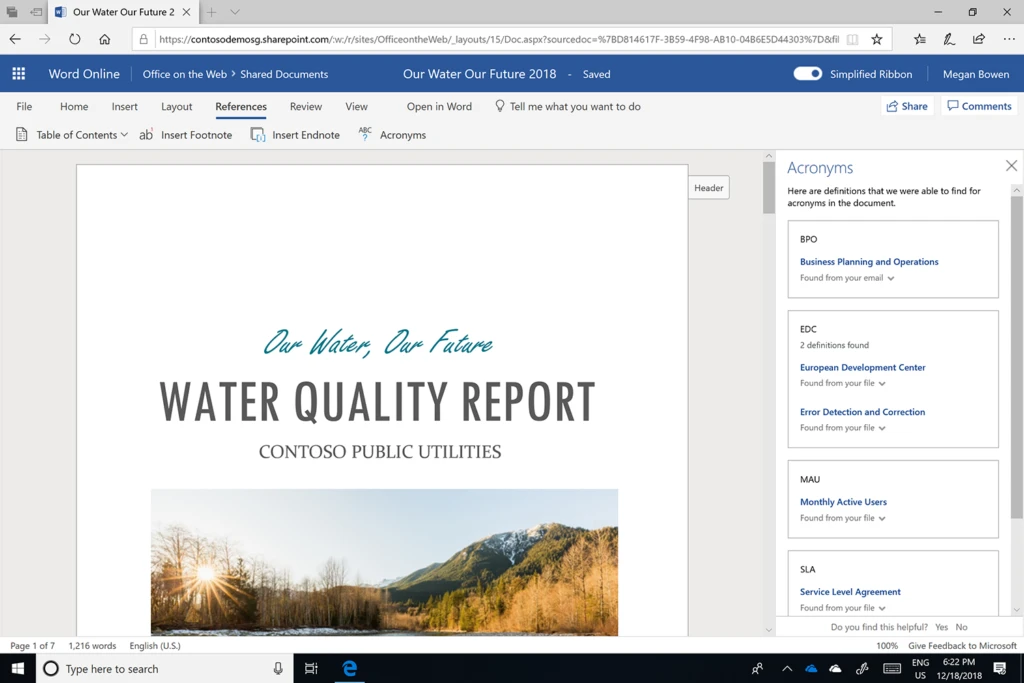
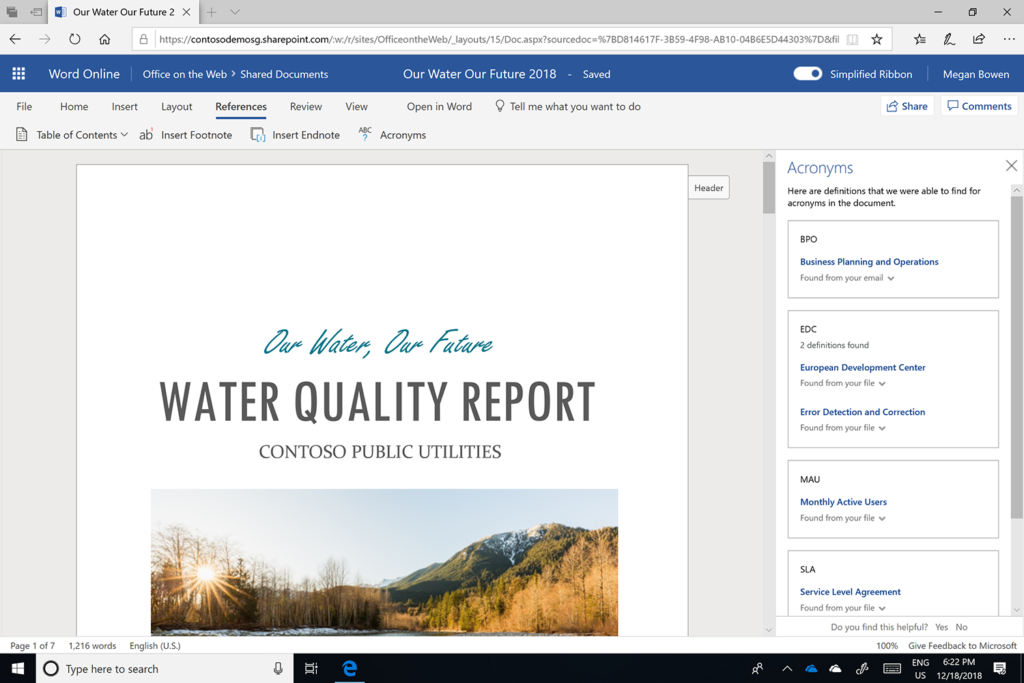
Get suggestions for acronym definitions specific to you and your organization while reading documents. Leveraging Microsoft Graph, Microsoft AI makes suggestions that will make it easier for users to read with clarity and understand the content. To launch the Acronyms pane, click the Acronyms button on the References tab and see suggested definitions for acronyms. The feature will roll out in English language.
Now Reuse existing slides in PowerPoint
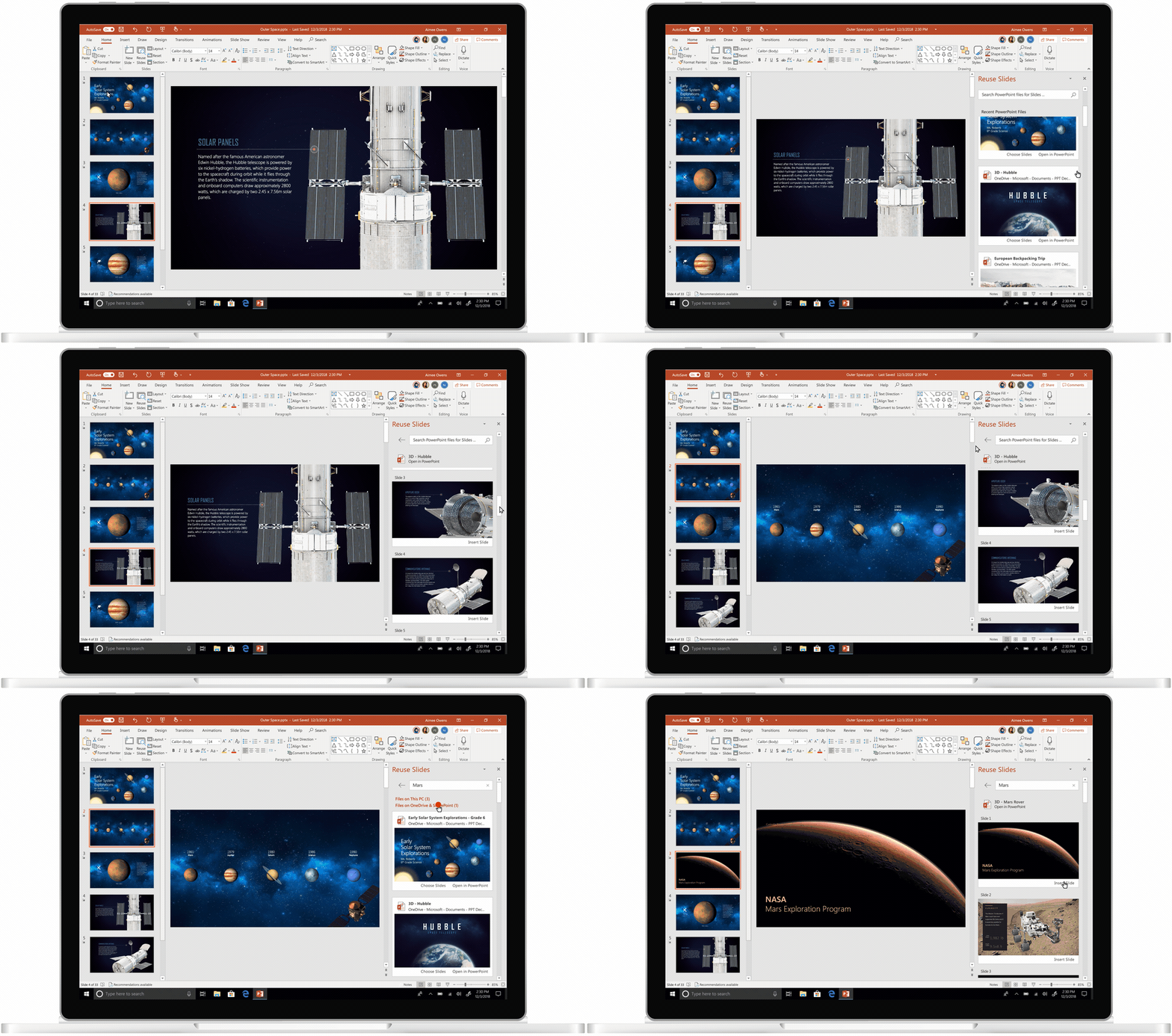
With Microsoft AI in PowerPoint, you no longer need to create slides from scratch, all you need to do is reuse existing slides from your files or others in your organization. To get started, click on Reuse Slides button on the Home tab. Thereafter, existing PowerPoint decks that you have access to will surface in the sidebar. Browse through and view slides in each presentation and choose the appropriate ones. Office 365 subscribers can enjoy the feature in January.
Achieve more with the new app updates
Your favorite Office apps have exciting improvements to help you focus more on work.
New design of Outlook for iOS
Get things done faster with the new Outlook for iOS updates. The new design offers a host of features including:
- Recognizable avatars for instant recognition
- Optimized swipe with haptic feedback
- Dynamic scrolling to easily see more inbox messages.

Check out the macOS Mojave Dark Mode
The macOS Mojave Dark Mode helps you focus more and makes it easier for your eyes while working in low-light environments. In addition, you can now easily find features with sharper icons and updated user interface (UI) for Office for Mac.
Stay tuned to our blog for all the latest Office 365 & SharePoint updates.
Powered by Microsoft SharePoint & Office 365, Dock is a clean intranet portal. Empower your employees to innovate, discover, organize, collaborate, communicate and connect effectively.
Meet Dock 365. Schedule a no-obligation Demo Now!