

From content-rich home pages to “welcome to the company” intro pages, there is a SharePoint Page no matter what the occasion. Organizations can leverage the fast-evolving capabilities of modern SharePoint pages to effectively design and promote information throughout their team, intranet portal and business landscape.
Microsoft has released several new New and updated enhancements for SharePoint pages in Office 365.
Let us dive into the new and updated page options.
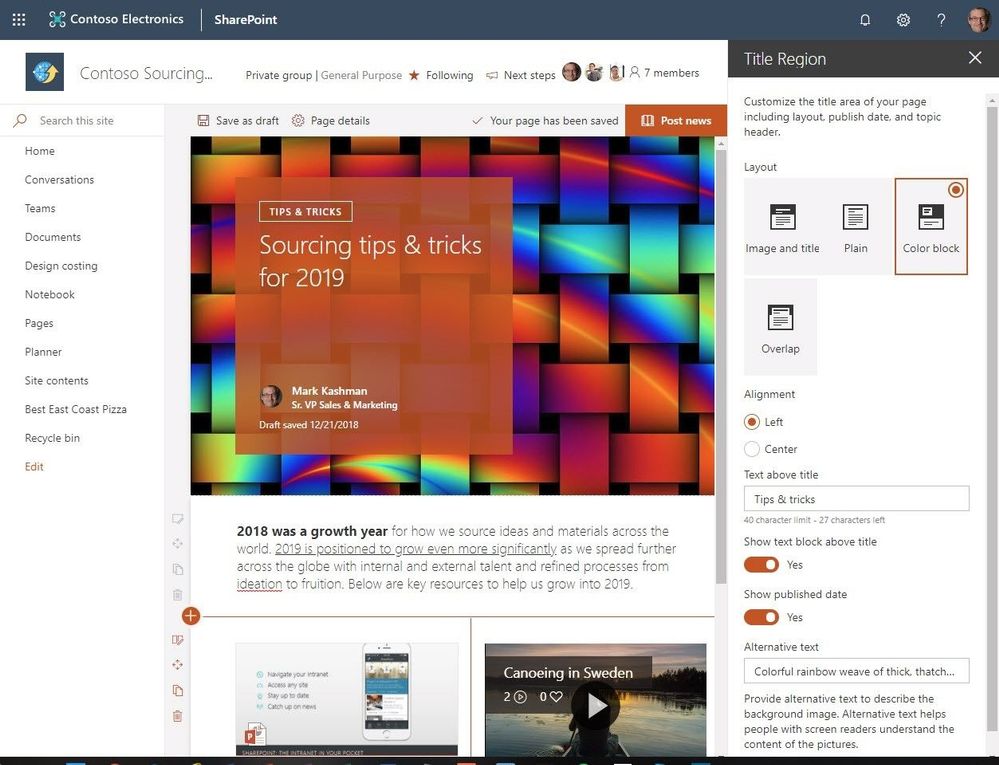
- Customize the title region for each page.In Modern SharePoint pages and news articles, users will now have more options to customize the title region of each page with:
- Four layouts
- Two alignment choices,
- Text badges above the title
- Ability to change the displayed author
- Show or hide the published date.
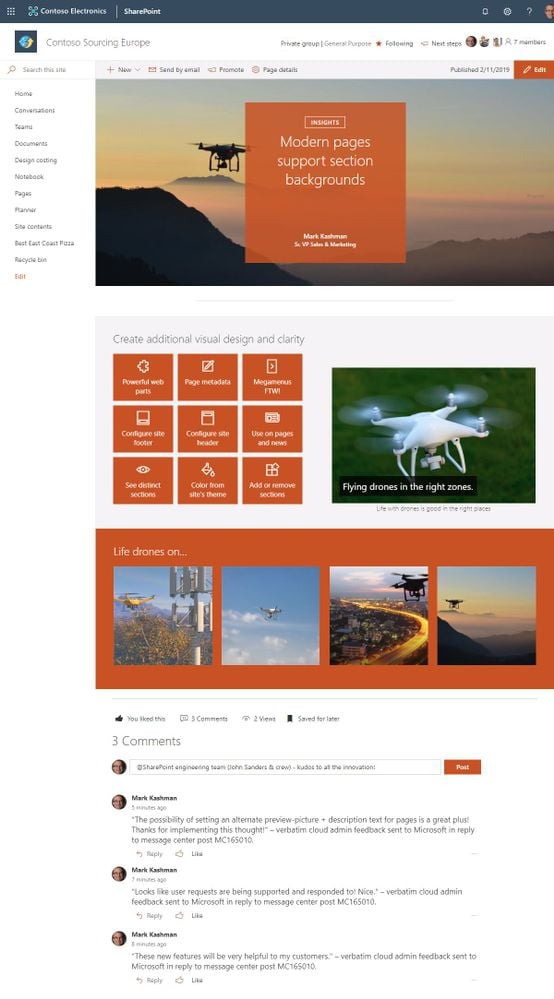
- Section backgrounds are supported by Modern Pages – Add visual variety to your page with the section backgrounds. The new feature makes it easier to see the distinct sections.You now have the capability to create an additional visual design by adding colors from your site’s theme (neutral, soft & strong) to the background of your page sections as your user scrolls through your content.
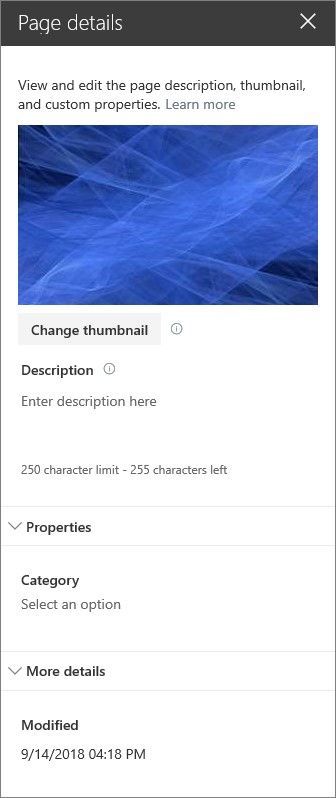
- Customize page thumbnails and descriptions – Page Owners can now customize their page thumbnails and descriptions right from within page details edit pane. Once modified, the content will appear in the same way in search results, highlighted content, previews, and more – just the way you want.
- How to choose new thumbnail-From Page details, choose new thumbnail.Earlier the thumbnail image for a page (used in search results, highlighted content, and SharePoint News) was auto-selected. With the new update, you will be able to select your own thumbnail image.
- How to choose new description - From Page details, choose a new description. Prior to the update, the first text that appeared on the page was auto-selected as the page description. Now add custom descriptions in Page details.
About Dock 365 Intranet Portal
Dock is a Pre-Built intranet portal for your organization. It is powered by Microsoft SharePoint & Office 365. Dock also comes with project management, contract management, and many other business productivity features. It creates sustained, connections and conversations across the organization, promoting better employee experience and organizational performance.
Click below to schedule a Free Demo.


.webp)

