
With an aim to redefine administration to be more powerful, simpler and intuitive, Microsoft has introduced a completely revamped SharePoint Admin center. "An administrative console designed to help IT achieve more, so their users can achieve more."
Try the new SharePoint admin center (preview) as a global or SharePoint admin in Office 365. To access it go to the classic SharePoint admin center and click Try it now in the upper right.
Schedule for releasing the new SharePoint admin center
Customers worldwide who have selected the standard release option can now access the new SharePoint admin center (preview). However, the classic SharePoint admin center will continue to be the default for several weeks.
PS. If you want to switch back to the classic SharePoint admin center, go to the left pane of the new SharePoint admin center, click Classic SharePoint admin center.
Without further ado, let's explore the new features.
View reports
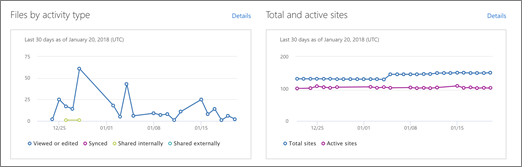
You can see at a glace on the homepage
- For the past 30 days, the number of files with specific types of activity each day. (If an activity occurs multiple times in one day on the same file, the file is counted only once for that day.)
- The total number of sites and active sites each day for the past 30 days. (A site is considered as "Active" if any users view a page or view, modify, upload, download, share, or sync a file.)
View Message center posts
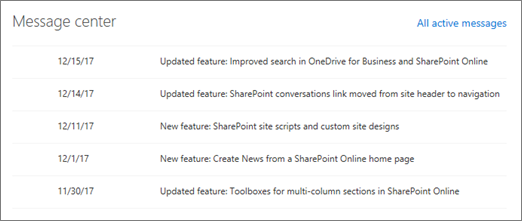
Manage upcoming changes by reading official announcements about new and changed SharePoint features in the Message Center section of the home page. Each post gives you an overview of the change and its impact on your users.
PS. In case you want to hide a post from the list you can dismiss it. To sort and filter the list of messages across all Office 365 services, click All active messages.
Service health
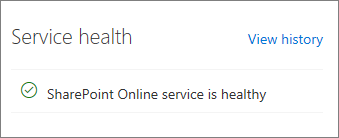
This section in the homepage helps you understand whether the SharePoint Online service is healthy, or if it's experiencing an active advisory or incident. To know more about an advisory or incident, click it to open the Service health page of the Microsoft 365 admin center.
About Dock 365 Intranet Portal
Dock is a Pre-Built intranet portal for your organization. It is powered by Microsoft SharePoint & Office 365. Dock also comes with project management, contract management, and many other business productivity features. It creates sustained, connections and conversations across the organization, promoting better employee experience and organizational performance.
Click below to schedule a Free Demo.

.webp)