
Document management and collaboration on files are important processes in all businesses and companies. Microsoft SharePoint is made rich with features that serve these demands.The Document library is a main element in SharePoint which helps to store all documents and files in one place. Handling the document library and actions related to it carefully helps you to exploit document libraries exceptionally well. Here are some useful information that helps your experience with documents in SharePoint.
WHAT IS A DOCUMENT LIBRARY
Document libraries can be utilized for storing files safely. It can be considered as an internet location where all your employees can find documents, work on them simultaneously, and most importantly access all those documents from multiple devices at a time. You can create dedicated document libraries for specific projects, and put all documents related to a profile in one place. You can move files from one folder to another within the free document library by drag and drop actions. Learning all aspects of Document Library gives you great control over SharePoint Document Management.
What You Can Do in a Document Library
When you are creating a new SharePoint site, a document library will also get created automatically. You can also create and add more document libraries to a site as required. You can do the following actions in a free document library to meet your objectives:
- You can add, edit, delete, co-author, or download files and documents from a library. You can also delete links when they are outdated.
- You can control who all have access to a file or folder in a document library. You can even decide who can access the document library.
- When someone edits a file or folder in a document library, they get notified about the modifications made.
- You can generate a custom view for document libraries to display in a way you prefer.
- You can now share files and folders with others more efficiently.
- Add links to your document library of resources stored outside the library.
- Highlight the most important files and folders in a document library, so that everyone can find and access them quickly.
Steps to Create a Document Library
Know how to organize SharePoint Document Library from the steps below.
- Sign in to SharePoint and go to the Team Site where you wish to create a new document library.
- From the menu bar, click on New and choose Document library.
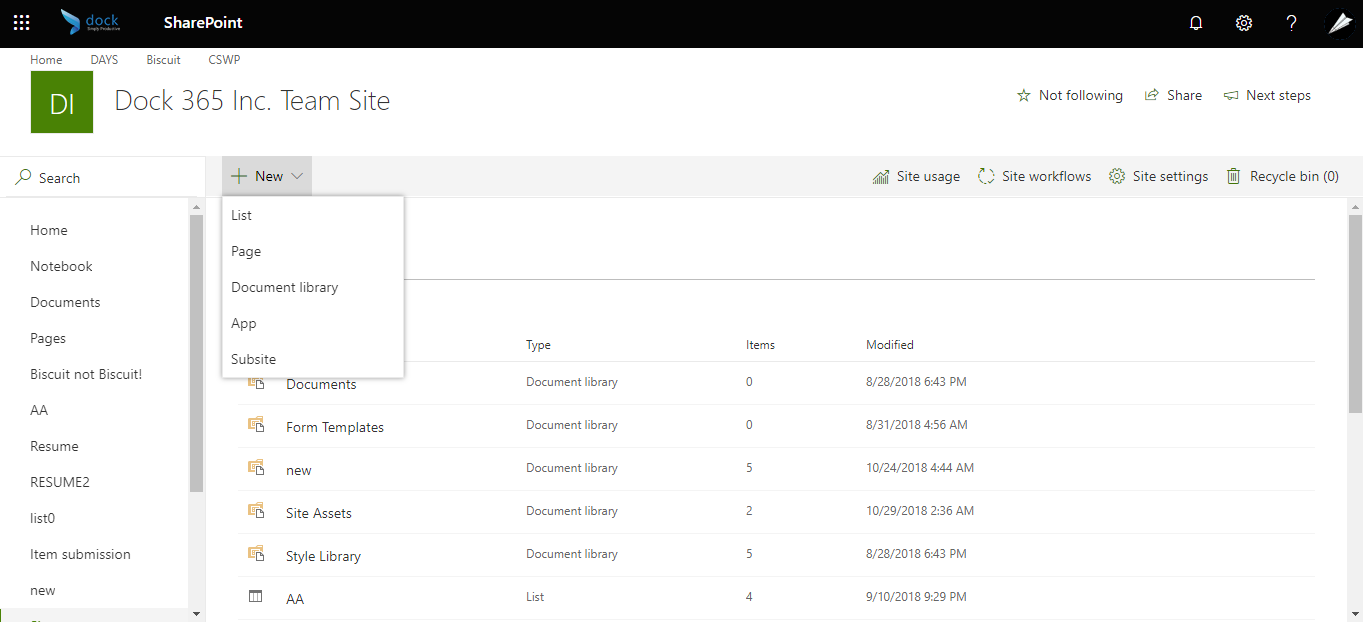
- Enter a name and description for the new document library in the dialogue box that appears and click Create.
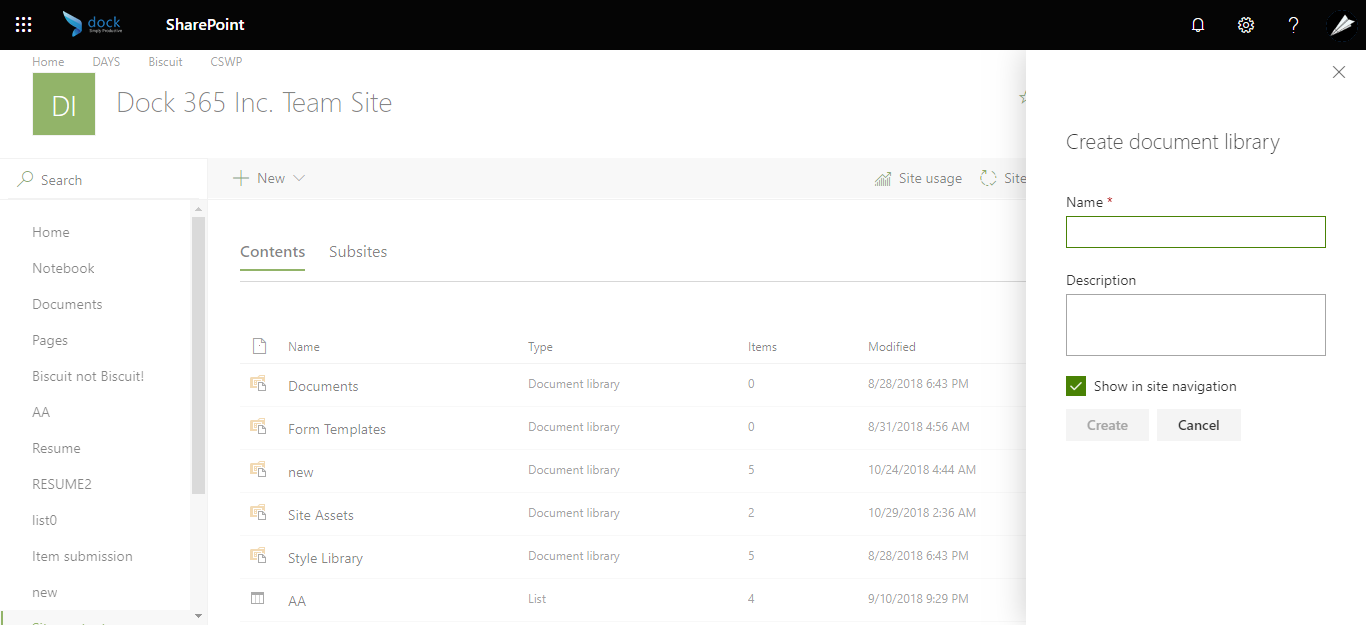
After creating a free document library, you can now add files and configure other features such as versioning. If multiple users are accessing a file, and you want to make changes to it without any conflicts, you can change settings to require check-out of files. Managing permissions, changing views, and adding columns are also other tasks performed within a document library to make the experience more productive and friendly.
You can also learn about SharePoint Document Library Best Practices from our free e-book here!