
The old aphorism “If you want to walk fast, walk alone. If you want to walk far, walk together” holds true for today’s generation z companies as well. Even in this age of cut-throat competition, collaboration is at the core of business success.
Not just IT but organizations across the globe are realizing the importance of incorporating collaboration tools into their workflows. And, why not? Collaboration tools are drastically improving productivity rates and daily workflows.
Having said that, collaboration is never easy especially as the number of people involved increases. The new workplaces no longer confine their employees in cubicles. In fact, they are being encouraged to go off-site. The progressive notion brings its own set of challenges too. Organizations often encounter numerous challenges trying to enable a big team of employees to work together efficiently.
With disparate teams probably working from two different corners of the world, a collaboration platform has become essential for the survival and success of any organization. With millions of users around the world, SharePoint is #1 choice when it comes to a collaboration platform. Say yes to seamless collaboration, communication and business productivity across different locations, ethnicities, teams, projects, departments with Microsoft SharePoint.
Still not sure about SharePoint? As of May 16, 2017, 250,000 organizations and over 85 percent of Fortune 500 companies are using SharePoint. Get on to the bandwagon of collaboration and improved productivity before it’s too late!
“Share and manage content, knowledge, and applications to empower teamwork, quickly find information, and seamlessly collaborate across the organization.”
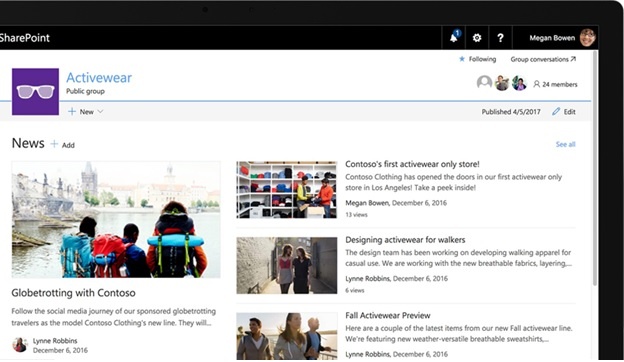
SharePoint a robust platform is widely used by organizations for extranets and intranets. It offers endless possibilities in terms of document management, employee collaboration, business intelligence.
Key features of SharePoint that make it unavoidable:
- Shared Access to Content
- Cloud-inspired Infrastructure
- Information Flow Control
- Modern User Experience
- Task Management
- Business Metrics
- Version Control
- Notifications
- Event Planning
- Legacy Information Integration
- Social Engagement
- Searchable Information
Collaboration
Easy sharing and seamless collaboration
SharePoint has taken collaboration to the next level by empowering teamwork through dynamic and productive team sites. Users can share content effortlessly and securely with team members both inside and outside the organization and across devices. Microsoft enables users to streamline their team’s work by providing site customization.
Different SharePoint collocation tools
- SharePoint sites and document libraries
Focusing on User integration, sites and libraries allow users to be contacted directly from the SharePoint interface, where the name appears next to a document.
- Office Web Apps
Enjoy real time co-authoring of documents. The apps support online and offline collaborative working.
- Version control
- With version control, SharePoint offers collaborative working on documents as users can check in/out, version history, etc.
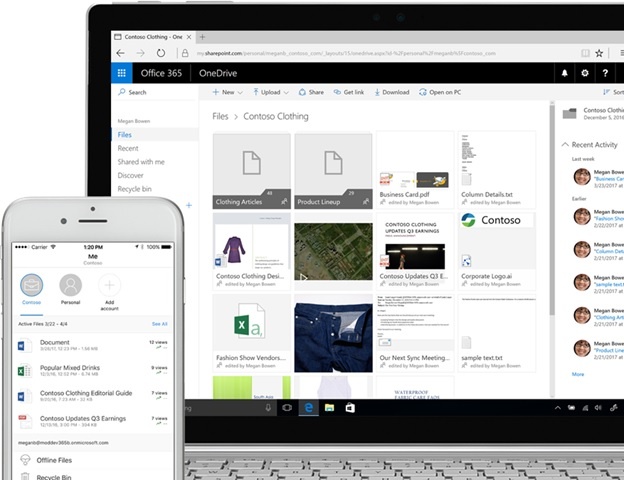
- OneDrive for Business
- Offers a dedicated personal storage space for all your files, documents
- External users can be invited to view and/or edit content
- Enable Offline sync to collaborate even when there is no internet connection
- Enjoy anywhere access to all your files
- Co-author document on one device and finish co-authoring it on another
- Work and save files directly to SharePoint or One Drive and changes made will be seamlessly updated
.
Ready to learn more? Your search for the ultimate collaboration tool ends here. Attend our Webinar and discover the secret to leveraging SharePoint to radically increase business productivity and collaboration!