It is time to customize the look of your SharePoint site to reflect your brand's values and ethos with new “change the look” options. Sites(portals) are an integral part of organizations as these platforms bring together people and information. Thus, sites should work for you enhancing employee engagement and productivity.
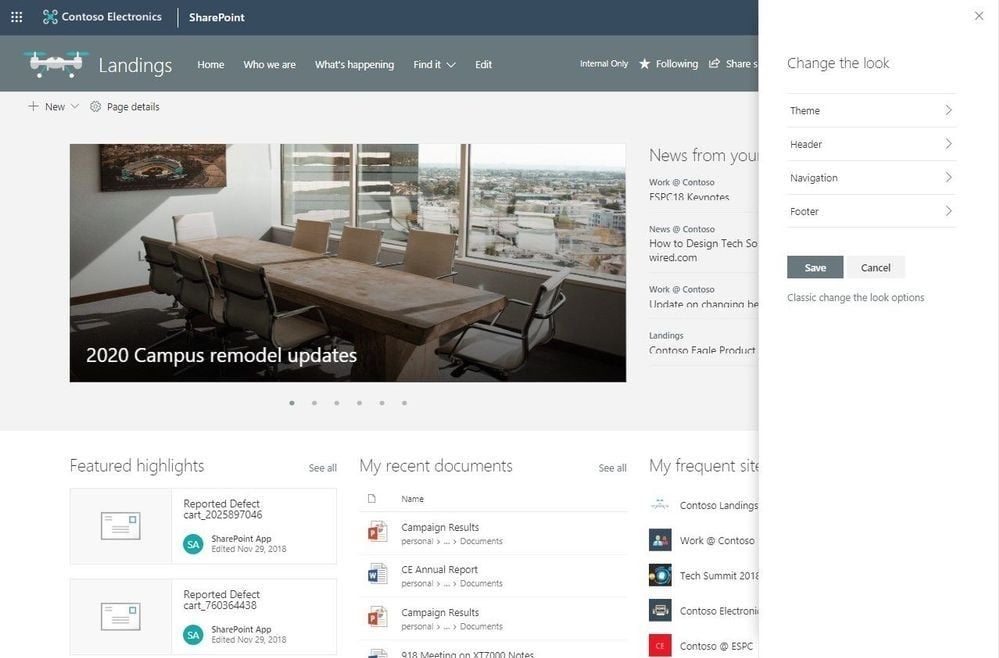
Control site structure with the updated Change the look edit pane
Microsoft has consolidated numerous look & feel site settings into an updated Change the look edit pane. It provides a user the access to site settings for theming, header, navigation and footer options.
Adjust the header of your sites
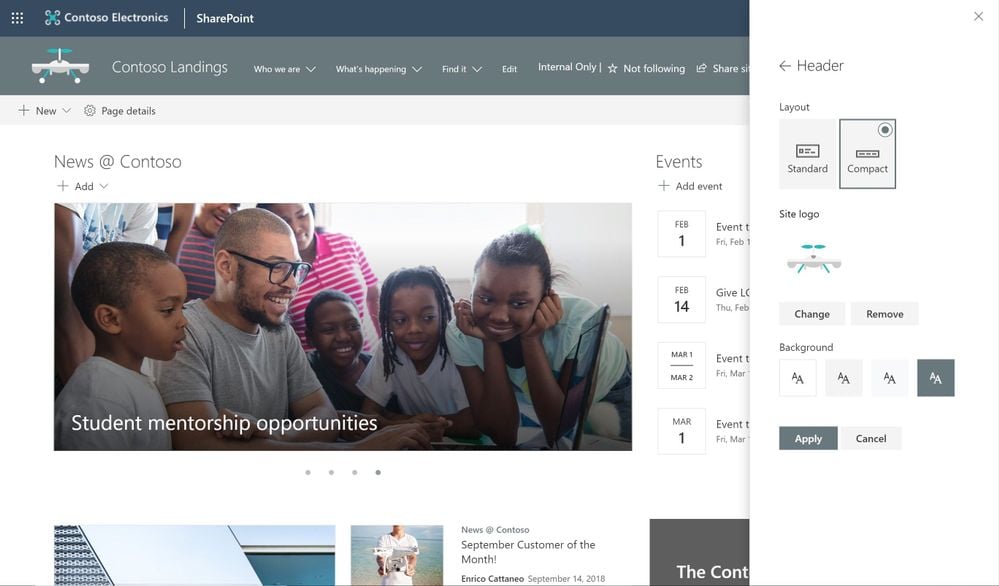
Site owners can control the header of a site in just a few clicks. All they need to do is make a few simple configuration choices.
- Choose between two layout options: standard and compact.
- Choose a site logo.
- Modern site headers support backgrounds thus making it easier to see the distinct header section. You can choose from four background options.
Adjust the footer of your sites
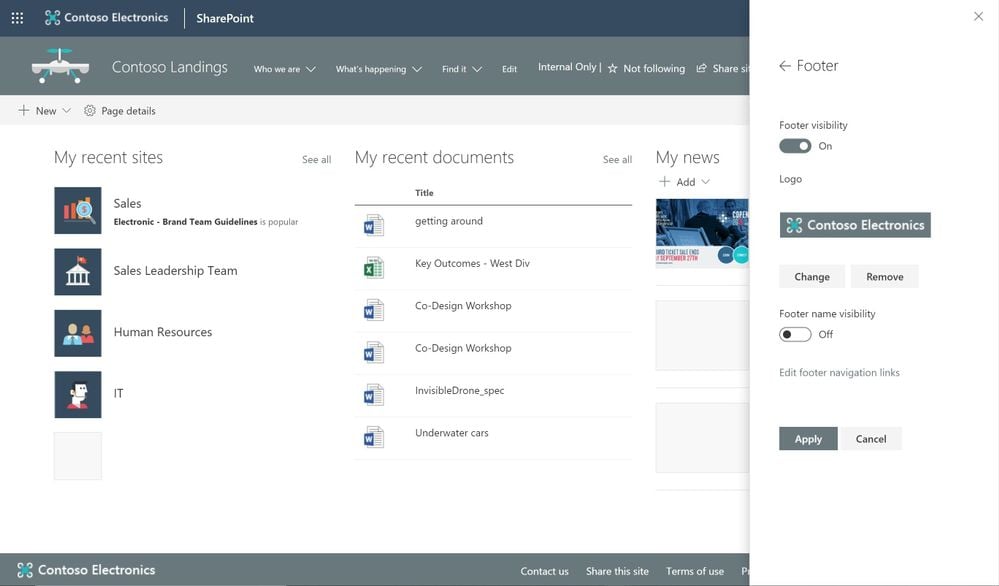
Now add a site footer to display common information like logo, website URL, text at the bottom of your site. Text without a link will appear on the bottom left whereas text with links will appear on the bottom right.
New site designs panel for site owners
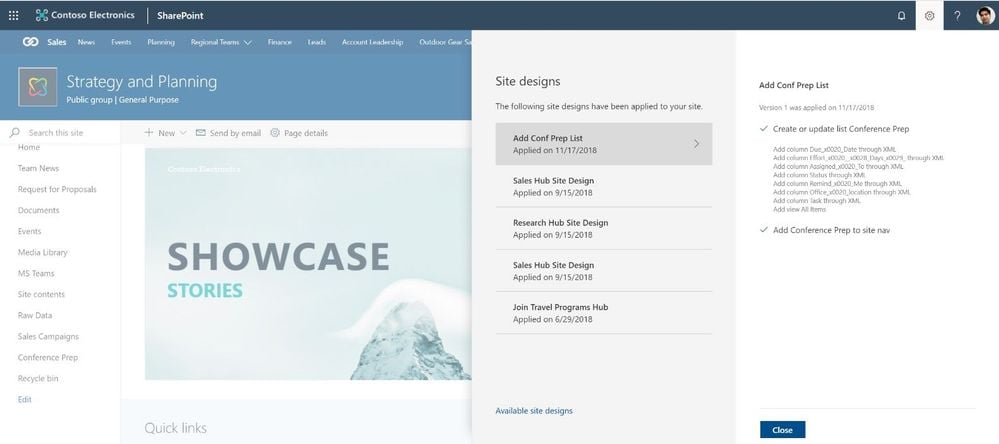
Site owners can now view any applied Site designs and apply additional ones right from within the sites themselves. With the new site setting option, site owners can display a new site design information panel.
About Dock 365 Intranet Portal
Dock is a Pre-Built intranet portal for your organization. It is powered by Microsoft SharePoint & Office 365. Dock also comes with project management, contract management, and many other business productivity features. It creates sustained, connections and conversations across the organization, promoting better employee experience and organizational performance.
Click below to schedule a Free Demo.