
Microsoft SharePoint Mobile App has come out with some great updates. These update gives us access to the Modern Interface (like SharePoint Hub Sites) and got a better experience of team sites.
#1. SharePoint hub sites navigation
As you know, the SharePoint hub sites released on March 21, 2018 and recently, the SharePoint mobile app is out with complete access to the Hub Sites and related sites. Users can experience the full cross-site navigation, visibility across news, files, lists and much more.
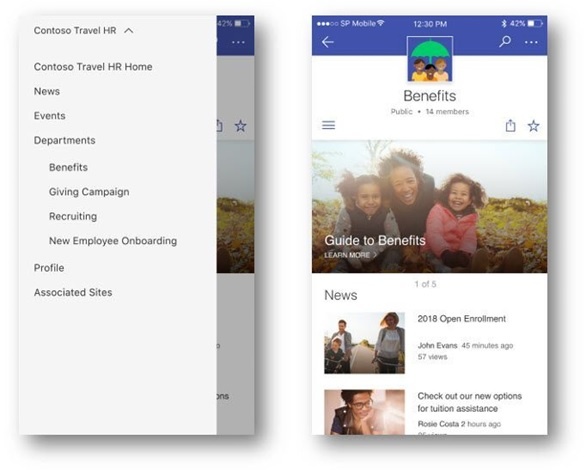
Nice access to the SharePoint Hub Site’s cross-site navigation (left) and when selecting on Benefits (Under Departments), it goes to the Benefits site (Right)
#2. Extended access to team site landing page
The landing page of your group connected team site comes with content, webparts, layout choices now like any other page or news when viewed from smaller devices. You can now access activities, files, news and lists right from the latest team site navigation menu. You can also feel the consistency between mobile and web interface. It’s more like the content and information is easily available on your finger tips to work with.
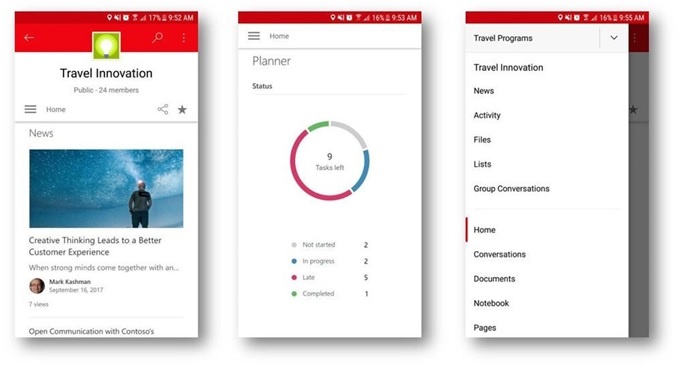
The latest SharePoint Team Site shows the Planner tasks, news and other features same as how it appears on the web.
#3. Notifications due to activities in news articles
Users can receive notifications on mobile device for the discussions that follows in the comments of the posts. Being a news author, you can receive SharePoint mobile push notifications when there is an activity on your page. Don’t worry if you're overloaded with these notifications. If you get fed up with these alerts, simply turn off the comment notifications for your mobile device.
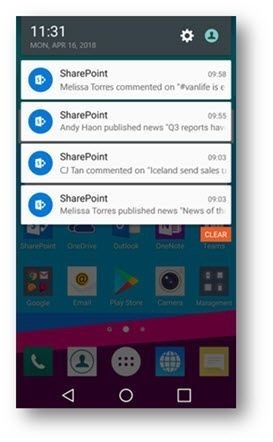
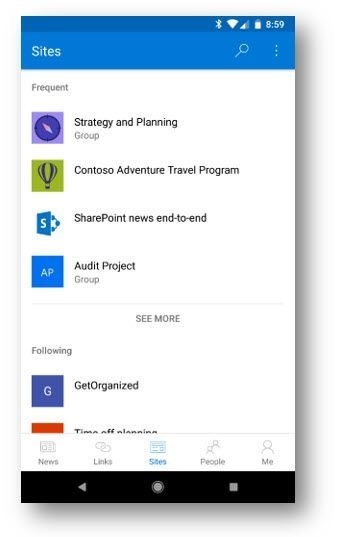
#4. Good news for android users – New tab layout for SharePoint app
I admit that it was a pain to move around the SharePoint app earlier. No worries, Microsoft has come up with the new tab layout. You can find all the personalized sites, people, news, links and Me tabs at the footer of the screen.
Recap
Alright, so I have written all the SharePoint App updates available. If you have been following Microsoft/ Dock 365 Blogs, you will see how Microsoft has been refining user experiences and adding new features in these months.
Some of the latest updates have enhanced the designs, features and most importantly: enhanced the collaborative interface to keep your team productive. Check out the updates below:
- News Posts Likes – Users can like a news post or the site right from the mobile device.
- Faster File view – You can open and preview office documents without leaving your SharePoint Mobile App now.
- People Card on Android – You get to see more people information quickly including organization structure, emails and files exchanged between the employees.
- Calendar – Month View – You get to see your SharePoint Calendar list in the calendar view.
Other important updates:
- Better scrolling experience for the Modern Pages.
- Enhanced search feature that supports infinite paging of results.
- When a list column is deleted from the browser app, it gets reflected in the mobile app properly.