.jpeg)
In the digital workplace, it’s common for teams to have a smartphone, otherwise known as the Bring Your Own Device (BYOD) workplaces. A report by MyCloudIT found workers are more productive when they can bring their own device, and when workplace mobility is encouraged.
Dock has built a couple of custom PowerApps for our clients to save them time and money, such as the CRM app for sales teams and InstaExpense, making reporting expenses on-the-go.
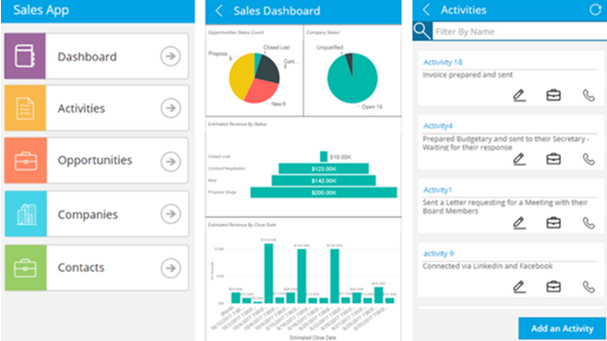
In a connected world, delivering a great customer experience is more essential than ever to differentiating your business, building loyalty, and maintaining your reputation. This is where CRM solutions come in, but a lot of businesses see CRM as too complex.
Read more: Your Latest PowerApps Update: Customize SharePoint List Forms
Many teams utilize SharePoint lists to access, share, and collaborate around structured data. So, the ability to create apps using PowerApps that utilize SharePoint lists as a data source was an important capability, which Microsoft launched in 2016. SharePoint Online PowerApps is an enterprise service for innovators everywhere. PowerApps lets you connect, create and share business apps with your team in minutes and using any device. You can create a PowerApp for an existing list in SharePoint Online.
Microsoft PowerApps is for creating and using custom business apps across platforms:
- Connect to Common Data Service or existing systems and data sources
- Build apps, forms and workflows without writing code
- Publish apps instantly for web and mobile
Let’s innovate faster to measure, act and automate with power users
People who understand their business challenges the best can now quickly build and deliver solutions without writing code. Power BI, PowerApps and Microsoft Flow are your best friends. A professional developer can now easily extend capabilities for power users and take advantage of rich platform services with the full power of Azure with Pro BI, Dev and Integration for additional functionality within the App. A common data model and connectors make it possible to get more value out of the data and services you’re already using.
Microsoft PowerApps Accelerate How Business Apps are Built https://t.co/PRpiTmNTlj #informationtechnology
— Dock Intranet Portal (@mydock365) February 19, 2018
Best Practices for PowerApps
Optimizing data sources is important in evaluating data sources before building an app. Ask yourself if the data already exists or if you need to create a new data source to manage the information and transactions from PowerApps. This will impact how the data source impacts feature feasibility and performance is important to the success of your apps.
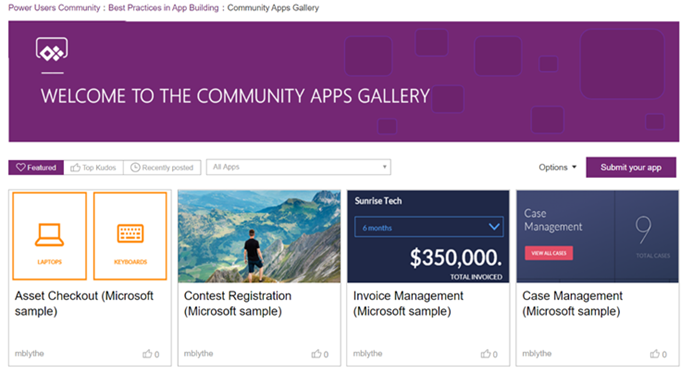
Research the App Gallery, it showcases apps from Microsoft from all over the world. It’s not only a fantastic resource for app ideas, but it’s goal is to dissect features apps for users to find reusable formulas, configurations, and patterns in common business scenarios to save you time from building apps from scratch.
The Design Matters Gallery is focused on User Experience and User Interface principals (UX/UI). Although you don’t have to be a design expert, customers are expecting to enjoy their mobile app experiences. Think about how you want to match your app design to your company brand with icons, navigation and colors to promote discovery and adoption.
Read more: Microsoft PowerApps Accelerate How Business Apps are Built
Want to learn more about how Dock can help you with PowerApps? We've made a few already and we can make custom PowerApps for your unique business needs.