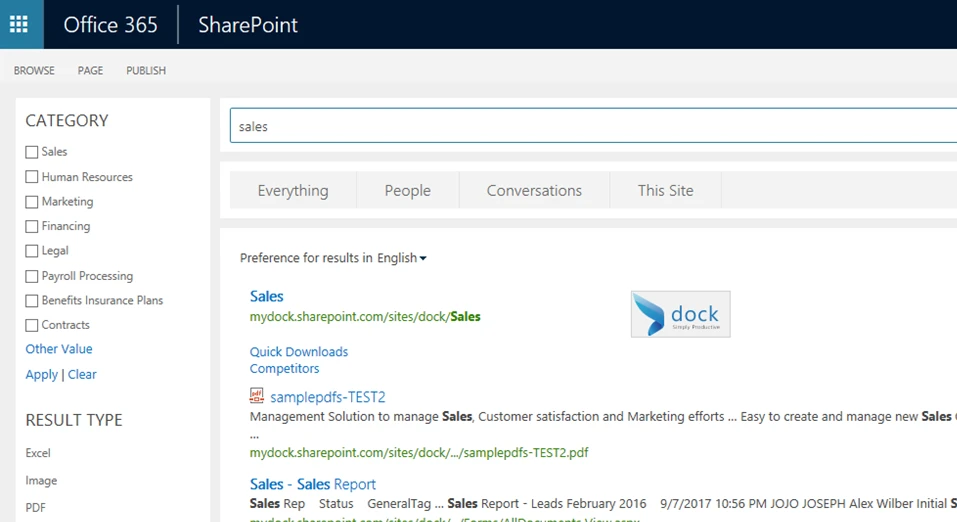
Does your SharePoint Intranet Portal search results make you frustrated? Sometimes when you’re searching for specific information within the SharePoint site, you don’t quite get the results you had hoped for. If you’re having too few or too many results, your SharePoint Intranet Portal can simply fine-tune the search results process to make your life a little easier whether you’re using your SharePoint app or online.
What does it mean to create a SharePoint search?
Within SharePoint, content is stored in Lists and Document Libraries. This helps you store and manage your data using additional information also called metadata. In the Information Architecture world, it's vital that everything be properly tagged. This way employees can easily find the files they’re searching for. That’s only the beginning. Once the user decided to embark on creating a search within SharePoint employee portal, the results could have a few challenges such as too few result or far too many.
Tips for getting effective standard SharePoint search results:
- Tip 1: Too few or no results means you will need to widen the search terms. Double check you haven’t included too many restrictions to only search portions of the content, such as People or Videos. Another suggestion is to use fewer search terms such as “report” instead of “marketing report”. Also, try generalized search terms such as “computer” versus “laptop”. If you’re feeling extra savvy, use the * symbol at the end of any word. For example, “micro*” finds documents containing “Microsoft” or “microchip”.
- Tip 2: For too many results with your standard SharePoint intranet portal, users can try the Advance Search to make a more specific query. This allows you to find information that contains or excludes specific words or limits by language. Another option is to use the Keyword Query Language (KQL) to use advanced searches directly in the search box. For example, type in ("wind farms" OR "solar panels") AND (title: "innovations" OR title: "technologies").