SharePoint online is a widely accepted enterprise solution. Pages that load faster let SharePoint portals perform better. Most of the performance issues reported on SharePoint Online is due to the page download time. Let’s discuss how to get rid of the performance issues of SharePoint Online. By investing more time and planning on designing SharePoint pages you can get rid of the performance issues one and for all.
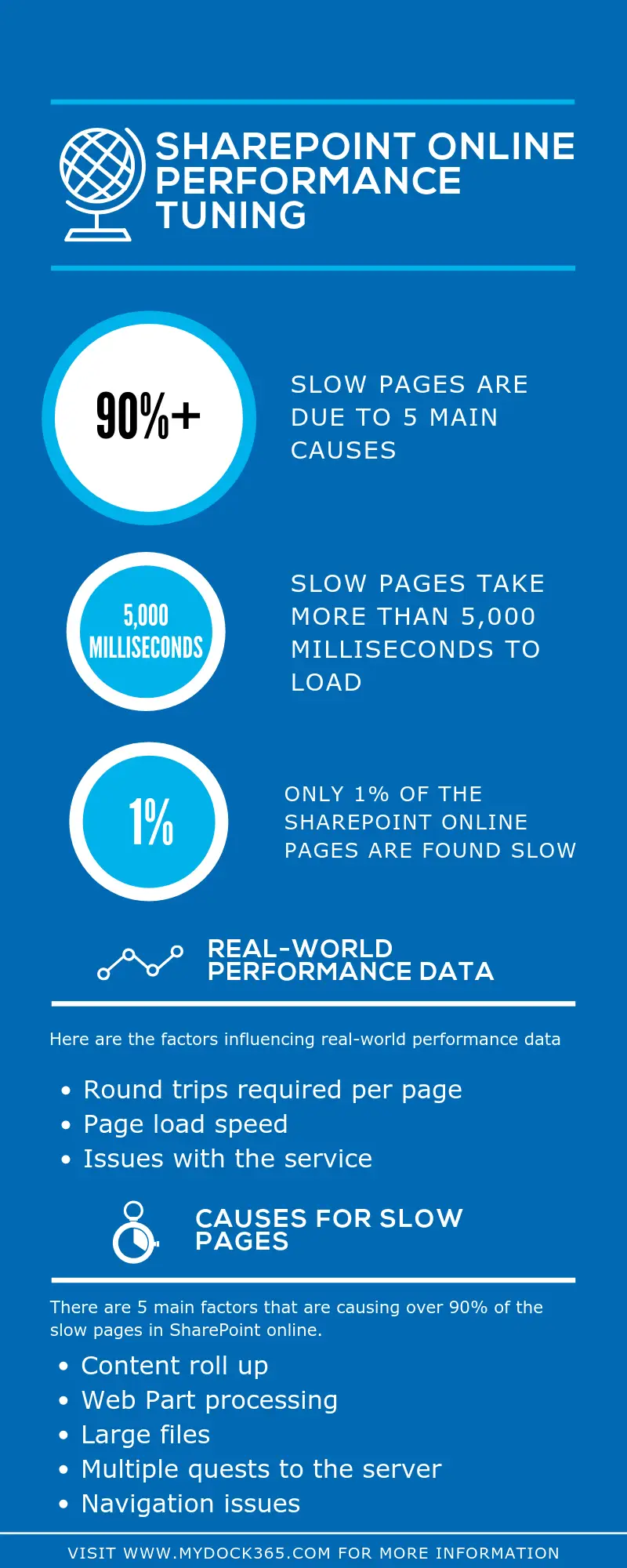
Factors influencing real-world performance data
To understand the real-world performance of SharePoint Online, you need to learn about those factors that are influencing it. Page load speed, round trips required per page, and issues with the service are some of the important factors. Other elements that result in performance degradation are also among significant broad metrics that determine the performance data.
The first step in troubleshooting performance issues
A simple benchmark test you can carry out to measure the SharePoint performance is to compare the load time taken by OneDrive for Business home page and your own portal. As per data collected by analyzing the above mention factors, most of the pages in SharePoint load quick.
Check performance with a standard user account
When checking the performance, it is recommended to use a standard user account instead of a site collection administrator, editor, contributor, or site owner. This is because of their additional permissions which make SharePoint load additional elements at the time of page loading.
Connection categories
One simple way to get rid of the SharePoint Online Performance issues is by, considering three main connection categories between the server and the user. This will give you are a better insight into the load times. Following are those 3 connection categories:
• Server
• Network
• Browser
Main causes for slow pages
Web Part processing, large files, multiple quests to the server, navigation issues, and content roll up are some of the main factors that are causing over 90% of the slow pages in SharePoint online. The next part of this SharePoint Online Performance Tuning blog series will give you more insight into the three main components categorized based on the connection between server and user.