In part one of this series we discussed where there are ways to improve outlooks task management capabilities and how to integrate successfully and setup One Note to begin utilizing it as a project management tool if you'd like a recap visit our blog. In this article, we're going to take it to the next level by showing you how to organize correctly and efficiently implement the One Note integration so that you can always stay on top of your tasks.
Using Your New Task-to-OneNote Integration
The project management tool should be able to keep you updated on the project you are working on. Whenever new tasks get added to your plate regardless if they're from an email your boss sends you, assignments provided by a project manager, or anywhere else, the process is the same; create the work in Outlook Tasks, highlight it (click on the task) and then select the OneNote icon at the top of the Tasks page.
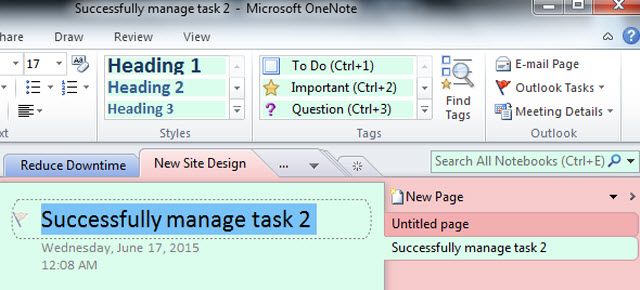
First, OneNote (ON) will ask what section to place this new “page.” This is where you select the Project where this task belongs once completed ON will import the task automatically.
What this now does it transforms each project into a "Section," and each task will be a "Page" in that section. What this setup creates now is an organized system with ON, where all of your projects will be on display on the left navigation panel, and when you select one of those projects, all the tasks will be there on the pages. You can then easily add notes files and tables or lists associated with each task in an easily digestible and organized fashion. After using this format for a project even after just a week or so, you'll see improvement in project timelines and workflow, by removing clutter and condensing the information to be accessible in one environment.
Keeping Task Records Organized
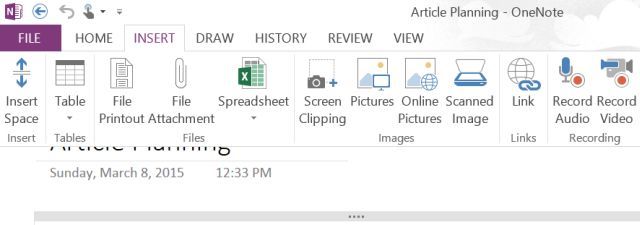
Using a project management tool you can manage and organize all your tasks easily.By bringing your tasks into OneNote, you provide a central space where everything related to that task can be organized. Moreover, the things that you can arrange on your Task page in OneNote is impressive. You can insert tables of data (or insert an actual Excel spreadsheet if you like), attach any file, take screen clippings, insert pictures or scanned images, make audio recordings, and of course, add all the hyperlinks you like.
The Key to staying organized is to keep notes and placing them with the appropriate task and to update task files and records within ON continually. Because having outdated data, lists or will defeat the purpose of utilizing this integration. Another point to make is consistency you have to consistently use this system for it to work utilizing it for several weeks for a project and then coming back to it three weeks later will leave you scratching your head