

What Is a Hybrid Deployment?
Before we get into more details, let us first find out what is a SharePoint hybrid deployment? And how does it help intranet portal?
A hybrid SharePoint deployment is a link between a SharePoint Server farm and Office 365. The SharePoint Server farm can be hosted in our own data center, in a private cloud, or in a public cloud such as Azure or even AWS.
.png)
Hybrid deployment offers best of both worlds i.e SharePoint On-Premises and SharePoint Online. With the right system and tools, organizations will have custom SharePoint solutions, latest features in the cloud and control they need On-Premises. Custom SharePoint solutions include intranet portals, these portals will help in building employee engagement in organizations.
This will be a blog series split into 2 parts. So, stay tuned to our blog page for more updates!
Benefits of hybrid!
- Two Platforms for workloads
- Save Money
- Add Features to On-Premises Content
- Integrated Platforms help things get done faster
Exploring Hybrid Features
Let's get started
Hybrid app launcher
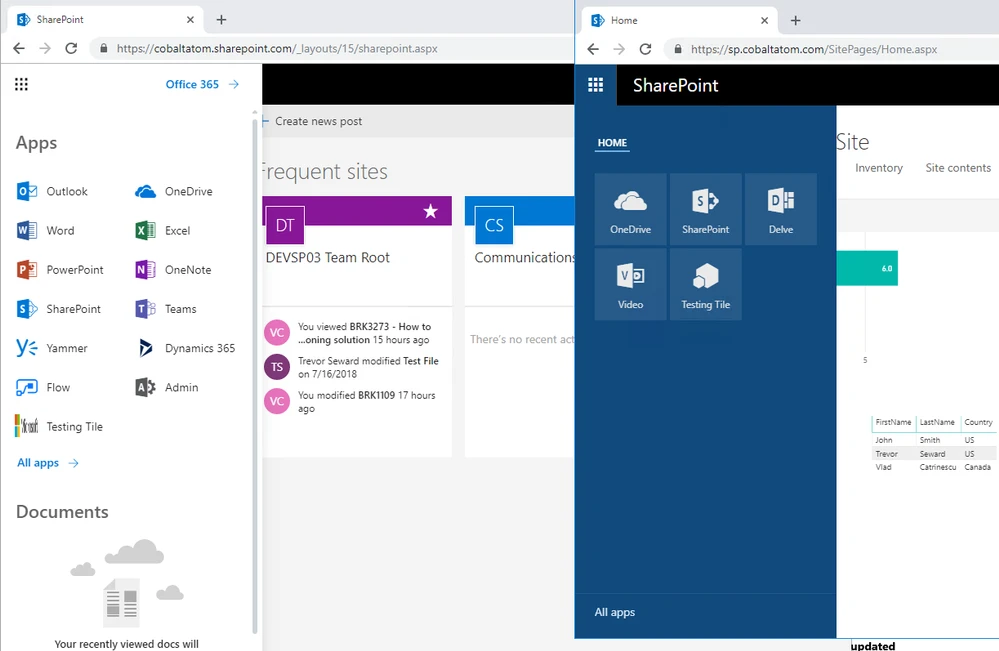
In the image below, the Hybrid App launcher can be seen on the right side.It modifies the SharePoint 2019 app launcher to be more in sync with the app launcher in Office 365. Further, it enables users to access all their apps, whether On-Premises or Online from both SharePoint 2019 and Office 365 environments.
Hybrid Sites
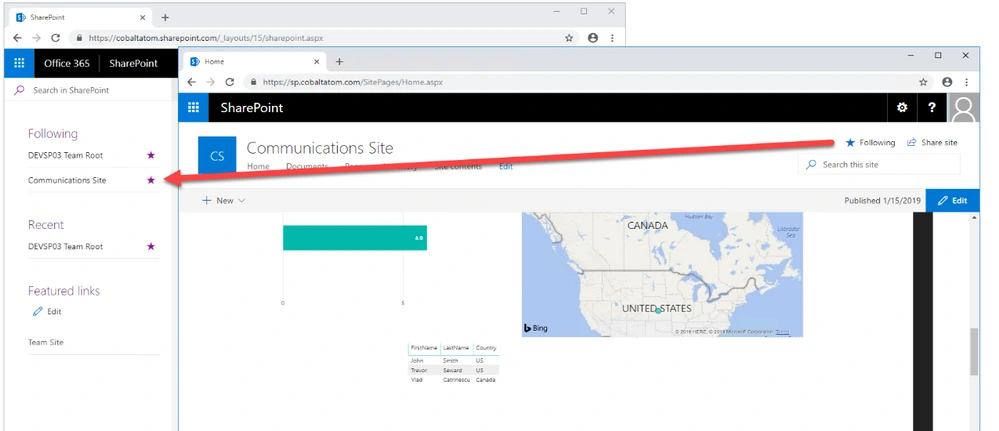
With the Hybrid Sites functionality, a user’s followed sites from both On-Premises and Online is displayed in single location i,e. their SharePoint Home in Office 365. This enables users to quickly access all of their favorite sites from the SharePoint Home irrespective of whether the sites are hosted Online or On-Premises.
Hybrid OneDrive for Business
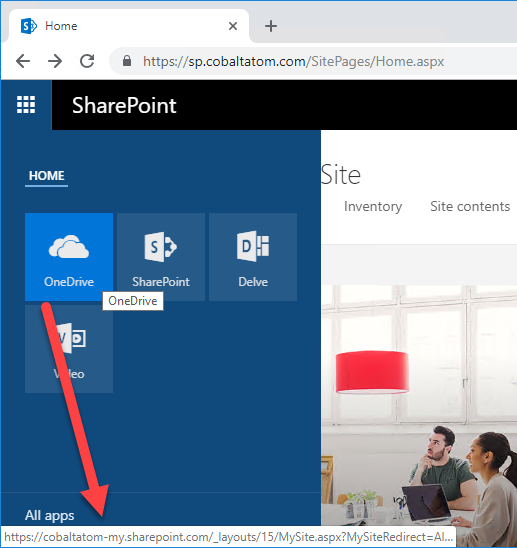
The Hybrid OneDrive for Business once enabled will create user’s OneDrive for Business in SharePoint Online instead of SharePoint On-Premises. When it comes to integration, the OneDrive icon inside SharePoint On-Premises app launcher will now redirect users to their OneDrive inside Office 365 as seen in the image below.
Hybrid self-service site creation
Users can now redirect the default self-service site creation page in SharePoint Server (if it is enabled) to SharePoint Online with the Hybrid self-service site creation feature. With this feature, you can ensure that all newly created sites are in SharePoint Online, which will ultimately result in having less content to migrate in an eventual migration to Office 365. You can get customized intranet portal features that are fit for you needs and make the best out of SharePoint and Office 365.
Hybrid Business Connectivity Services
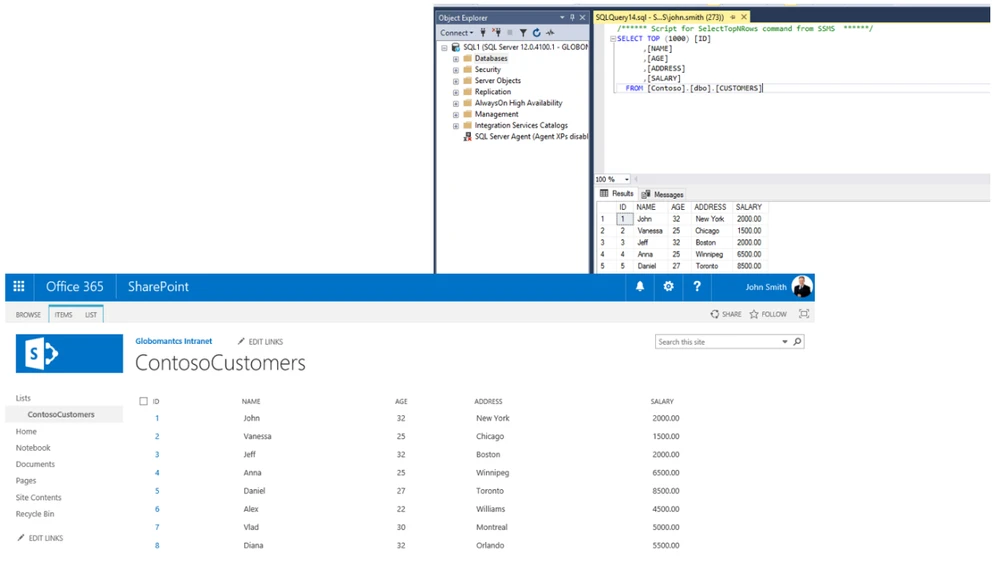
Securely display data from an external system, such as a SQL Server Database, as a SharePoint list in Office 365 with Hybrid Business Connectivity Services. With this feature, users will no longer require to connect to their on-premises infrastructure to view and edit data. In fact, they will able to do this from anywhere in the world. In the image below, information from a SQL Server database is being displayed in a SharePoint Online list.
Check out the second part of this blog to learn more about this.

.webp)

.webp)

