

Welcome back to our blog SharePoint Server 2019 Hybrid & Intranet Portal: An Overview Part-2. In case you haven’t read our Part I blog, click below to read:
SharePoint Server 2019 Hybrid & Intranet Portal: An Overview Part-1
Going forward, let us explore the remaining features of SharePoint Server 2019 Hybrid.
Hybrid Auditing
With Hybrid Auditing feature, SharePoint Administrators can push audit logs from On-Premises to the Office 365 Unified Audit Log, Thus ensuring that there is only a single location to view audit logs for both on-premises and online.
Hybrid taxonomy and content types
You can now have a shared taxonomy and set of content types between your SharePoint Online tenant and SharePoint On-premises farm with Hybrid auditing. The initial term store migration needs to be done by an admin via PowerShell. Thereafter the users will be able to create all of their taxonomy and content types in SharePoint Online. Using a timer job your administrator can schedule it to automatically replicate in SharePoint On-Premises.
.webp)
Hybrid Search
There are two options to integrate search between SharePoint On-Premises and SharePoint Online in SharePoint Server 2019.
1.Federated Search
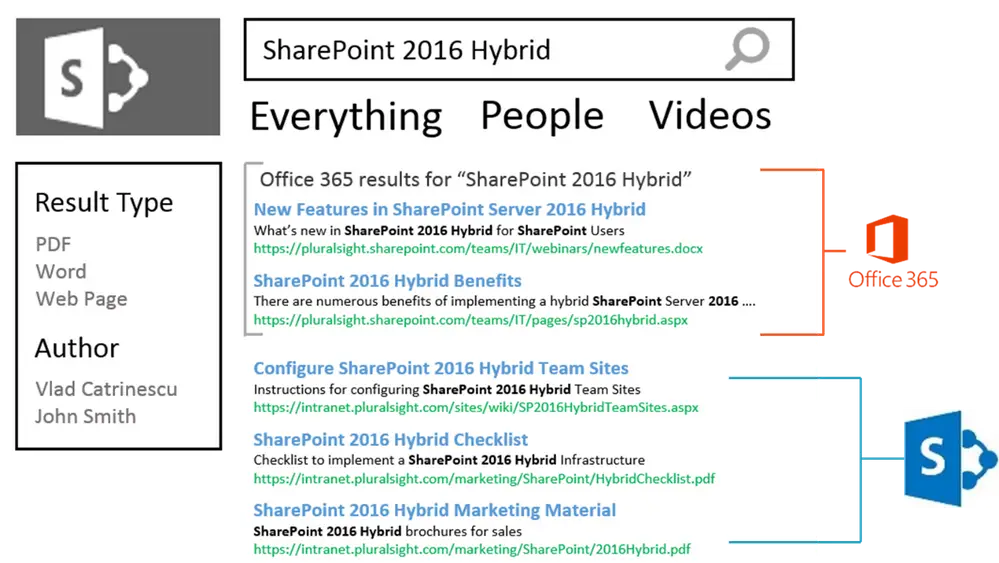
With this option,SharePoint Server 2019 shows results from SharePoint Online by making a Remote SharePoint query. Further users can also search SharePoint On-Premises directly from SharePoint Online. An important aspect of Federated Search scenario is that the index stays on the same system as the data i.e. SharePoint Server 2019 index remains On-Premises while the SharePoint Online index remains in the cloud.
Talking about the user experience, a user will see results as two different systems on the search page as showcased in the mock up below.
Cloud Hybrid Search
A prerequisite is that this option requires a search service application called Cloud Search Service Application. In Cloud Hybrid Search the index of On-Premises items and documents is pushed to Office 365 by SharePoint Server 2019. Thereafter it is merged with the SharePoint Online index. Owing to the index merger in the cloud, users will only have access to Office 365–only features.
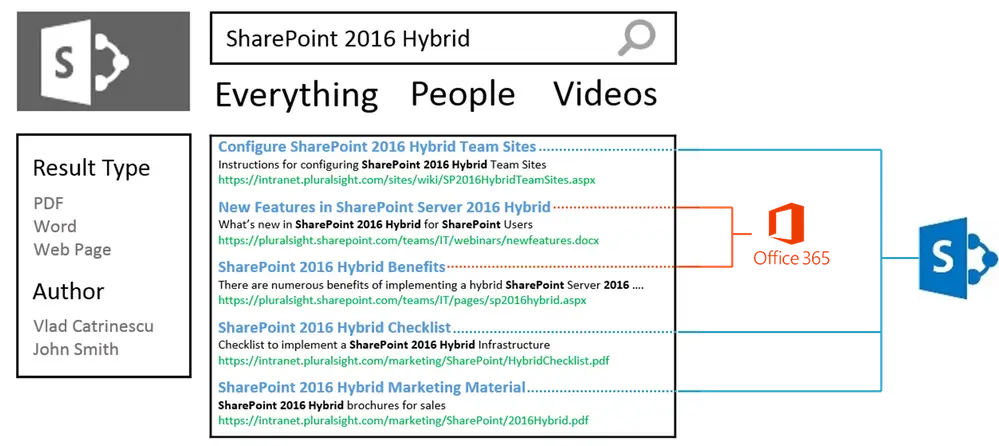
These search features will be a great deal of help in an Intranet Portal. Document storage and retrieval can be made easy using this advanced feature of SharePoint.


.webp)


