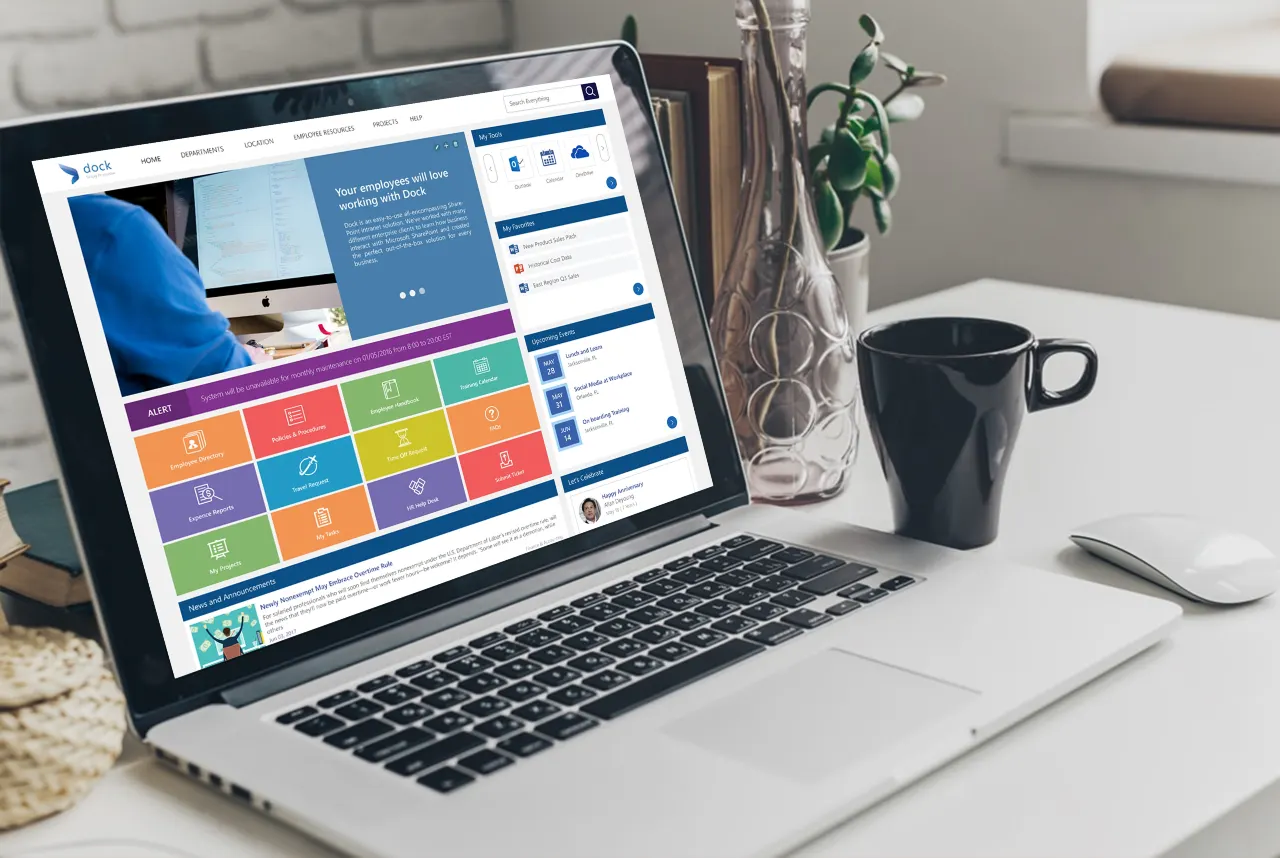
Dock, powered by Microsoft SharePoint online, comes with plenty of features out of the box. Even though we have leveraged the SharePoint capabilities to the fullest, our SharePoint Intranet experts can customize Dock SharePoint intranet to look and operate the way you need it to the most.
You’ll be able to empower collaboration among your team members using Dock’s Departmental Portals. You can share documents internally, work on the departmental lists and document libraries within your intranet. It’s going to be another office space (Virtual Office space) filled with news, documents, calendars, tasks and discussion boards.
Automated Business Processes in Dock and SharePoint
We have equipped Dock with six automated forms and features to make your work requests or tasks easier. Let’s go through them one by one:
1. My Tasks
Users will be able to assign or work on tasks assigned to them via Dock’s Projects Portal.
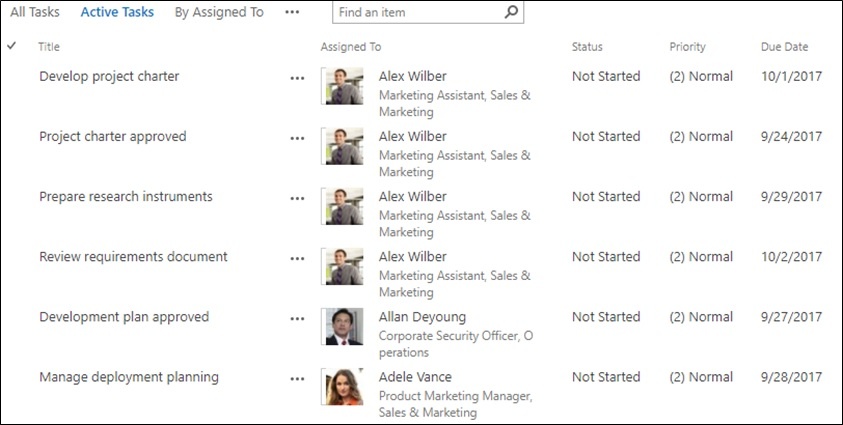
The user gets the notification via SharePoint mobile app or email so they can work on it accordingly. This way, your team lead/manager can keep track of the tasks assigned to different team members and work accordingly.
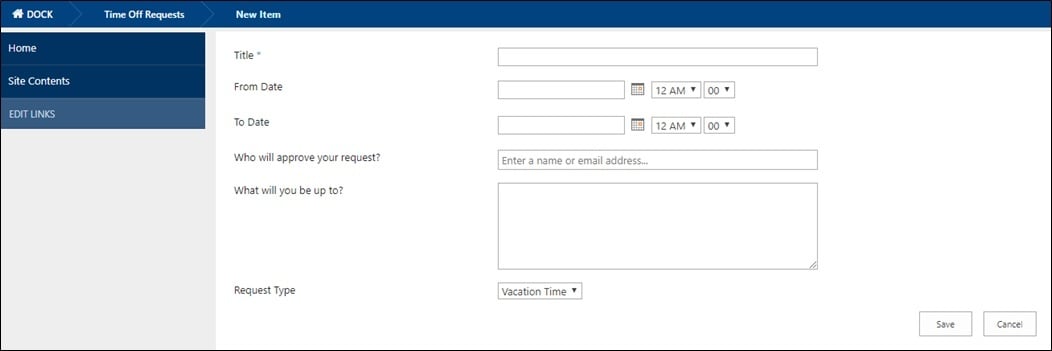
2. Leave Request
This is the most effective way to manage leave requests using Dock SharePoint Intranet Portal. The users can submit leave/PTO requests using the Time Off Request Form. Their manager receives the email notification requesting to Approve or Reject the leave request. The user is notified with a confirmation regarding the same.
3. Submit Ticket
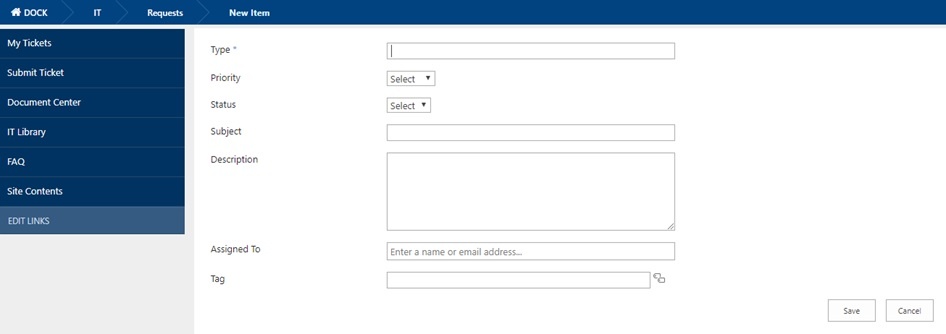
Do you have hardware or software issues? Dock’s submit ticket features solves that issue. Users can submit IT tickets specifying the type and description to the assigned contact. The tickets received can be addressed accordingly.
4. Travel Request
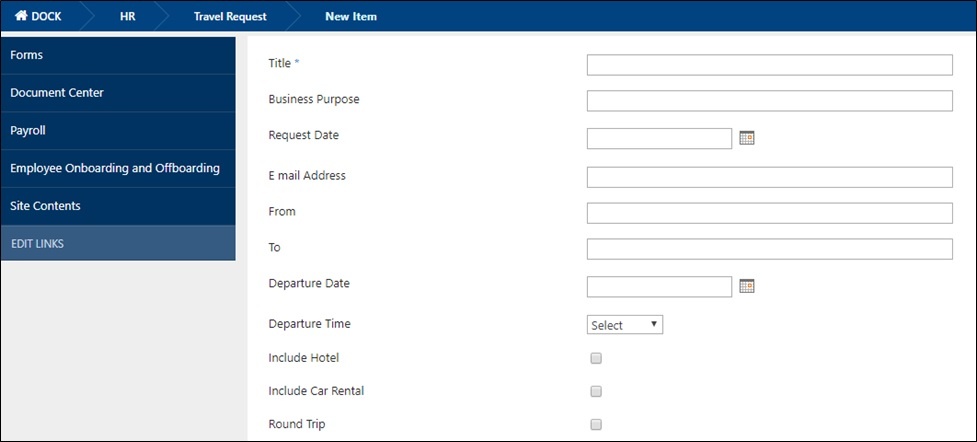
This feature comes handy for the Sales and Project Team members. Travel requests can be made easily using this feature. The concerned contact receives the email notification with the furnished information so it can be filed properly.
5. Employee Onboarding and Offboarding
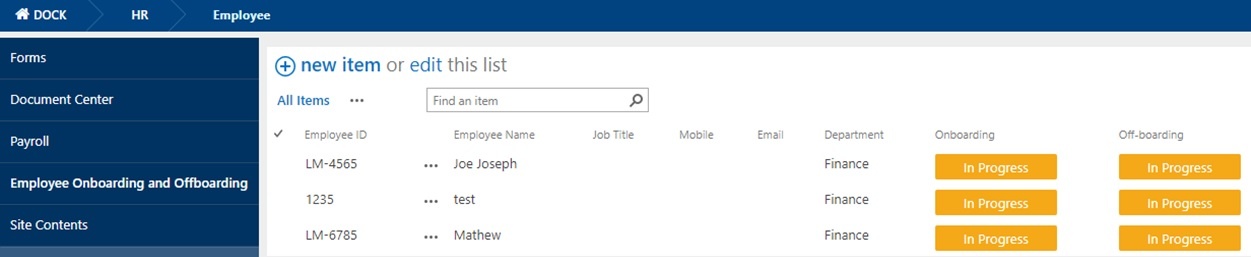
This is one of the most requested feature for HR Portal by our customers. The HR manager will be able to add employee onboarding and offboarding tasks easily. Along with the trigger to start assigning tasks to the new employees. This dashboard helps the HR personnel to track employee onboarding and offboarding tasks clearly and effectively.
6. Vendor Management Portal
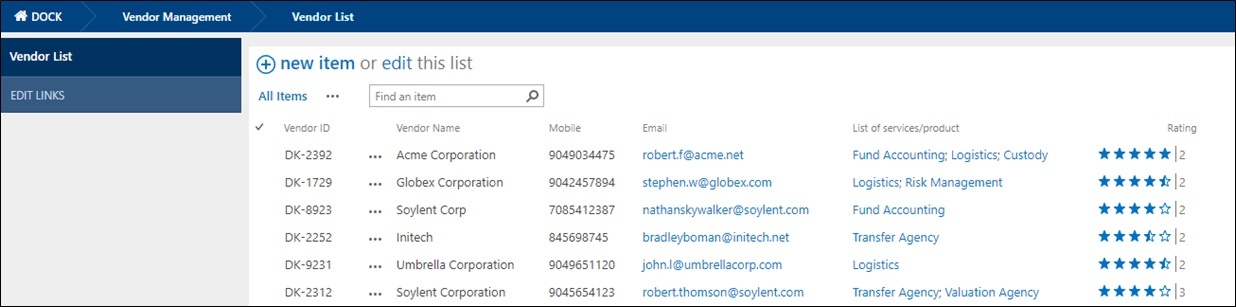
A vendor management portal is a web-based application that allows an organization to secure and manage staffing services on a temporary, permanent or contract basis. It helps centralize the complex issues that surround the staffing.
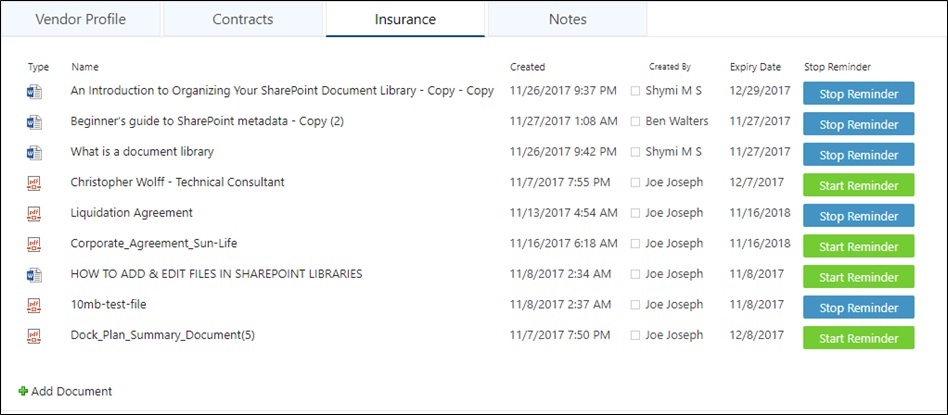
Move over Excel sheets, SharePoint with Dock’s vendor management system is here! A work flow can be created to approve vendors so that your team is confident they’re working with the appropriate list of vendors approved by the company.
Board Meetings Portal
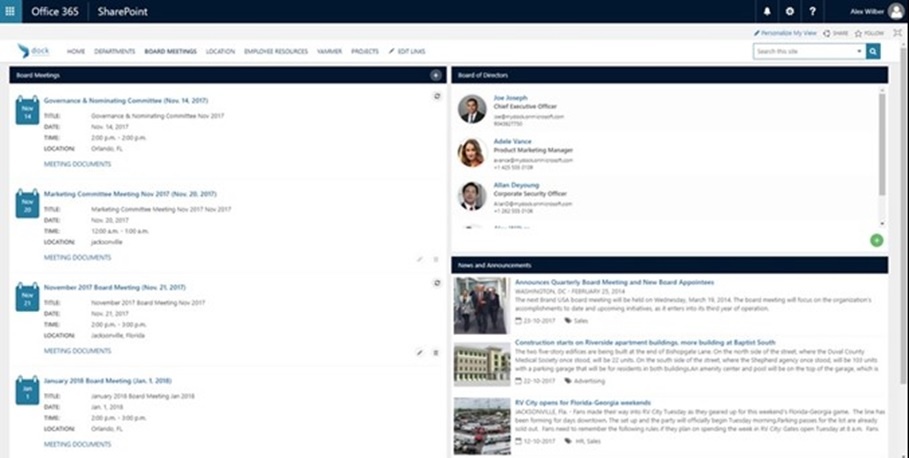
The Board Meetings Portal within Dock provides the date, month, time, location of each of your important board of director meetings. This section provides a list of the board of directors that are attending the meeting along with any additional meeting attendees. The News & Announcements can be customized to showcase relevant content such as company blogs or news announcements related to the meeting topics.
It’s easy to manage setting up meetings, users don’t have to be SharePoint experts. In addition, editing within your company’s intranet to save over the old versions of documents, such as your presentations for last minute changes prior to the meeting, just in case you need to refer to an older version.
Apart from the above features, Dock has come out with amazing add-ons to boost greater collaborative experience for the users:
- InstaExpense – The Expense Reporting Mobile App powered by Dock and PowerApps
- Dock CRM App – The Mobile Sales CRM App for Smaller Businesses
- MyGrator 365 – An easy and affordable solution to automatically migrate documents from legacy SharePoint to SharePoint Online.