
Microsoft SharePoint Online has released its modern experience that has an immediate effect, not only at the end user side, but also includes the customization options which can be used. Find out why Dock Modern Lite is recommended by SMEs across the region.
However, the modern experience isn't available for Microsoft SharePoint On-Premises yet. Modern experiences are introduced within OneDrive for Business experience in the SharePoint 2016 Feature Pack. Users can leverage the SharePoint Framework web parts in classic page experience.
It's well known that that the intranet portals are invaluable necessities for organizations. It mainly helps in streamlining communication, save documents as well as retrieve them when in need and allow collaboration. This is just 5% of the actual features. There are numerous ways to leverage the power of intranets and you can share applications and programs instead of relying on several applications.
Thanks to Intranet as a Service
We all depended on the intranet servers to keep our intranet portals alive. This is not the case anymore. SharePoint on-prem versions had its own limitations which the cloud version could solve. What’s the best part? The need of intranet servers, software patches/updates, restrictions, need of maintenance staffs can be easily avoided.
That’s why we have come up with a top-notch solution, Dock SharePoint intranet. After the success of Dock SharePoint intranet (Code Name: Dock Legacy), we have come up with yet another exciting solution targeting SMBs, called Dock Modern Lite which is powered by the latest Modern experience in SharePoint.
Dock Modern Lite and Enterprise
Dock Modern Lite and Enterprise is a ready-to-go intranet solution without any learning curve built on top of Microsoft SharePoint online (SharePoint on-prem versions will be targeted only with Microsoft SharePoint server 2019 release). The reason why we call it as ready-to-go is simply because, the users do not need to work on multiple applications and they can get started in less than two days post-deployment. Dock Modern versions are amazing and users won’t be able to find out as there are a lot of applications running behind for making lives easier for them.
As a default option, the classic SharePoint sites follow modern experience pages for newly added pages. You have an option to revert the welcome page to modern experience settings. You can convert from classic SharePoint site to modern experience using CSOM or REST APIs.
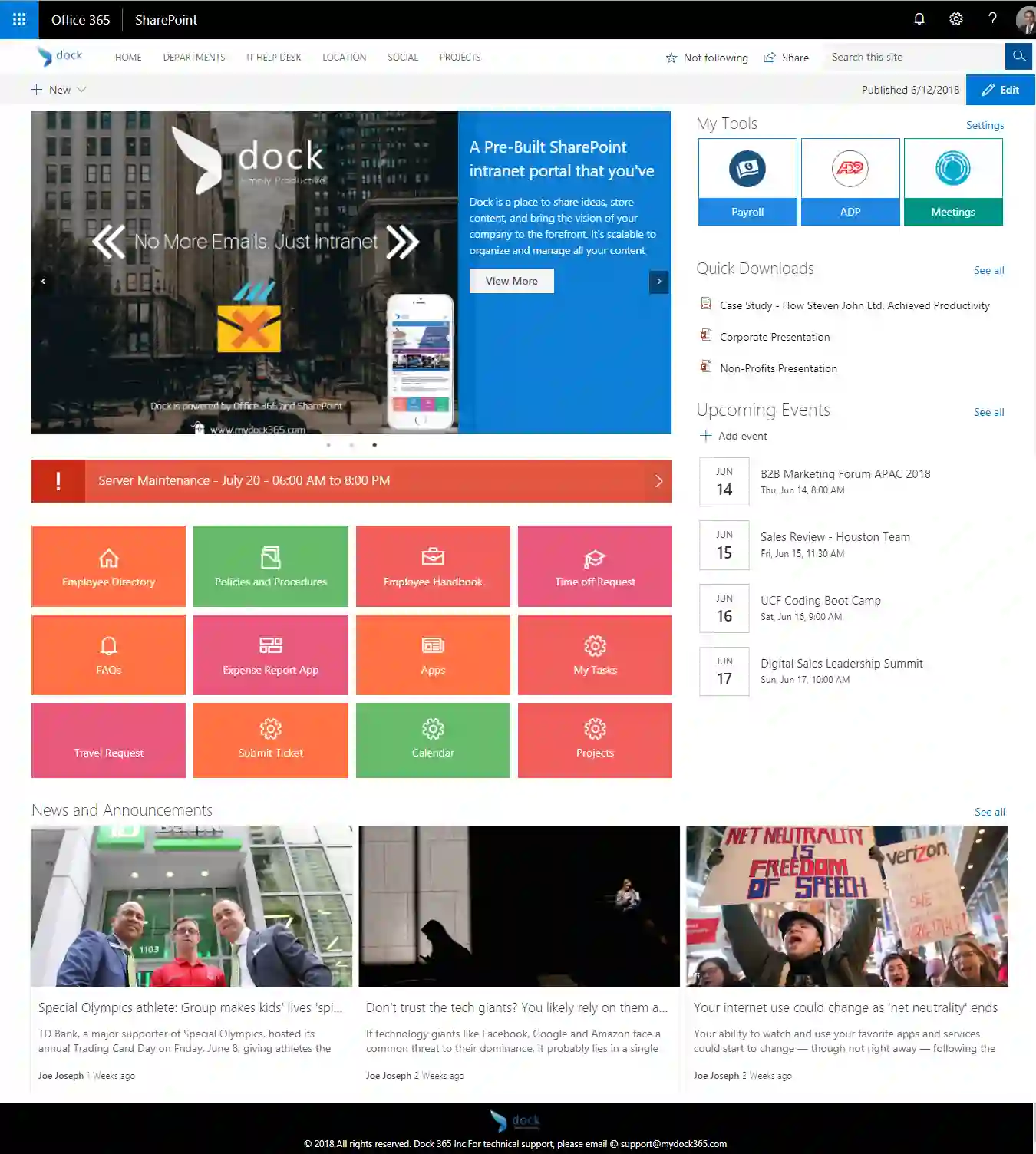
Screenshot of Dock Modern Enterprise - HomePage
Why should you use Dock Modern Lite?
Dock SharePoint Intranet Portal was born because of over seven years of software expertise. With more than 218 SharePoint projects to date, Dock is built on the most requested features by our customers across the world. It's recommended by several SMBs across the region (North America, Europe and Far East) to leverage Office 365 and SharePoint Online.
Your organization should go with Dock Modern Lite only if:
- Need access to latest Intranet/SharePoint features.
- Feature requirements can be accommodated with ease.
- Trust in Microsoft Gold Partners.
- Need overall ROI on investment.
- Beyond your budget limits for high-cost inhouse intranets
- Looking for employee collaboration, better quality of work and productivity.
- Ready to start immediately.
- No need to own unwanted hardware and worry about software upgrades.
Need to learn more about Dock Modern Lite or Enterprise? Sign up for a 7-Day Free Trial today or request for demo now! Our SharePoint Experts are happy to assist with your queries.